Update v2.0.0

Update v2.0.0

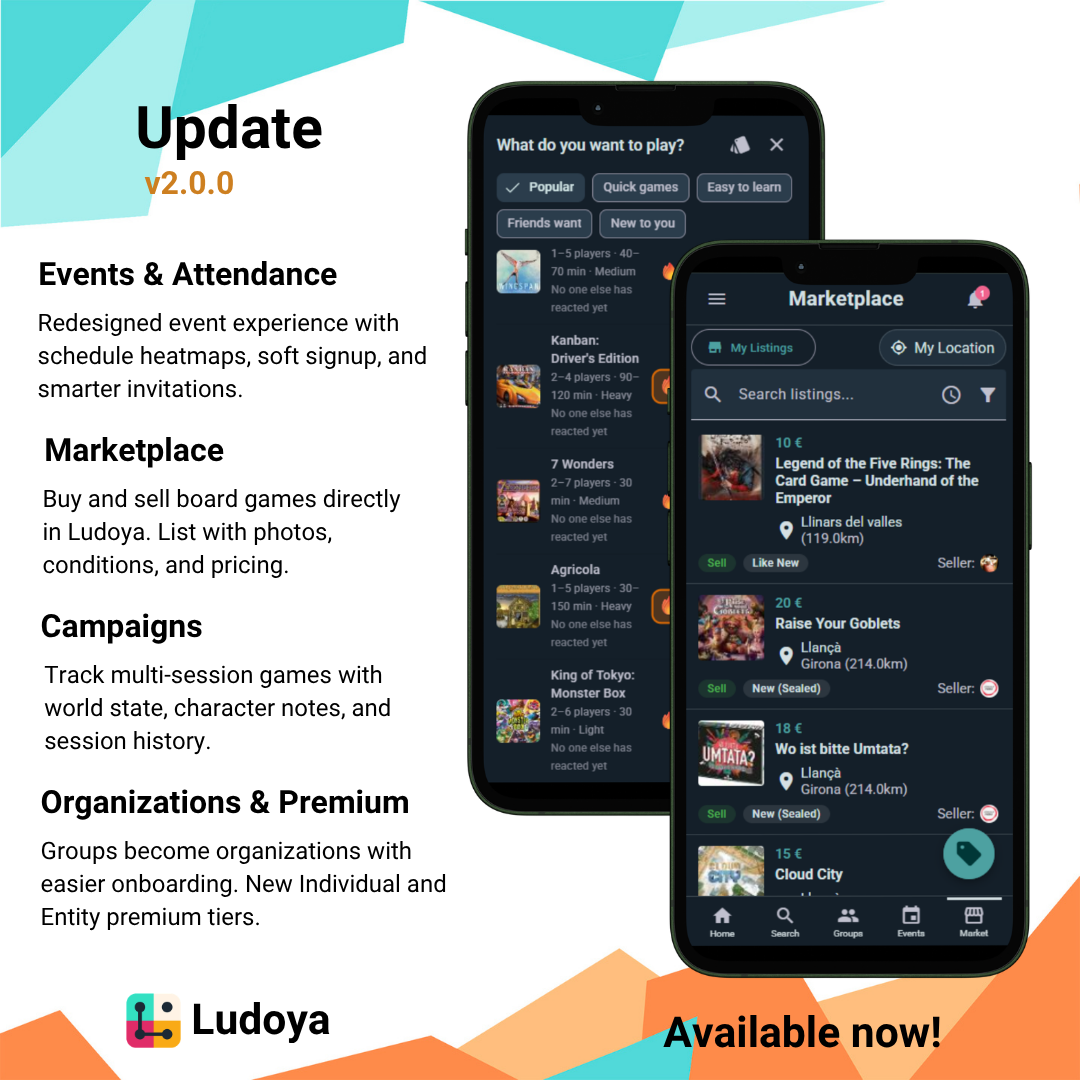
Ludoya 2.0 is here, and it's a big one. We've reworked events from the ground up, launched a full marketplace for buying and selling games, introduced campaigns for multi-session play, revamped premium tiers, and shipped dozens of improvements across the board.

  1. Events & Attendance
  • Redesigned Event Experience: Events have received a significant UI overhaul with cleaner layouts, better information hierarchy, and smoother interactions throughout.
  • Attendee Schedule Heatmap: Organizers can view a density heatmap showing when attendees are available, helpful for scheduling within larger events.
  • Minimum Participants: Set a minimum number of attendees for meetups and scheduled games.
  • Soft Signup: Users can now RSVP to events with just a name and email, no full account required. Reduces friction for first-time attendees.
  • Reservation vs. Invitation: Inviting someone to an event now distinguishes between reserving a slot for them and simply notifying them about it.
  • Improved Attendance Verification: Streamlined status updates for planned play participants.
  • Want to Play (Alpha): Inside events with games, attendees can now signal how much they want to play each game, helping organizers and fellow attendees see what the table is excited about.
  1. Marketplace
  • Full Marketplace Launch: Browse, buy, and sell board games directly within Ludoya. List your games with photos, condition labels, pricing, and descriptions, and find listings from other players nearby.
  • Game Versions: When creating a listing, you can now specify which edition or version of a game you're selling.
  • Inquiries & Conversations: Start a conversation directly from a listing to negotiate or ask questions. Marketplace threads appear in your messages.
  • Trader Ratings: After a transaction, rate your experience. Seller reputation helps the community trade with confidence.
  1. Campaigns
  • Campaign Management: Create and manage campaigns for legacy games, RPGs, and anything that spans multiple sessions. Track world state, character notes, and session history in one place.
  • Lifecycle States: Campaigns flow through Active, Completed, and Archived, with full control to reactivate anytime.
  • Linked to Events and Planned Plays: Upcoming campaign sessions tie into your events and planned plays, with minimum participant and slot handling.
  • Custom Fields: Configure campaign fields per game kit: text, numbers, toggles, selections, images, roles, and colors.
  1. Game Editing & Discovery
  • Wiki-Style Game Editing: Can't find a game? Submit a BGG link or add it manually. Edit game names, cover images, and versions collaboratively.
  • "Can't Find Game?" Prompt: A new flow guides users through adding missing games with BGG import support.
  1. Score Sheets & Plays
  • Win Condition Rows: Score sheets now support dedicated win condition tracking alongside final scores.
  • Multiple Roles per Play: Games that let you play as multiple roles simultaneously (like Sleeping Gods) are now properly supported.
  1. Organizations
  • Groups Become Organizations: Groups with an associated user account are now called organizations. Creation is much easier thanks to an improved new user onboarding flow.
  • Premium Access: Only organizations can subscribe to Club and Business premium tiers, unlocking features like floor plans, QR verification, custom forms, and tournaments.
  1. Premium Tiers Revamp
  • Plan-Specific Branding: Premium is no longer a single tier. The app now distinguishes between Individual and Entity premium plans, with plan-specific icons and feature gating throughout.
  • Group Premium: Organizations can now have their own premium tier with dedicated features.
  1. Profile Customization
  • Dynamic Widget Layouts: Customize how your profile appears to others. Choose which sections to show and personalize layout. Configuration persists across devices.
  1. Telegram Integration
  • Editable Bot Messages: The Telegram bot now updates its original message when event details or attendee lists change, keeping your group chat clean.
  1. Quality of Life
  • New Side Navigation: The app now uses a right-side drawer for content navigation. Browse games, profiles, marketplace listings, and more without losing your place.
  • Smarter Notifications: Likes on the same content now share a single notification instead of spamming you with one per like.
  • Collection Filter by Play Status: Show only games you haven't played yet, or only ones you have. Works on your own collection and when browsing a friend's.
  • i18n Improvements: Translation files have been reorganized for better consistency across languages.

That's it for v2.0, our biggest release yet. As always, let us know what you think. Your feedback shapes what comes next. 🎲

Update v1.18.0

Update v1.18.0

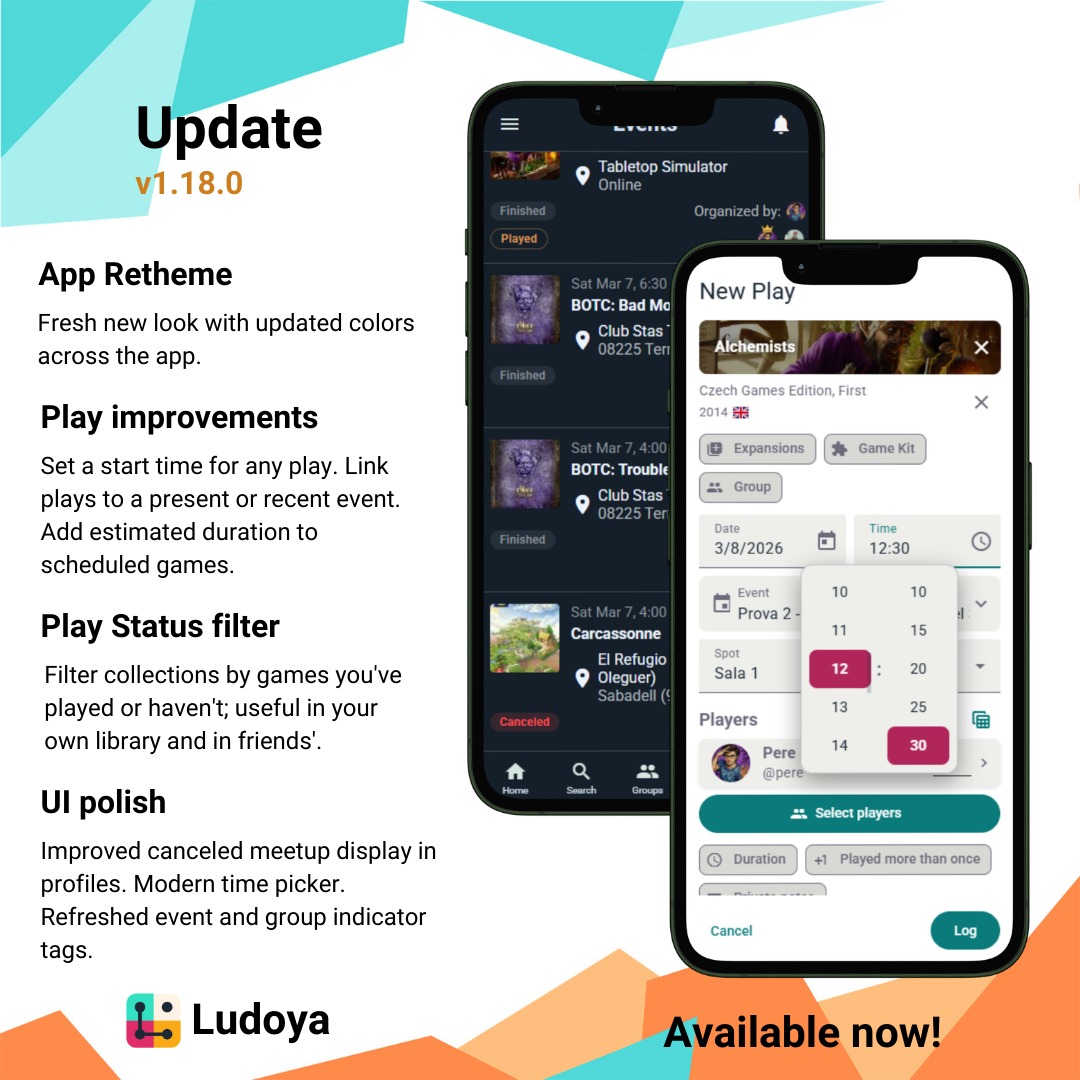
This update brings a refreshed visual identity, more control over play timing, smarter event linking, polished UI improvements, and new tools for exploring collections.

  1. App Retheme
  • Fresh Look: Ludoya has a new visual identity. Colors, typography, and component styles have been updated for a more cohesive and polished experience throughout the app.
  1. Play Improvements
  • Start Time: You can now set a specific start time for any play, giving your history more precision.
  • Link to an Event: When creating or editing a play, you can select a present or recent event (up to a few weeks back) to associate it with — so your plays are always connected to the moments that generated them.
  • Estimated Duration for Planned Plays: Planned plays now support an estimated duration field, enabling better conflict detection when scheduling sessions.
  1. Play Status Filter in Collections
  • Filter by Play Status: A new filter in collection views lets you show only games you haven't played yet, or only games you have — useful both in your own collection and when browsing a friend's.
  1. UI Polish
  • Canceled Meetups: Canceled meetups now display more clearly in user and group profiles.
  • Modern Time Picker: The time picker has been upgraded to a modern interaction, replacing the previous single dropdown.
  • Improved Indicator Tags: Event and group indicator tags have been visually refreshed — better contrast, tighter styling, and a more consistent look across the app.

As always, let us know what you think! Feedback and bug reports are always welcome 🎲

Update v1.17.0

Update v1.17.0

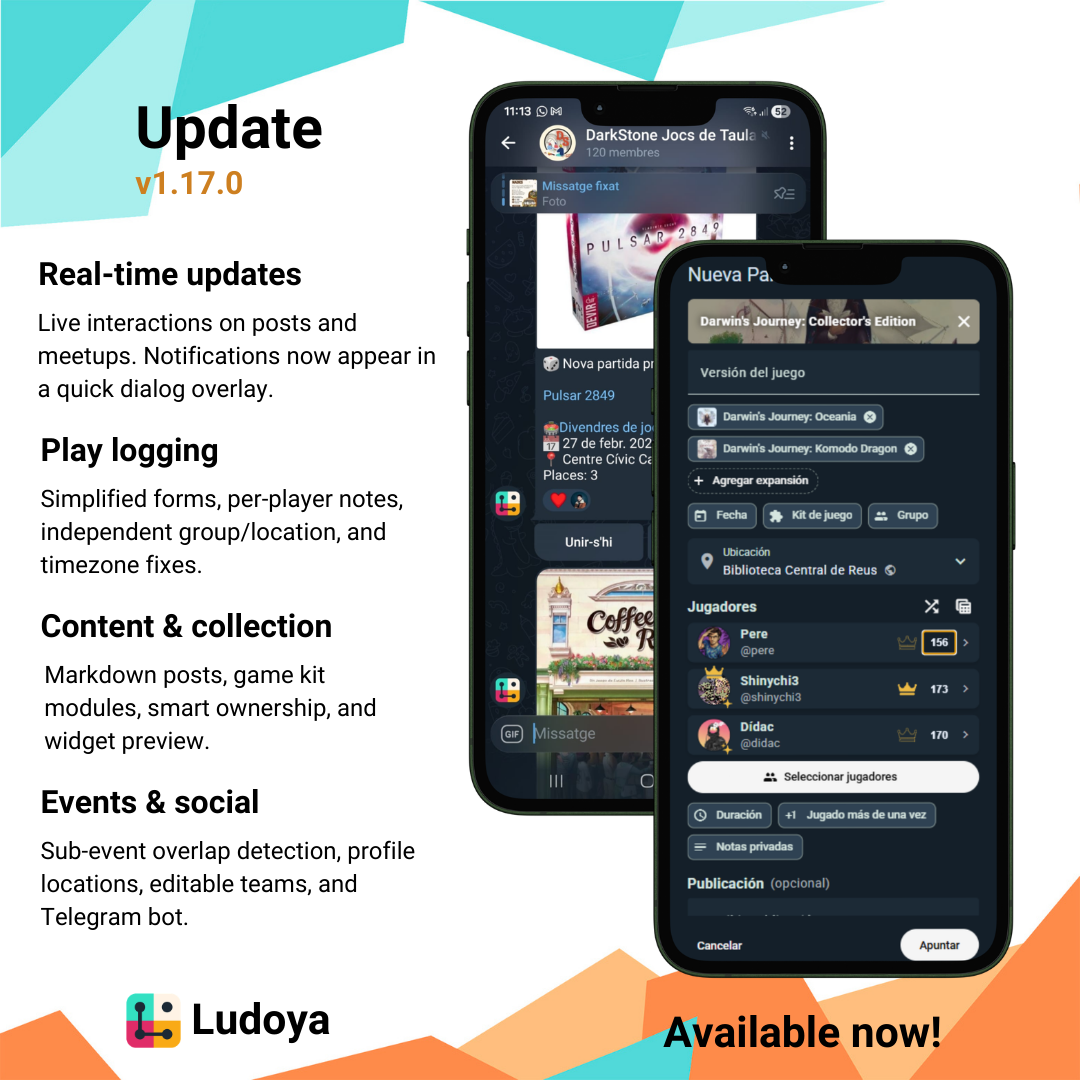
This release brings real-time interactions, a smoother play logging experience, Telegram integration, and many quality-of-life improvements. Check out what's new!

  1. Real-time updates

    • Live content interactions: Interactions on posted content now update in real time — no need to refresh.
    • Meetup subscriptions: You can now subscribe to meetups and get live updates as things change.
    • Notifications dialog: Notifications now appear in a dialog overlay instead of a separate page.
  2. Play logging improvements

    • Simplified player forms: Reworked player entry to reduce clicks for a faster, more intuitive experience.
    • Per-player notes: Add individual notes for each player in a play.
    • Independent group/location: Group and location can now be selected independently when editing a play.
  3. Content & collection

    • Game kit modules: Game kits now support modules for tracking expansions and add-ons.
    • Smart ownership adding: Adding a game from a specific ownership view now auto-assigns that ownership type.
    • Personal widget preview: The personal widget now shows a preview of your text, version and prices at a glance.
  4. Events & social

    • Sub-event overlap detection: The system now detects overlapping sub-events, helping avoid scheduling conflicts.
    • Location in profiles: User profiles now display location information.
    • Editable team names: You can now rename your teams after creation.
    • Telegram bot: Stay connected and receive updates directly in Telegram.
  5. Under the hood

    • Gzip compression for faster load times, improved BGG comments parsing, and simultaneous scoring fixes.

We hope these updates enhance your tabletop tracking and community experience! As always, we're eager to hear your feedback. Happy gaming!

Update v1.16.0

Update v1.16.0

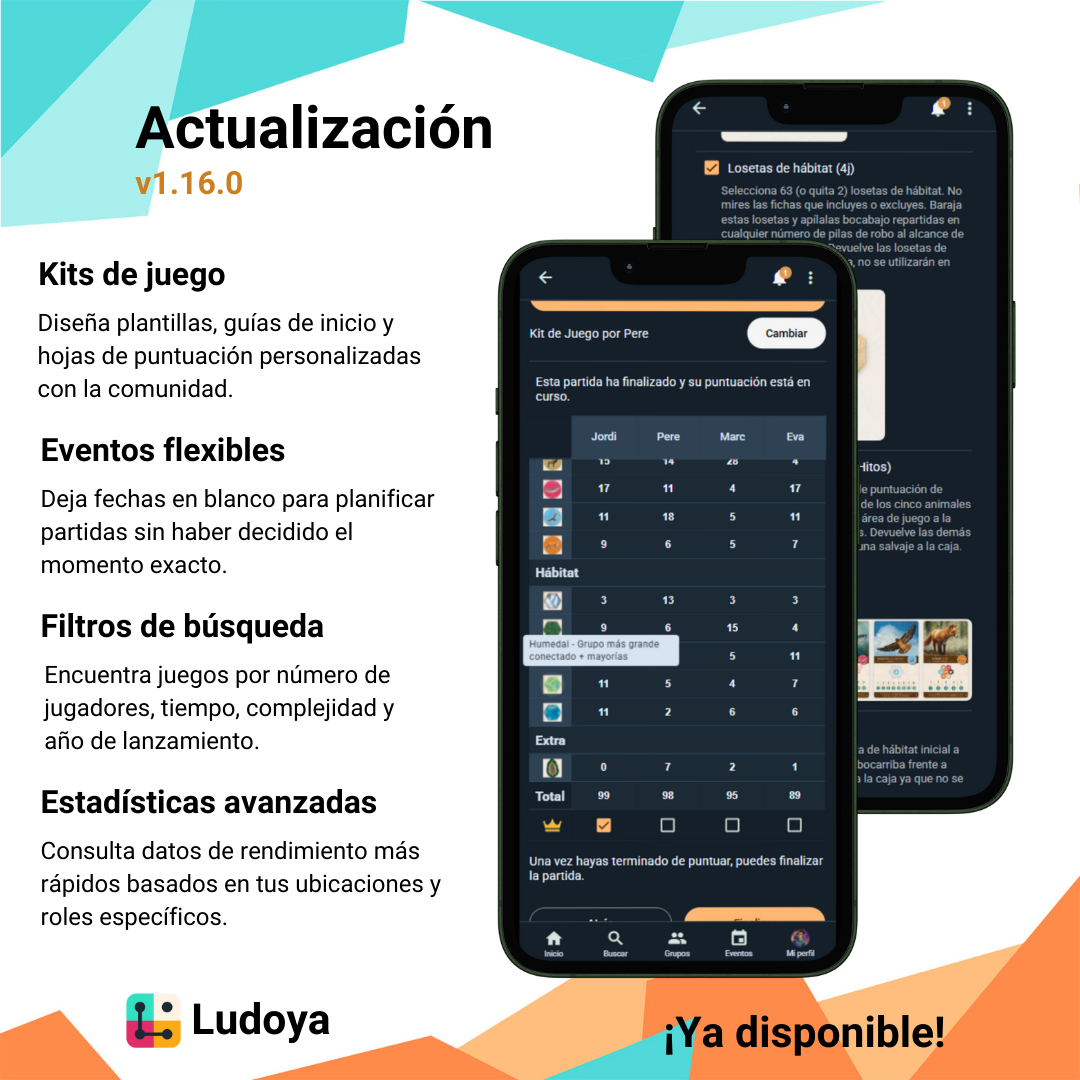
This update brings a massive new feature to Ludoya: Game Kits! We've also added more flexible event scheduling, enhanced search filters, and deeper insights into your gaming stats. Check out what's new!

  1. The Star Feature: Game Kits

    • Powerful Editor: Introducing Game Kits, a community-driven feature that allows you to set up everything to assist during play.
    • Play Templates: Use the new editor to create and share play templates, including setup steps, round actions, and customized scoresheets.
    • Community-Driven: Explore and use kits created by the community to streamline your gaming sessions.
  2. Flexible Event Scheduling

    • Flexible Start Times: You can now leave an event's start date blank if it's not yet decided. Perfect for when you know you want to do it, but not yet when you'll do it.
  3. Global Game Search Filters

    • Fine-tuned Discovery: We've added powerful new filters to the global game search. You can now filter games by:
      • Player Count: Find the perfect game for your group size.
      • Play Time: Choose a game that fits your schedule.
      • Complexity: Match the game's weight to your group's preference.
      • Release Year: Discover new releases or find classic favorites.
  4. Deeper Gaming Stats

    • Stats per Location: Track your performance and plays across different gaming locations.
    • Stats by Role: See how you perform in different game roles. Whether you're the Alliance of the Vagabond, now you'll have the data to prove your skills!
    • Performance Boost: We've greatly improved performance when loading any statistics, making navigation and data loading faster than ever.

We hope these new features, especially the Game Kits, take your tabletop experience to the next level. As always, thank you for being part of our community and happy gaming!

Update v1.15.0

Update v1.15.0

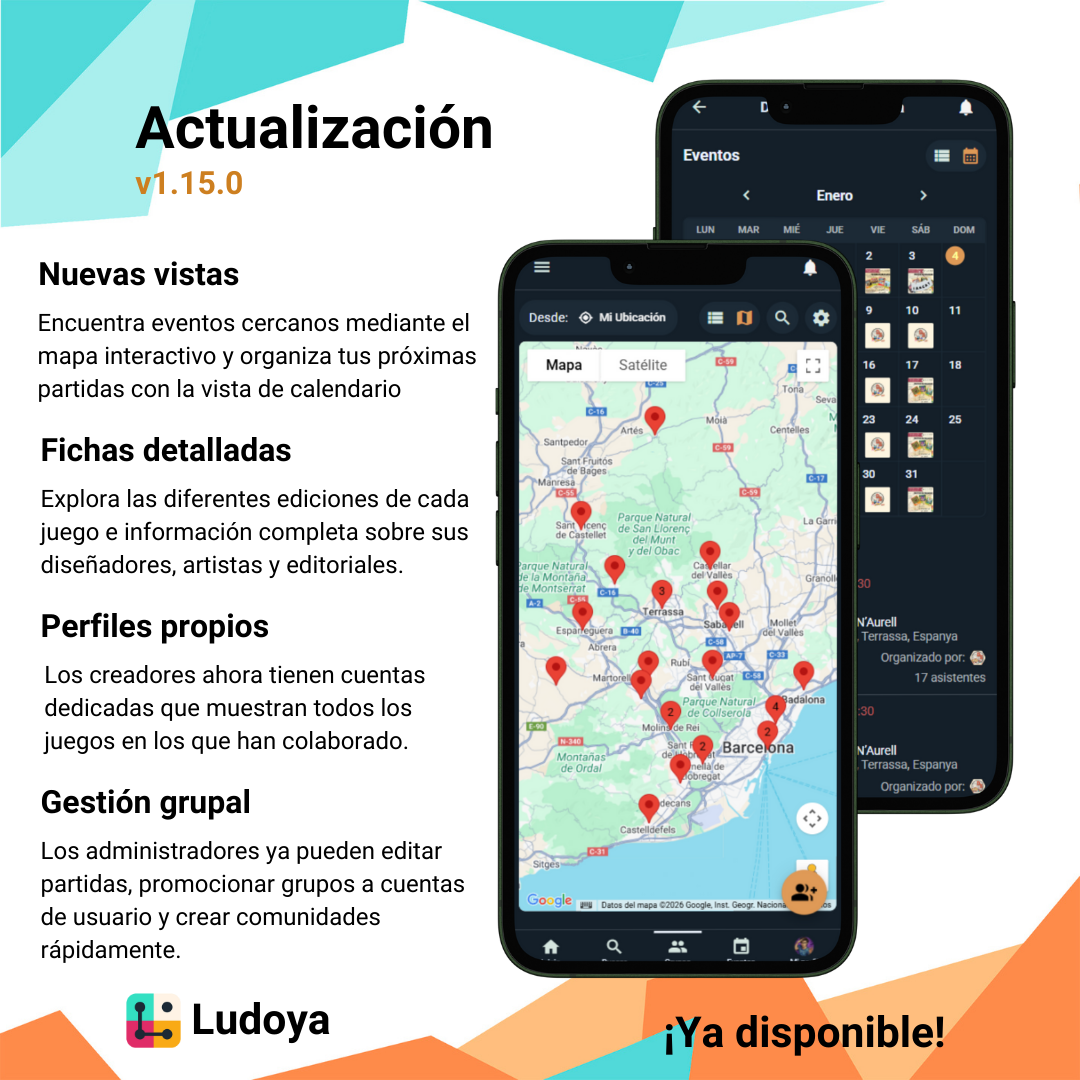
This release introduces new ways to explore meetups and events, deeper insights into board game details and their creators, and enhanced management for groups. Check out what's new!

  1. New view modes

    • Map view: You can now switch to a map view in meetups and groups sections to easily find what's happening near you.
    • Calendar view: User and group events now feature a calendar view mode, giving you a better overview of upcoming scheduled games.
    • Both modes are easily selectable via a toggle on their respective screens.
  2. Enhanced board game details

    • Editions: Each board game view now displays its different editions, so you can track exactly which version you're looking at.
    • Creators: We've added detailed information for board games, showing their designers, artists, and publishers.
  3. Game creator profiles

    • Every game creator (designers, artists, and publishers) now has their own dedicated Ludoya account.
    • These profiles showcase all the games they've worked on.
  4. Group management improvements

    • Group promotion: New groups that are not yet users can now be easily promoted to a full user account by their admins.
    • Play editing: Group admins now have the power to edit any plays associated with their group, making it easier to keep your group's history accurate.
    • Quick group creation: You can now easily create groups directly from the groups page again, just like a few months ago!
    • As always, groups can still be created from any normal account.

We hope these updates enhance your experience in discovering and organizing your tabletop adventures! As always, we're eager to hear your thoughts and feedback. Enjoy the new views and happy gaming!

Update v1.14.0

Update v1.14.0

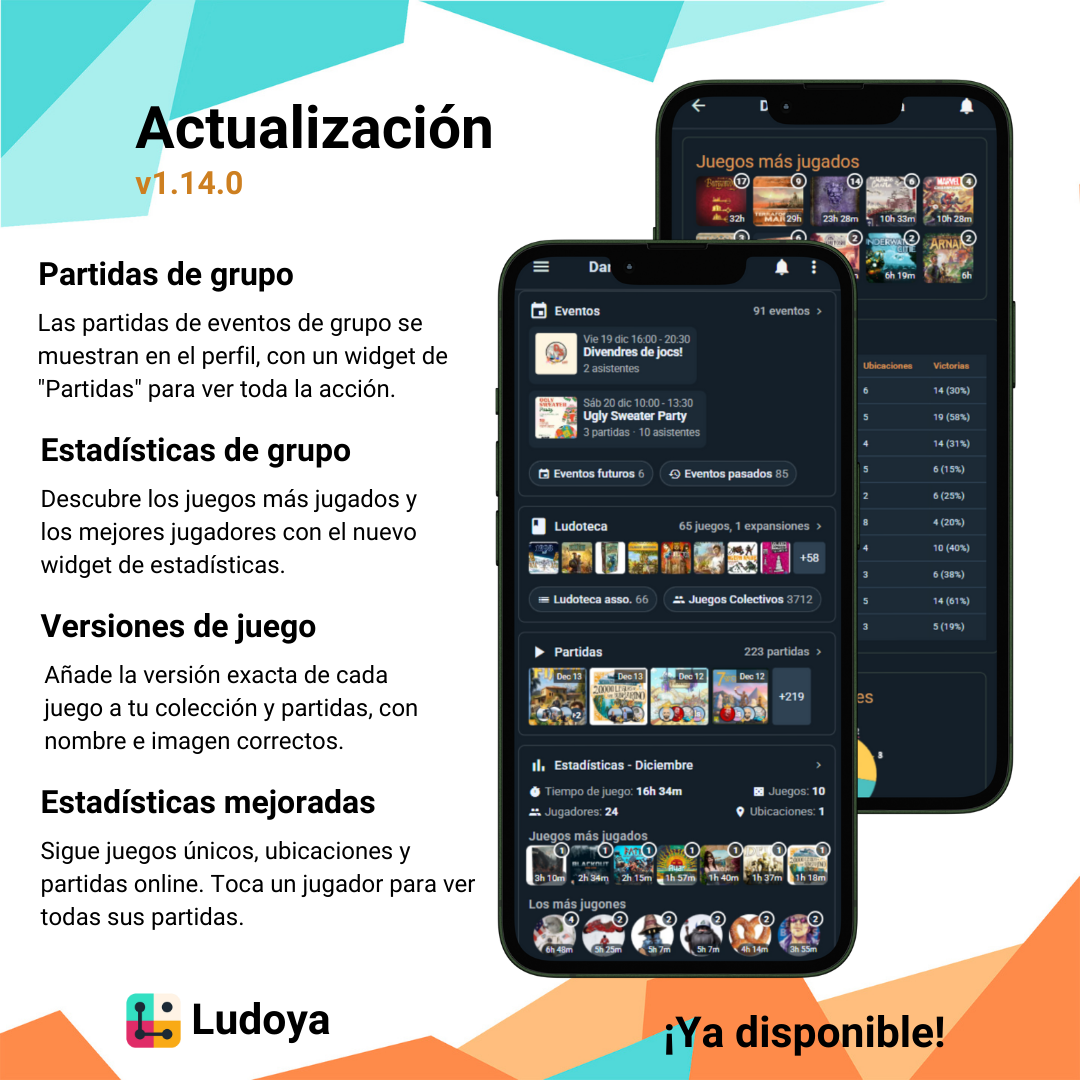
This release brings improvements across groups, stats, plays, and events, plus several quality‑of‑life fixes. See the details below.

  1. Group‑related plays

    • New plays created from group events or using a group's location are added to that group's profile.
    • Group profiles now include a "Plays" widget listing all associated plays (like user profiles).
  2. Group play stats

    • New "Stats" widget on group profiles with aggregated stats from all group plays.
    • On the stats page, see the most played games and top players in the group.
  3. Game versions

    • When adding a game to your collection, you can choose the game's version; that version's name and image appear in your collection.
    • When creating (or planning) a play, select the game version; that version's name and image appear on the play post and details.
  4. Play stats improvements

    • Online plays now count toward personal stats and show in the monthly summary image.
    • Per‑player stats now include unique games played and unique locations.
    • Clicking a player in the stats view shows a list of all related plays (also in the group stats view).
  5. Event copying

    • From your event page, click on the new event button to create a new one with the same details (title, location, description, etc.).
    • When editing a recurring event, you can apply changes to all future events.
  6. Other

    • Get notified when a nearby group is created.
    • Customize the name of locations you don't own.
    • Plays shared among users won't be re‑imported from BGG if they already exist in Ludoya, preventing unwanted edits.

We’re excited to hear what you think about these new features! Your feedback helps us make Ludoya even better, so don’t hold back. Dive in, explore the improvements, and most importantly: have an amazing time playing and connecting with your groups!

Update v1.13.1

Update v1.13.1

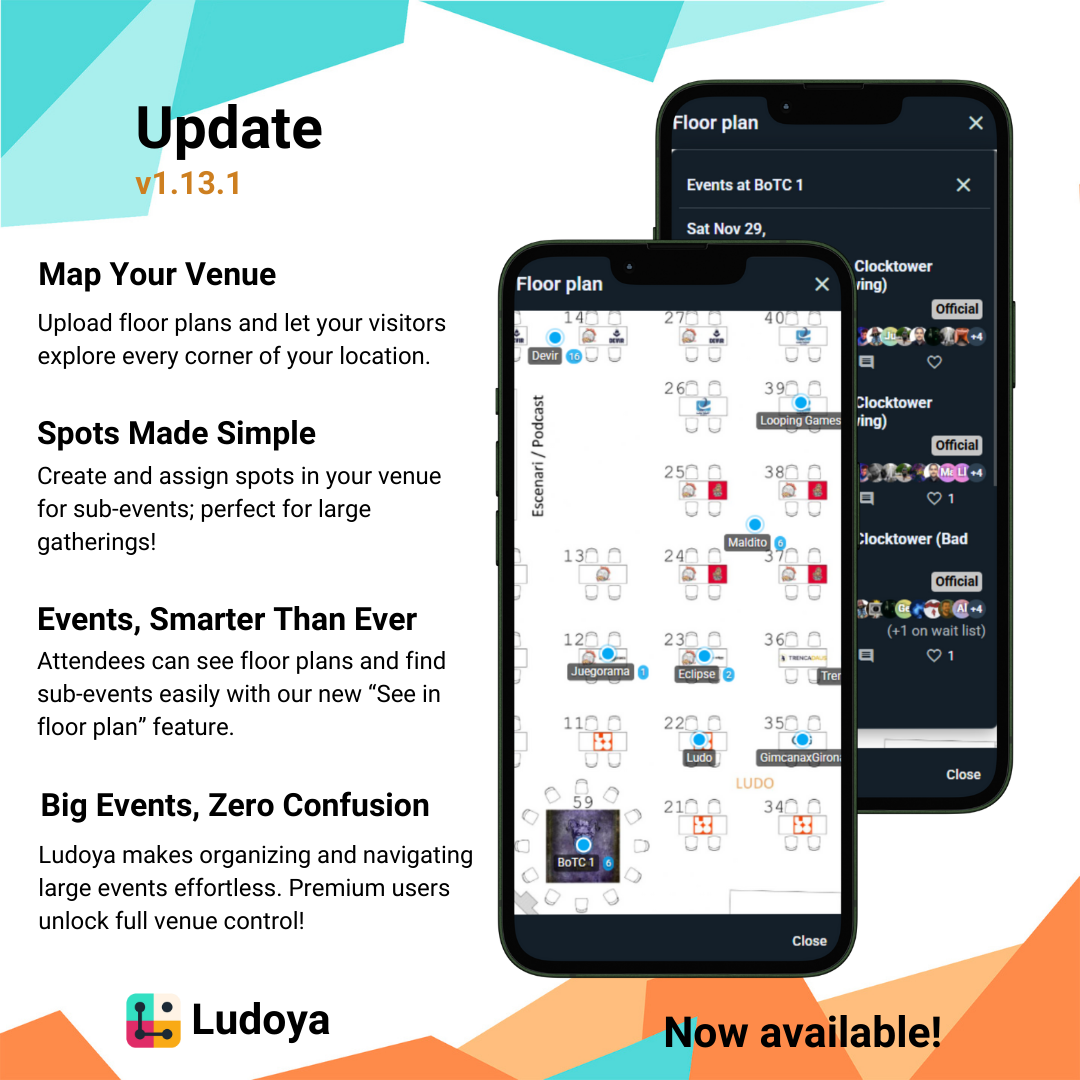
This update converts Ludoya into a pretty solid platform for hosting big scale events.

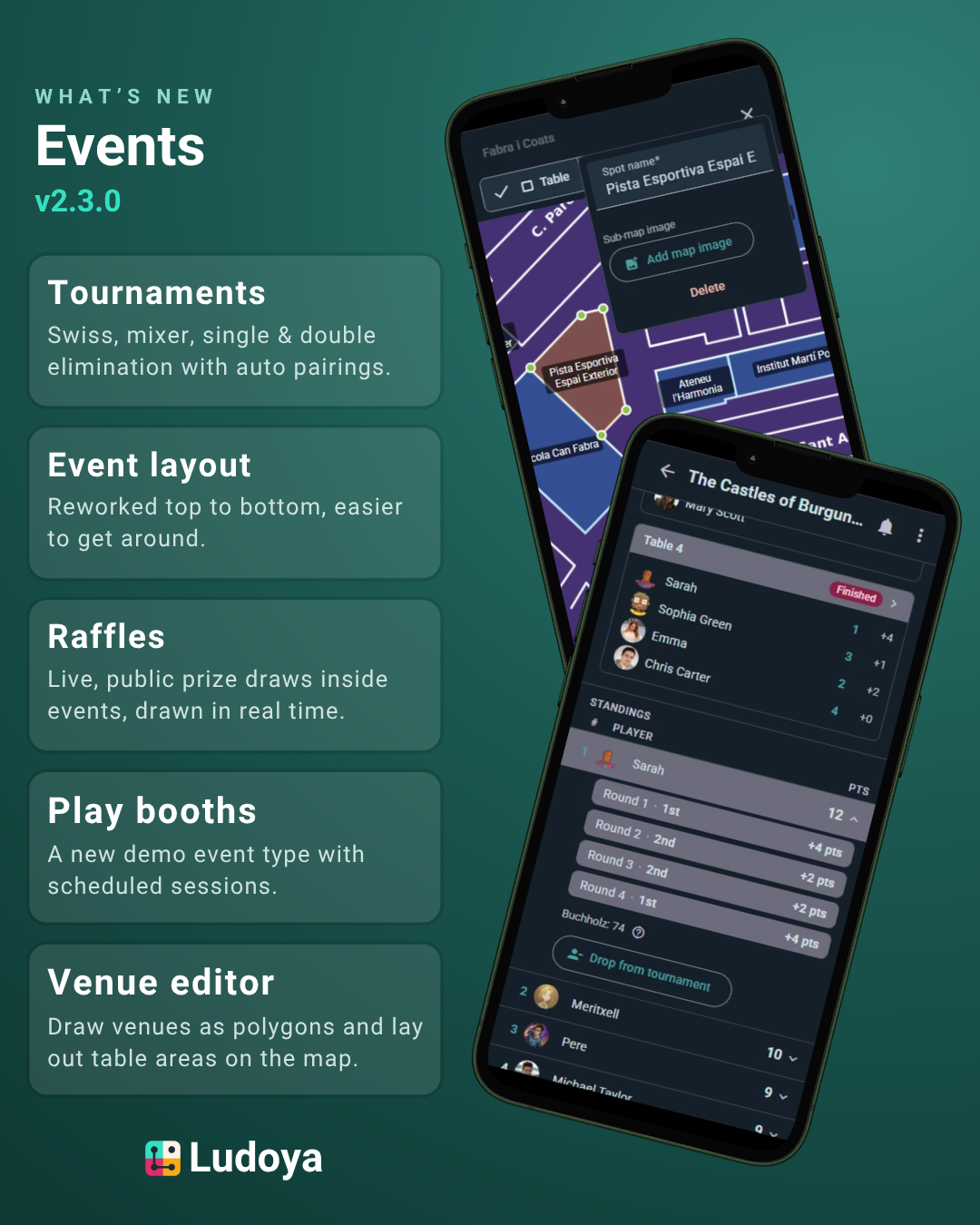
  1. Location Floor Plans

    • Premium users can now enable Venue settings in their locations to upload a floor plan.
    • The floor plan will be visible on the location panel for visitors to see the layout of the venue.
  2. Location Spots

    • Premium users can now enable Venue settings in their locations to create and manage spots within their venues.
    • Click on "New spot" to add a new spot, where you can define its name.
    • When a spot is created, if the location also has a floor plan, click on the spot to position it accurately on the floor plan.
  3. Events-locations integration

    • If an event has a floor plan, it will now be displayed on the event page for visitors to view the venue layout.
    • In the floor plan we can also see all the spots defined for that location and the sub events assigned to those spots.
    • When setting up an event, if that event's location has spots defined, you can now assign a specific spot to the event.
    • Sub-events with a spot assigned will have a "See in floor plan" link on their event page, allowing visitors to easily locate the event within the venue.

These new features enhance the event hosting capabilities of Ludoya, making it easier for organizers to manage large events and for attendees to navigate venues. Enjoy the new functionalities!

Update v1.13.0

We’re getting very close to calling Ludoya ready for mass adoption. Games, plays, and people already share beautifully across the platform; the missing piece was Locations. This release makes Locations first‑class and revamps how you find and create them.

  1. Locations, now first‑class

    • Dedicated views and management. Locations represent real places where Ludoya users meet to play.
    • Reuse locations made by others; avoid duplicates in your list.
    • Manage via Settings → Locations, or while choosing a location for a play/event.
    • Creators can add, edit, and delete their locations. Other users can mark them as favorites.
    • Merge duplicates (creator‑only). When merging, all plays, events, and groups from the source move to the target; the source is then removed.
    • See per‑location totals for plays, events, and groups, plus a quick link to related plays.
    • Plays using a location you didn’t create clearly show the location owner’s avatar to avoid confusion (e.g., “Home” locations).
  2. Search & create, revamped

    • A prominent search/create bar on the Locations list helps you quickly find or add places.
    • Type to get smart suggestions: existing Ludoya locations (yours or others’) and real‑world places you can add in one click.
    • Choose visibility on create: Private (only you and invitees) or Public (visible to all Ludoya users).
  3. Other improvements

    • Change your email from Settings → Account info.
    • Faster BGG imports for snappier auto‑syncs.
    • Fixed a quirky BGA ↔ BGG interaction; Ludoya now works as a solid BGA→BGG bridge.
    • Group events can be embedded on external sites via a new web embed option.

Stay tuned for the second part of this update, still around locations. As always, we’d love your feedback. Enjoy the update and happy gaming! 🎲

Update v1.12.1

After the Premium release, we can finally get back to regular updates! This one is an important change on how groups work. We saw a lot of confusion around groups and users being different entity types, so we decided to merge them into one.

  1. Groups are now also Users

    • Every group is now also a user, meaning it has its own login credentials.
    • Group user profiles are very similar to the old group pages so that the change does not impact usability
    • Groups can now also be followed, blocked, messaged and post content like other users.
    • Groups now have their own notifications, inbox and settings.
    • Group library management is now done through the group user profile, like any other user.
    • Groups can now import/export their game libraries to/from BGG.
    • In order to create a new group, first create a user account for it, then convert it to a group in its profile settings.
  2. Better event previews

    • Event previews' stucture has been rearranged to show key details more prominently.
    • Now all event previews display their organizer.
    • The previews of finished and logged planned plays now display the final players and the winner(s).

We hope these changes will make groups easier to understand and use. As always, feel free to reach out if you have any questions or feedback!

Update v1.12.0

After several requests, it's finally here! We’re introducing Ludoya Premium, a subscription plan packed with advanced features. Here’s what’s new in this release:

  1. Premium

    • Unlock powerful features for enthusiasts and organizers. All previously existing features remain free, except recurring meetups which have been moved to Premium.
    • Greatly extended AI usage — significantly higher monthly limits to explore rules, strategy, and setup.
    • Customizable collection/plays renders — title/description can be removed; configurable image dimensions; background via image URL or solid color; toggle per‑game labels (e.g., name, play count, …); render more than 200 games in a single picture; choose how rendered games are sorted.
    • Tournament meetups - create meetups where organizers can set and manage a public global score per participant.
    • Sub-meetups - organize sub-sessions under a main meetup (e.g., different tables, formats, or time slots) to keep everything tidy.
    • Recurring meetups - this one already existed, but it has been moved to Premium to reduce spam and zombie events.
    • Increased post visibility - Premium posts get boosted reach in the social feed.
    • Visit https://ludoya.com/premium to learn more.
  2. Auto video embeds

    • Paste a link to a video in your post content and it will automatically render as an embedded player.
    • It also works with links shared in comments.
    • Works with popular video platforms and keeps your feed cleaner and more engaging.
  3. Group collection embeds

    • You can now embed your group’s collection directly on your own website.
    • If it's successful, we can roll out more embed types in the future.

As always, we’d love your feedback. If you try Premium, tell us what you think and what you’d like to see next! Happy gaming! 🎲

Update v1.11.0

Update v1.11.0

It’s been a bit, roughly three months since our last changelog. We’ve been heads‑down building two big initiatives: Premium (coming in v1.12) and new AI capabilities. Meanwhile, here’s a packed update with improvements across notifications, privacy, events, and more:

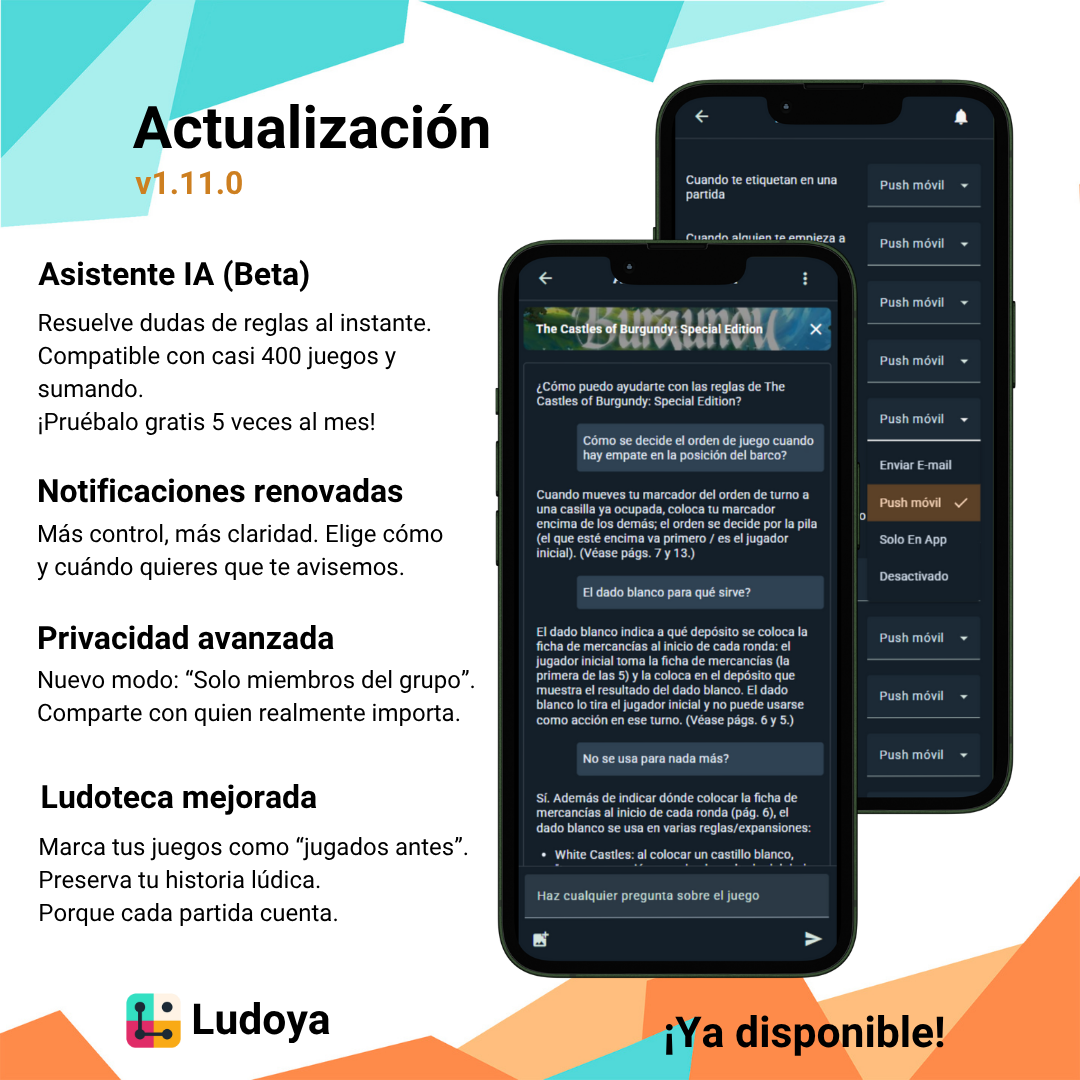
  1. AI Assistant (Beta)

    • Ask a chatbot for quick rules clarifications on the most popular games.
    • You get 5 free prompts per month, please share your feedback so we can keep improving!
    • Coverage starts at nearly 400 games, with more being added continuously.
  2. Notifications Overhaul

    • Added a new notification channel: Push. Previously, push was bundled under In‑App; now Push is distinct. Choosing In‑App will no longer include push notifications.
    • More control for "Post interactions": choose to be notified either when your content is liked or when it is commented on (or both, or neither).
    • When you’re tagged in a play, you’ll still receive the notification, and now you’ll also see a clear Call‑to‑Action button reminding you to accept or reject the play on your profile.
  3. Privacy Improvements

    • New visibility option: Group Members. With this setting, only users who share a group with you can see the selected content.
  4. Game Library Enhancements

    • You can now mark games as previously played to capture your pre‑Ludoya gaming history.
  5. Events and Planned Plays

    • Planned play sessions now support assigning a Master.
    • Planned play sessions now support assigning a Teacher.
  6. Sign‑in Options

    • Added Google Login as a sign‑in method on iOS.

As always, we’d love your feedback, especially on the AI Assistant and the new notification controls. And keep an eye out for Premium, arriving in v1.12! 🎲

Update v1.10.1

This update brings significant improvements to events, user interface, and collection management. Here's what's new:

  1. Event Improvements

    • Implemented full RSVP to events. Now users have the ability to tell if they will attend for sure, if it's a maybe, or a definitive no. This applies to both planned plays and meetups.
    • Inviting other users to events is now more straightforward, as the invite menu no longer displays people we already invited.
    • For players we fully control (non-users), we can select their RSVP for them.
    • The event creation form now allows joining and inviting people right away, before the event is created.
  2. UI Enhancements

    • All password inputs now have a button to unhide the password, improving usability.
    • Improved clickable widgets so that now it is clearer that we can click on them to navigate forward into their data.
    • Accounts that have many game lists now have a cleaner widget, visualizing only 5 by default.
    • Added the marketplace widget to the home view (it can be hidden or moved around, like the others). It displays the user's market listings for now.
  3. Collection Improvements

    • In the collection view, when sorting games by name or year published, we now take your owned versions into account instead of the default game.

Thank you for your continued support and feedback. We hope you enjoy these new features and improvements. If you encounter any issues or have suggestions for further enhancements, please let us know.

Update v1.10.0

Update v1.10.0

We're thrilled to announce a major update that transforms how you interact with Ludoya! This release brings a unified game view, a brand-new marketplace feature, and several quality-of-life improvements. Here's what's new:

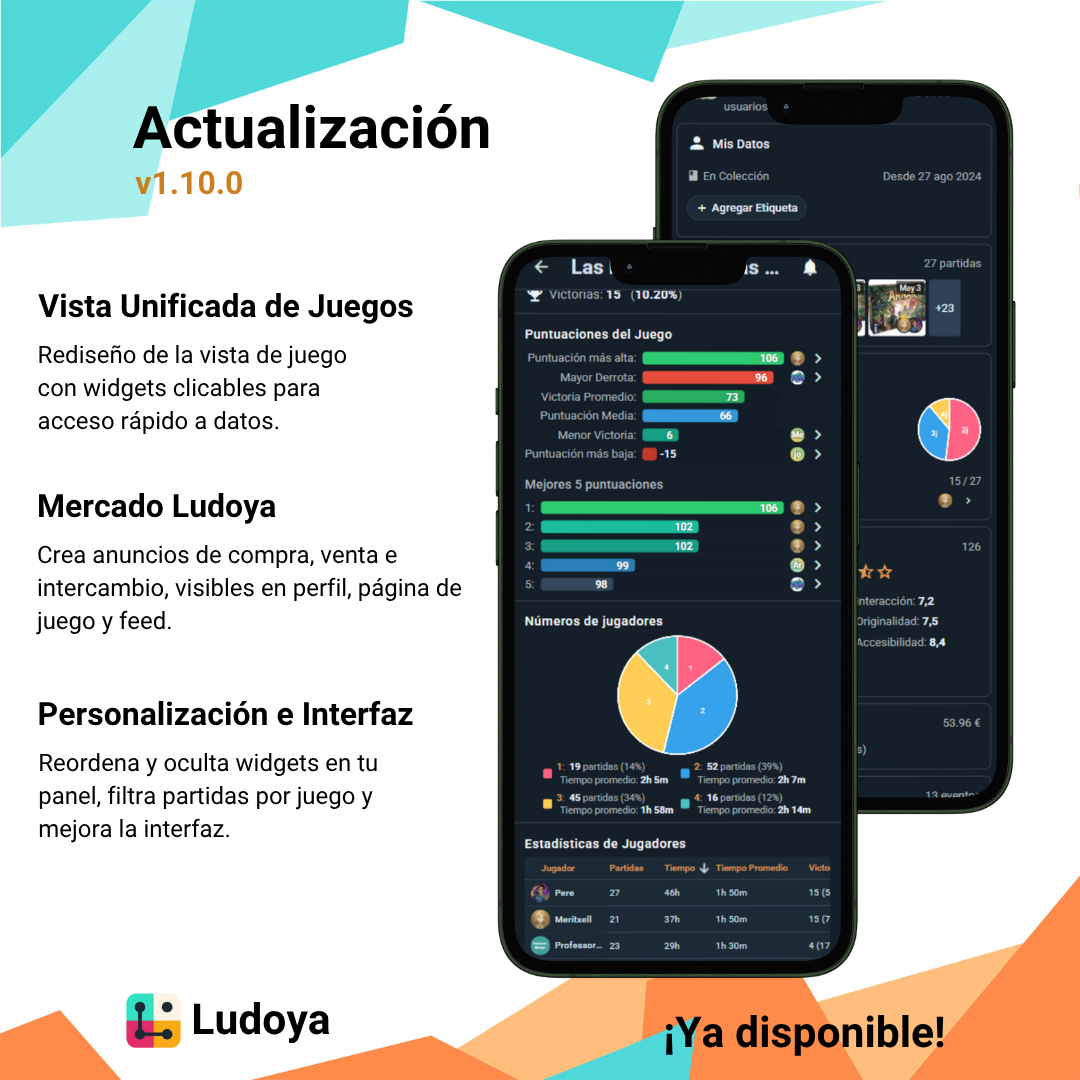
  1. Unified Game View Experience

    • We've completely redesigned the game view to use widgets instead of tabs, creating a more cohesive and intuitive experience.
    • Each widget is a preview that you can click to expand for more details.
    • The "My Data" widget is now the first thing you see, providing quick access to your personal game data.
    • The "Plays" widget displays your history with the game.
    • The "Stats" widget shows your play statistics. The stats are now more detailed.
    • The "Ratings" widget shows the game's ratings from you and the community.
    • The "Prices" widget displays the current prices for the game, both in stores (Spain-only) and in the Ludoya Marketplace.
    • The "Events" widget lists upcoming (or past) planned plays for the game.
    • The "Community Stats" widget shows the game's overall community statistics, highlighting average play times per player count.
    • After all these widgets, you'll find the feed with community posts related to the game.
  2. Introducing the Ludoya Marketplace

    • Create buy, sell, or trade postings for games in your collection.
    • Your marketplace listings appear in your profile, the game's page, and the social feed.
    • Set your own purchase and sell prices for board games in your collection.
    • Connect with other players to grow your collection or find new homes for games you no longer play.
  3. Enhanced Group Features

    • Private groups no longer require a location, making online groups easier to manage.
    • Improved event creation process: select a group and, if you're a manager, toggle the "official" flag to host events on behalf of the group.
    • New ability to pin important posts to the top of group feeds, ensuring announcements stay visible.
  4. Profile and Dashboard Improvements

    • Configure your dashboard with the new gear icon at the top right—hide widgets you don't use and reorder them to your preference.
    • Filter plays by game in your profile's play list for easier tracking.
    • In the grid view, clicking a game now takes you to the list view filtered by that game.
  5. Seasonal and UI Enhancements

    • The "Last Month" share dialog will transform to "Last Year" in January, with an option to select December specifically.
    • Improved dialog layouts for desktop and web versions, creating a more consistent experience across platforms.
    • Fixed an issue where the score sheet calculator consumed excessive CPU resources and failed to save inputs properly.

As always, we love hearing from you! Share your thoughts on these new features in our Discord or Telegram communities. Happy gaming! 🎲

Update v1.9.3

Update v1.9.3

We’ve been working on some exciting new features to make Ludoya even more fun and user-friendly. Here’s what’s in this release:

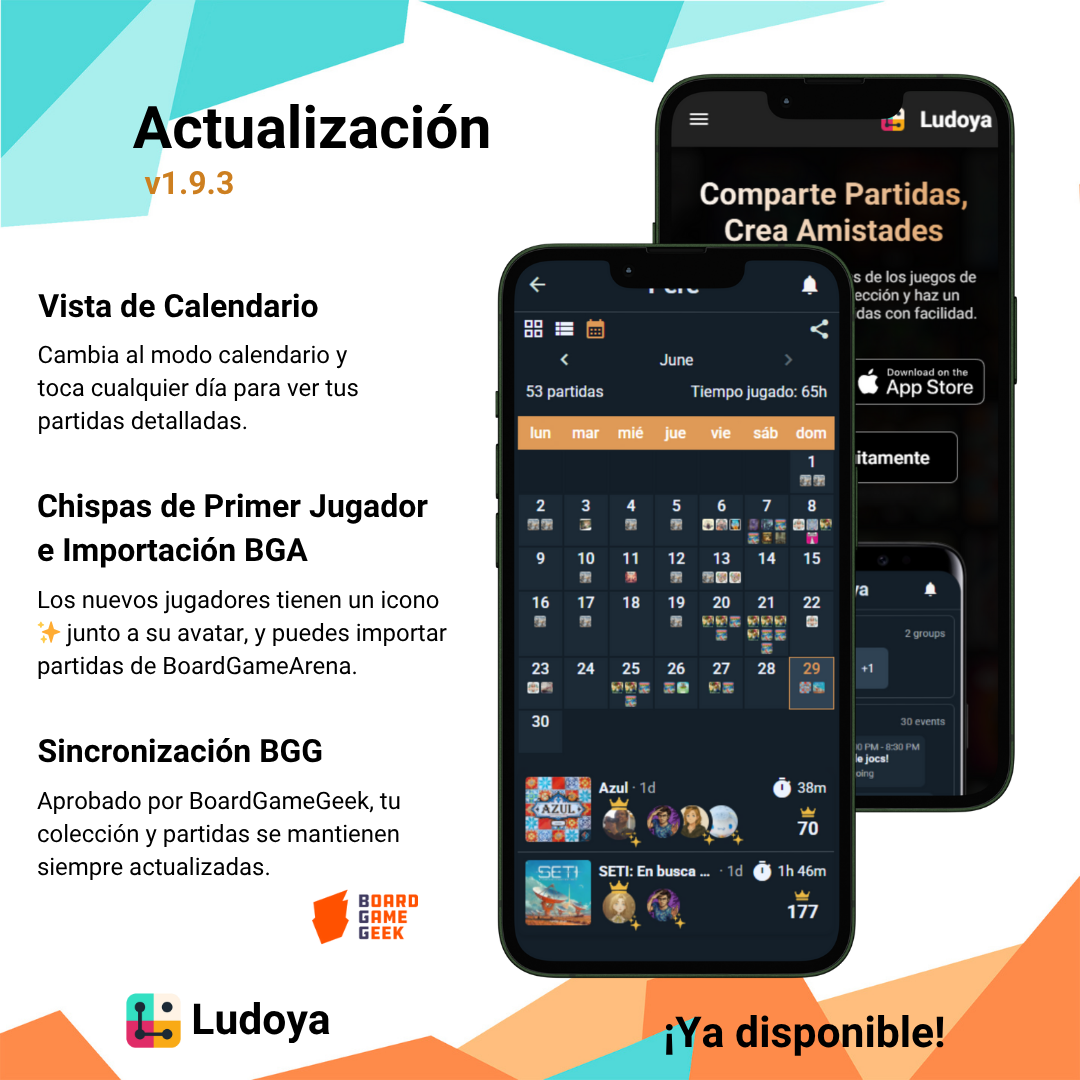
  1. Calendar View of Plays

    • In your plays list, toggle between grid, list, and the new calendar view.
    • See a monthly calendar with micro displays of games played each day, and click on a day to view detailed plays below.
  2. First-Time Player Indicator

    • If a player tries a game for the first time, little sparkles will now appear next to their avatar. ✨
    • This flag is detected automatically (based on play history) but can be edited per player in the play details.
  3. BoardGameArena Play Import

    • You can now import your plays from BoardGameArena directly into Ludoya.
    • Choose any starting date; only plays from that date onward will be imported, so your history stays tidy.
  4. Shareable Group URLs

    • Groups now have friendly share URLs that include the group name instead of a long hash. No more mysterious links!
  5. Revamped Marketing Website

    • We’ve given www.ludoya.com a fresh, more appealing design to showcase Ludoya to new players.
    • This redesign took a bit longer but was worth the wait!
  6. BoardGameGeek API Approval

    • We’re happy to announce that BoardGameGeek has officially approved Ludoya to use their APIs.
    • Our BGG sync functionality will continue to work seamlessly, keeping your collection and plays up to date.

As always, we appreciate your feedback! If you have any questions or suggestions, drop by our Discord or Telegram. Happy gaming! 🎲

Update v1.9.2

This release brings powerful group controls, enhanced visibility, and performance optimizations to make your Ludoya experience smoother. Here’s what’s most important:

  1. Group Permissions Enhancements

    • Organizers can now remove attendees from meetups.
    • Configure who can post in your group.
    • Choose who can create events in your group.
  2. Public Visibility Enforcement

    • Public events now require their location to be visible so everyone knows where they’re happening.
    • Public groups now enforce a public location so you always know where to find them.
  3. Play Controls & History

    • Anyone in a planned play can start it.
    • Anyone tagged in a play can edit it.
    • New edit history shows who edited a play, when, and what changed.
  4. Quick Sharing

    • Share a link to a group or profile directly from its summary view.
  5. Profile Activity Upgrades

    • Profiles now show events you’re attending and plays you participated in, not just those you created.
    • Activity feed performance has been improved for faster loading.
  6. Performance Improvements

    • Improved responsiveness across several actions in the app for a smoother, faster experience.
  7. Event Recurrence Fixes

    • Editing or deleting an event’s recurrence no longer removes existing instances that have attendees or plays.
  8. BoardGameGeek Import

    • Import a group’s game list directly from a BoardGameGeek collection.

Enjoy the update and see you at your next game night! 🎲

Update v1.9.1

This update brings several improvements to the group functionality, enhancing the way you interact with groups and their content. Here’s what’s new:

  1. Reworked group view
  • The group view has been redesigned to match the new home view style.
  • The previous tabs (Activity, Collection, Plays) have been replaced with widgets, similar to the 1.9.0 work.
  • The Events widget now shows future events in the group, so you can quickly see what’s coming up.
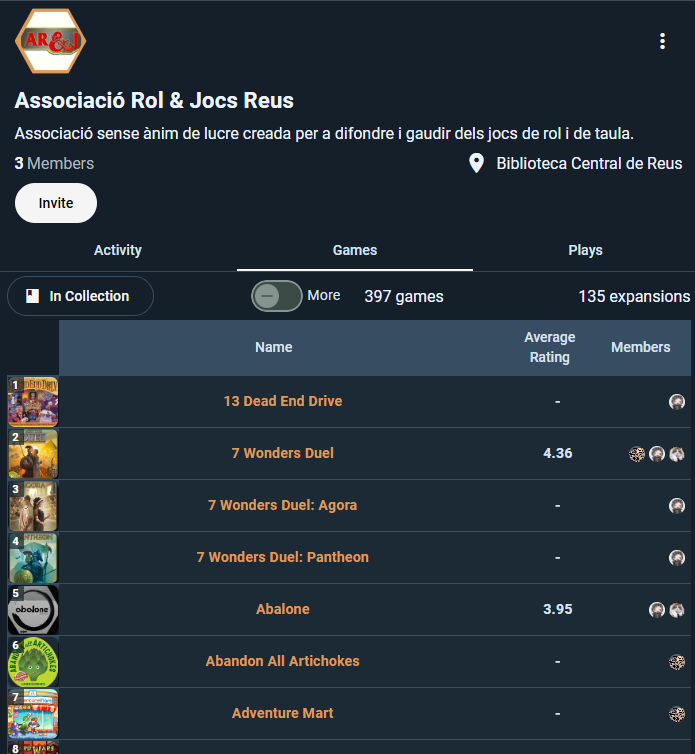
  • The Games Library widget now shows the group's collection, with direct links to each of the group's custom lists as well as a link to the collectively owned games.
  • We temporarily removed the Plays tab, as it was not being used much. We will reintroduce its functionality in a future update.
  • The activity feed is still part of the group view, but it is visible after the widgets. It now features only the group's activity by default.
  • New page: Group Games: shows all the group's games, as well as the collectively owned games.
  • New page: Group Events: shows all the group's future and past events.
  1. Group posts
  • You can now create posts in groups, similar to the activity feed in user profiles.
  • Group posts are visible in the activity feed of the group and can be liked and commented on, like all other content.
  1. Mentions
  • You can mention users in posts and comments by typing @username. This will notify the mentioned user and create a link to their profile.
  • From now on, as soon as you type @, a list of users will appear, allowing you to select the user you want to mention.

Thank you for your continued support and feedback. We hope you enjoy these new features and improvements. If you encounter any issues or have suggestions for further enhancements, please let us know.

Update v1.9.0

Update v1.9.0

This update brings a fresh look and feel to the home view and user profile, along with several quality-of-life improvements. Here’s what’s new:

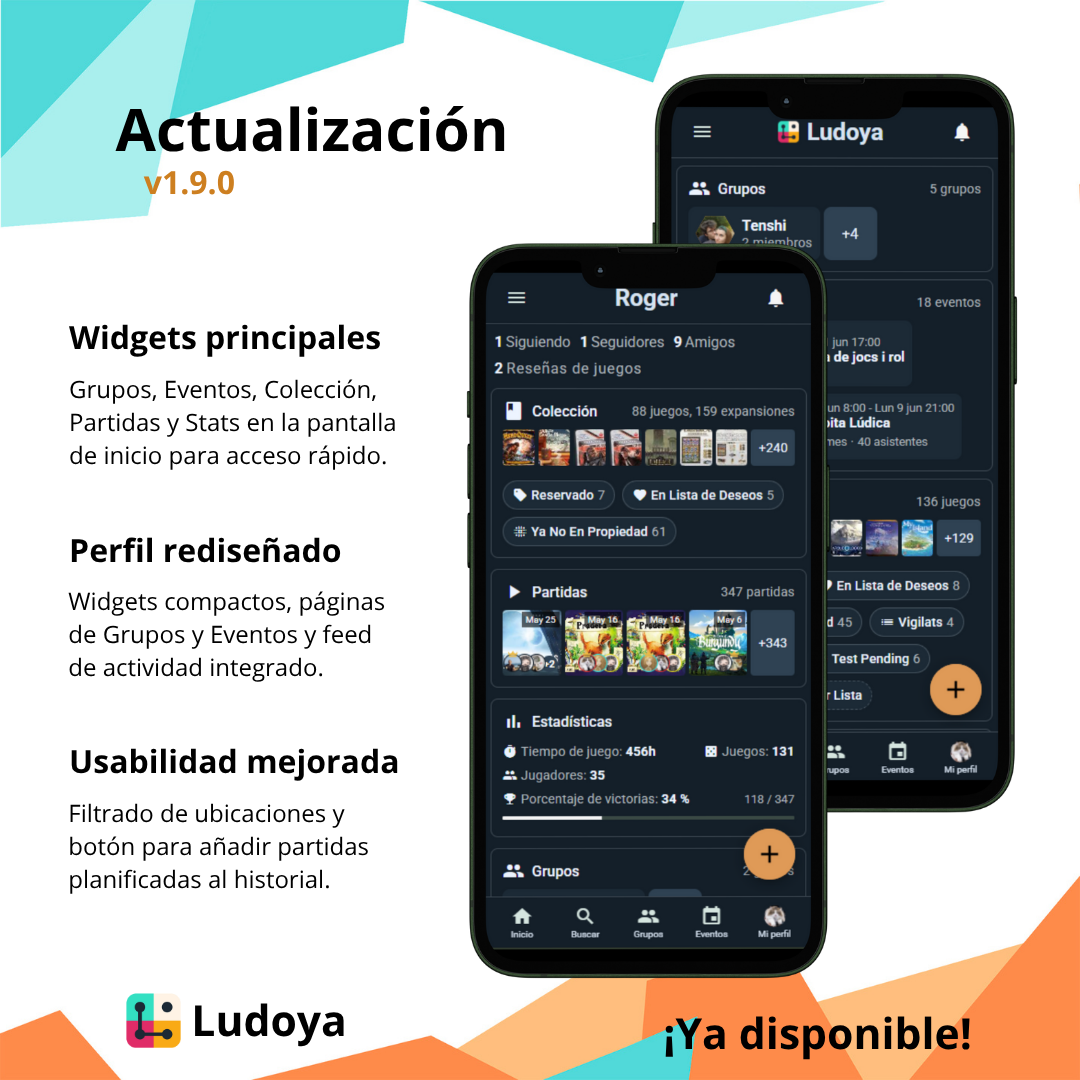
  1. Reworked home view
  • We upgraded the look and feel of the home view to increase its information density while also making it look cleaner and more modern.
  • The new home view now includes a Groups widget, which shows your groups and it also links to the new groups page.
  • The Events widget now shows all future next meetup in each group, so you can quickly see what’s coming up. It also links to the new events page.
  • The Collection widget now shows your last acquisitions, together with direct links to each of your custom lists.
  • The Plays widget now shows your last plays in a more compact way, so you can quickly see what you’ve been up to.
  • The Stats widget has become a small summary of your stats that directs to your stats page.
  1. Reworked user profile
  • The user profile has been completely redesigned. Instead of tabs, it now uses the same widgets as the home view, so you can see your groups, events, collections, plays and stats in a more compact way.
  • The previous tabs (Collection, Plays, Stats) have become full pages, accessible from the user profile.
  • The activity feed is still part of the user profile, but it is visible after the widgets.
  • Plays where the user participated are now also shown in the activity feed.
  • New page: Groups: shows all the user's groups.
  • New page: Events: shows all the user's future and past events.
  1. Quality-of-Life Tweaks
  • In the Locations dialog, you can now filter locations by name.
  • We added a new button to past Planned Plays, which allows you to add it to your play history.

As always, we welcome your feedback and suggestions. If you encounter any issues or have ideas for improvements, please let us know.

Update v1.8.1

Update v1.8.1

Our latest round of refinements is here—smarter sharing, tighter integrations, and handy filters to keep you in control.

  1. Player Linking: Connect Everyone
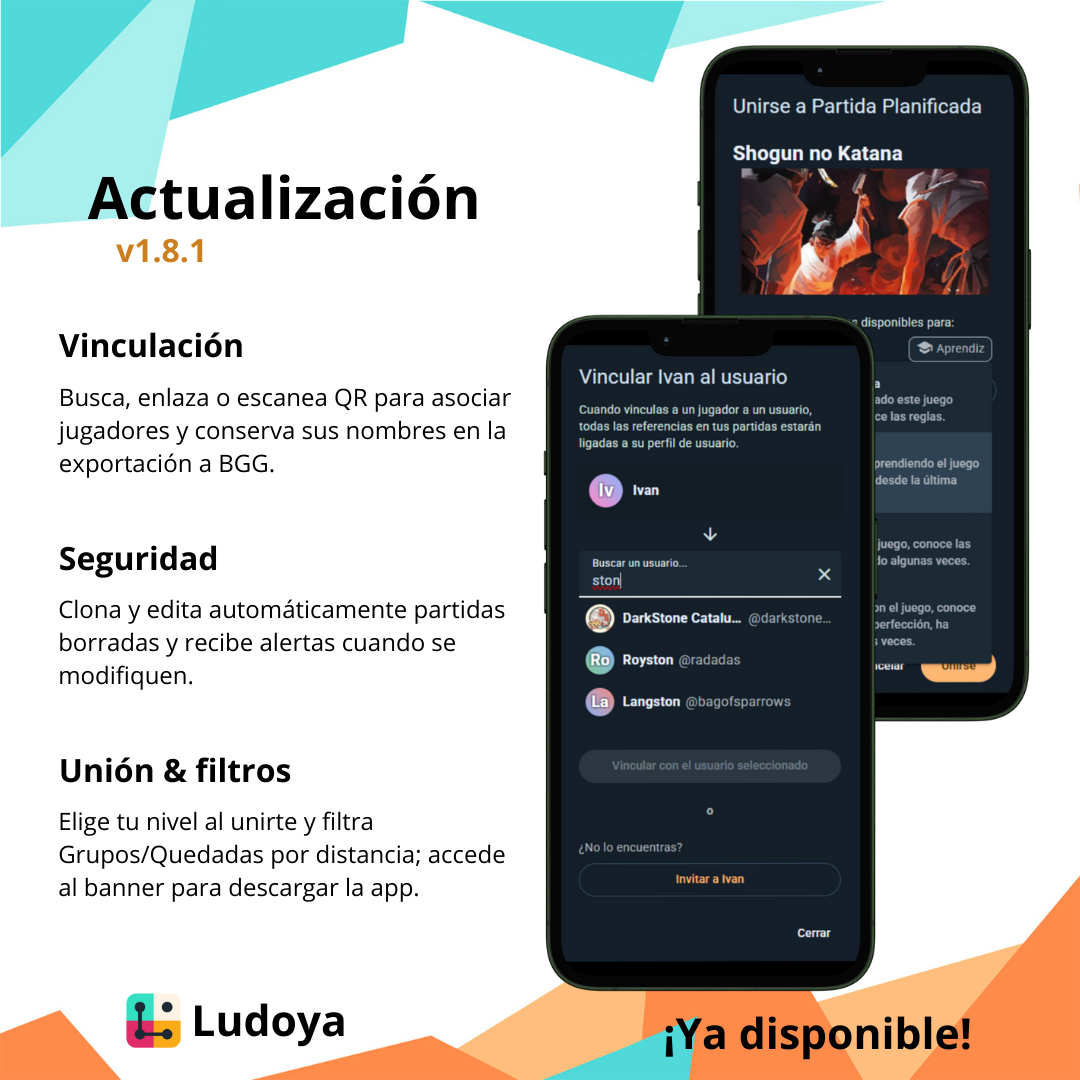
  • Easily link any play participant to their Ludoya account via search box, invite link, or QR code.
  • In the play detail view, unlinked players now sport a “Link to User” call-to-action.
  • BGG export honors your mappings: if a linked user took part, their original name flows through to your BoardGameGeek data for perfect consistency.
  1. Safer Shared Plays
  • If someone deletes a play you were tagged in, you’ll get notified—and we’ll grant you edit access so nothing vanishes.
  • Need your own copy? Clone any tagged play in one click and make it yours to tweak.
  • Long-after edits? Whenever the creator updates a logged play, all participants receive an instant alert so you can review changes.
  1. Quality-of-Life Tweaks
  • On Groups & Meetups, dial in by distance — see only nearby events or clubs.
  • Surfing on mobile web? A “Download the App” banner now appears at the top, making it effortless to switch into native.
  • Expertise selection on planned play join: choose your skill level directly in the join form — no extra click needed after you’ve entered.
  • Request to join a group? Attach a personal message to introduce yourself.

Thank you for your feedback — keep it coming, and happy gaming! 🎲

Update v1.8.0

Dive into one of our biggest updates yet, packed with powerful new controls, slick event features, and a smoother iOS experience.

  1. Play Tagging: Take Full Control
  • Accept or decline any tag—per play or in bulk.
  • Auto-accept tags from your favorite Ludoya friends.
  • BGG export now includes only the plays you’ve accepted tags on, keeping your BoardGameGeek profile perfectly in sync.
  1. Events: Smarter, Cleaner, More Flexible
  • Avatar-rich previews for planned plays—in meetups, search, your collection, and play history.
  • Game lists in each meetup show exactly which titles will be brought along.
  • Organizer options to enable or disable “organizing” and/or “taking” games.
  • Auto-recurring meetups let you schedule repeating events in a snap.
  • One-click calendar adds: support for Google Calendar and native apps.
  • Instant calendar prompt upon joining—never miss an event again.
  • Search bars everywhere: find meetups on the main page or games inside an event.
  • Powerful filters in each event:
      • Show only the games you’re playing
      • Show only games with open spots
      • Show only games your friends are playing
  1. iOS: Fully Native, Fully Awesome
  • Deep links now open straight in the Ludoya app instead of Safari.
  • Push notifications work even when the app is closed.
  • Native image downloads let you save Ludoya pictures and photos right to your gallery.
  1. Quality-of-Life Improvements
  • Localization everywhere: game titles and images now match your device’s language.
  • Shared Game Grid images render neatly — no more empty spaces.
  • Groups page search makes finding your favorite clubs a breeze.

Thank you for all your feedback and enthusiasm — keep letting us know how v1.8.0 is working for you! More improvements are on the way… happy gaming! 🎲

Update v1.7.4

This update packs a lot of new features and refinements — from smarter search to better planning tools. Let’s break it down!

  1. Meetups Upgraded
  • Organizers can list which games they'll bring, and participants can add theirs too — everyone sees the full list.
  • You can now filter planned plays in meetups: see all, only open ones, or just the ones you're in.
  • When a play is full, you can join the waiting list — If someone drops out, spots are filled automatically in queue order.
  1. Smarter Search & Language Prioritization
  • Wherever you search — game database, collection, or when adding to a play — results now prioritize your language.
  • This applies across the board: in search, your collection and your plays.
  1. New Location Picker
  • When viewing groups or meetups, you can now pick your location (GPS or city).
  • Results are sorted by time and distance to help you find what matters most.
  1. Mobile Scoring Tools
  • A new calculator pops up on mobile instead of the keyboard when entering scores.
  • Works for both score sheets and total score fields.
  1. Group & Feed Cleanups
  • The "All members’ activity" section in groups is hidden by default to avoid confusion — toggle it on if needed.
  • Plays in progress no longer create posts. Only finished plays go to the feed.
  1. Collection Stability
  • Large collections with expansions now load correctly — no more weird bugs or missing pages.

Enjoy the upgrades, and tell us how they’re working out for you. More on the way soon — and as always, happy gaming! 🎲

Update v1.7.3

We're back with another update! The main focus is on events and the quality of our games database. Here's what's new:

  1. The games database has been updated.
  • You can now find RPGs in the Ludoya database.
  • We have added new games and expansions to the database, including some highly requested titles.
  • The versions' data has been improved, so that we can show the correct game names in each language.
  1. Event improvements
  • In meetups, now we can see all planned plays properly grouped by date and time.
  • We can now add expansions to planned plays.
  • In groups, we can now see all past meetups and planned plays in a separate tab.
  1. Other
  • There's more granularity in the privacy settings. For example, you can make your profile public, but your collection private.
  • We added the ability to delete direct messages.
  • Usernames now keep the capitalization you set when you created your account. You can also change it in the settings.

As always, we appreciate your feedback and support. If you have any questions or suggestions, feel free to reach out to us. Happy gaming! 🎲

Update v1.7.2

Another minor update, this time aimed at improving the meetup join experience. Here's what's new:

  1. Improved meetup join/invite flow
  • When inviting to a meetup, if you are the host, you can now invite anyone, not just your friends.
  • When inviting to a planned play, you can also invite other people, not only the host.
  • People who were invited to a meetup and did not confirm their attendance are now shown as "invited" in the attendees view, right under the attendee who invited them.
  • When you're invited to a meetup, you can now confirm your attendance and become a full participant.
  1. Group roles
  • We have added a new role to groups: "Organizer".
  • Organizers can create meetups and planned plays on behalf of the group.
  1. Online locations
  • We have added a new location type: "Online".
  • When selecting a location for an event, you can now choose any of the "Online" options.
  • Currently, we have Board Game Arena, Tabletopia, Tabletop Simulator, Yucata, and Vassal as online locations.
  1. Other
  • We have further increased the performance of the feed views.
  • A few translations have been updated.

And that's it for this update!

Update v1.7.1

This is a minor update to improve the overall experience of the app. Here's what's new:

  1. Back navigation
  • Now every page has a back button to return to the previous page, unless it was accessed from the omnipresent buttons (like the home button).
  • When going back to a page that had a game selected, the game will still be selected.
  1. Group collective games improvements
  • The group collective games view now properly loads all the games.
  • All group games views are now filterable by name and player count.
  1. Longer posts
  • Now we can post longer captions and comments.
  • When a post or comment is long, it will be truncated with a "read more" button.
  1. Other
  • Your groups' activity is now visible in your following feed.
  • Meetup previews now include how many planned plays are scheduled for that event.
  • Board game ratings have been remapped to a 0-10 scale.

Thanks everyone for your feedback and support! 🎲🎉

Update v1.7.0

Update v1.7.0

Ludoya just got a huge activity revamp! 🎉

  1. Everything is post-based now
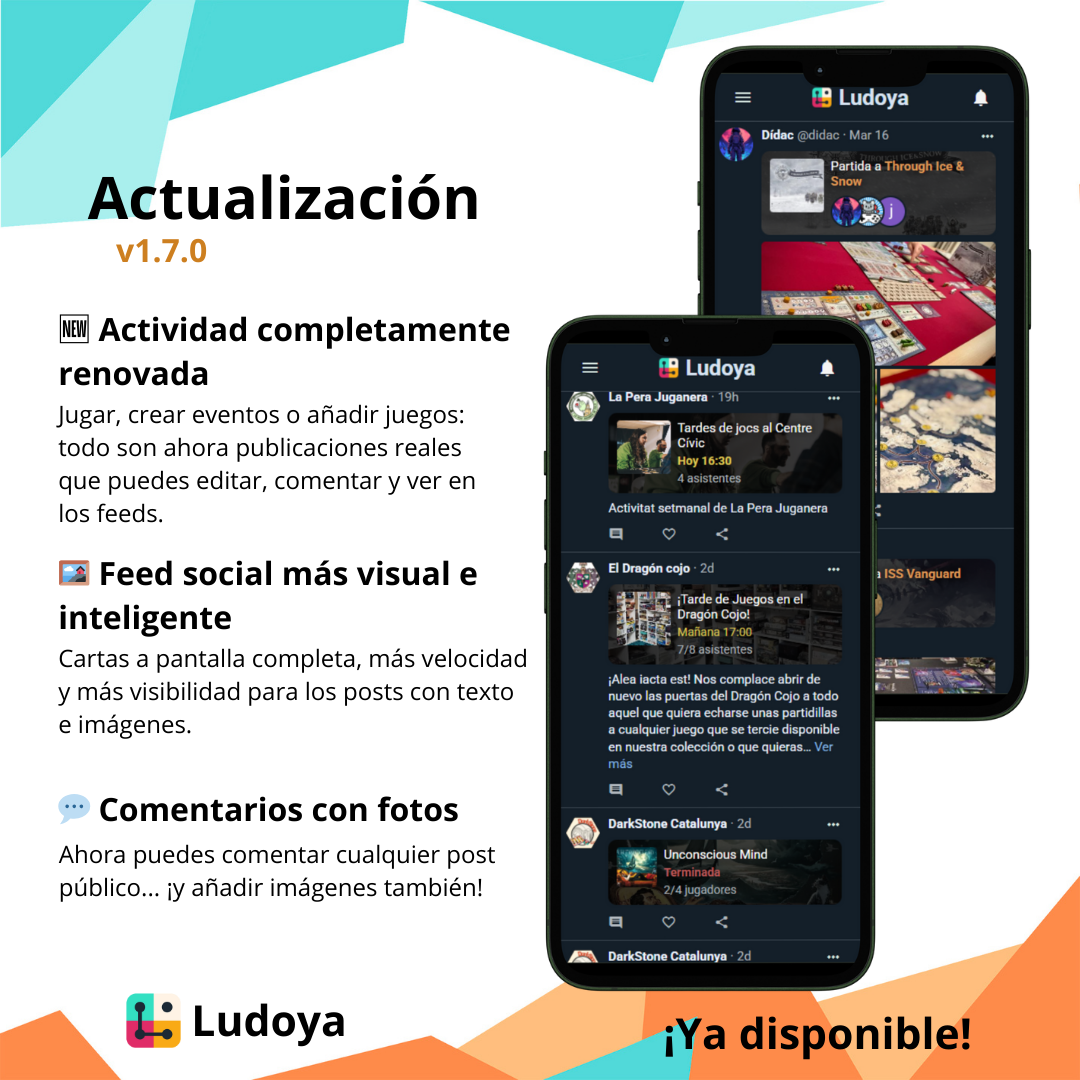
  • All user actions (plays, events, ownership changes...) are proper posts you can like, comment on, and view in feeds.
  • Game plays are no longer linked to posts. They are posts — editable, with captions and pics.
  • Events (meetups and planned plays) are also post-based now. This means there can be discussions within the events themselves.
  1. Activity feed got smarter
  • Global and regional feeds now sort content by a smart relevance algorithm.
  • More likes, more recency, more content = more visibility.
  • Posting with images and text boosts your reach.
  • Feed loading speed has been massively improved.
  1. New full-width activity cards
  • Cards now stretch edge-to-edge with a background image and a clear layout.
  • If your post has a picture, it shows a mini version on the left too.
  • Each kind of post has its own tailored card display.
  1. Posting is smoother
  • You can now add up to 10 images per post.
  • Multi-image selection works on web.
  • No dropdowns: just attach your post directly to the content.
  1. Comments got a power-up
  • You can comment on anything public.
  • Comments can now include images too.

This update is a huge leap for the social side of Ludoya. Let us know what you think — and go post something cool! 🎲📸

Update v1.6.1

We have added some clarity to the main view of the app, making it easier to navigate and find what you need. Here's what's new:

  1. Home Screen Improvements
  • We have removed most of the stats-related widgets from the home screen, making it cleaner and more focused on the main features.
  • We added "Groups" and "Events" widgets to the home screen, making it easier to see what's happening in your groups and upcoming events.
  • The "Collection Changes" widget is only displayed if there were recent changes to your collection.
  • The "Plays" and "Most Played Games" widgets will only show if you have used the play/logging feature recently.
  1. New Stats tab
  • We have split the Activity tab into two separate tabs: "Activity" and "Stats".
  • The "Activity" tab now only shows your chronological activity feed.
  • The "Stats" tab shows your collection stats, play stats, and other relevant stats.

Thanks for your feedback, and happy gaming! 🎲

Update v1.6.0

Update v1.6.0

Events have been upgraded! 🚀

  1. Improved Events
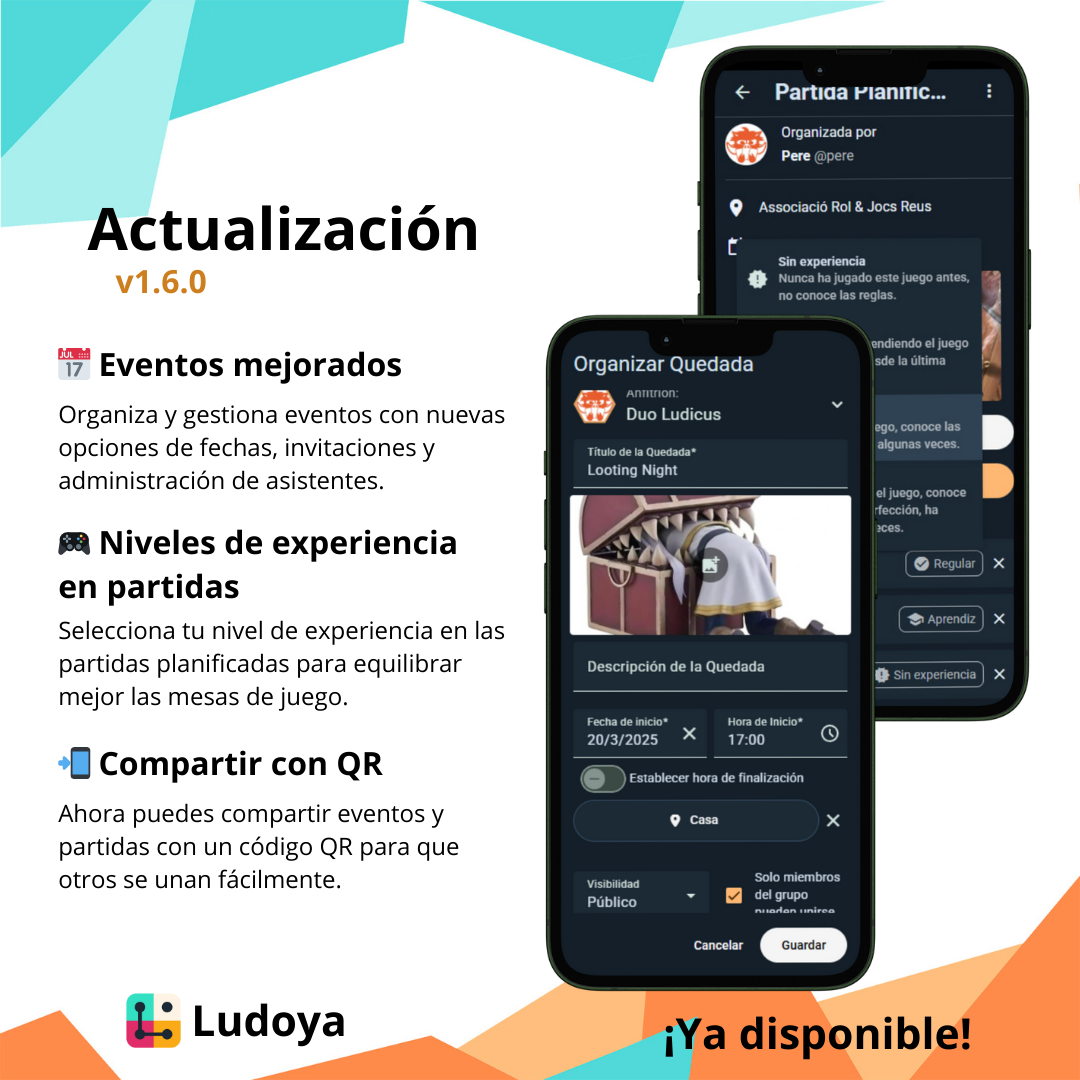
  • Date-Ranged Events: You can now set start and end dates for both meetups and planned plays, making it easier to plan longer events.
  • Adding Players to Events: Just like planned plays, you can now manually add attendees to meetups.
  • New Event Invitations: When creating an event, you can now invite players directly from your friends list.
  • Event Attendees Management: Hosts can now remove attendees from events, making it easier to manage participation.
  • Groups as Hosts: When creating an event, if you are a group admin you can now choose to host the event as a group.
  • Group Visibility: Group-hosted events now have an option to make their events visible only to group members.
  • Group Exclusivity: Public group-hosted events now have an option to allow only group members to join.
  • Web UX Improvements: The event creation form now fits better on the screen.
  1. Player Experience Levels in Planned Plays
  • New Experience Labels: Players can now set their experience level in planned plays: "No experience", "Beginner", "Regular", and "Expert". This will help hosts create balanced tables and games.
  • Easy Selection: When joining a planned play, you can select your experience level, and it will be displayed next to your name.
  1. Improved Sharing Options
  • QR Share: All share buttons now include a QR code option, allowing anyone to scan and join instantly.

We still have a lot of improvements planned for events, so stay tuned for more updates! 🎉

Update v1.5.2

Big update incoming! We’ve moved Ludoya to a powerful dedicated server, making everything faster and smoother. But that’s not all—we’ve also packed in quite a bunch of new features and improvements.

  1. Server Migration
  • Ludoya is now running on a dedicated server, which means much faster load times and better performance across the board.
  • This migration also sets the stage for future improvements and features. It took a lot of work, but we’re excited to see what’s next!
  1. Event Management Upgrades
  • You can now close subscriptions for events, both for meetups and planned plays. No more last-minute surprises!
  • We've added the option to limit meetup assistants, giving organizers better control over participation.
  • Warns the organized when location address is missing in an event or group, making sure everyone knows where the fun is happening.
  1. New Collection Category
  • "Only played" collection filter has been revamped to "Everything" — in this category, you can see all games you ever interacted with, including those you own, played, reviewed, or wishlisted.
  1. Play Management Improvements
  • The play start button now clearly says "Go to setup" to make it more intuitive.
  • When finishing a play, if you redacted a post for it, you will be reminded to post it.
  • A new play access setting allows you to control the access level of each player within that play.
  1. Better Score Input
  • Score sheets now use proper input forms instead of a massive text box. Cleaner and way easier to use.

This is just the beginning—our new server unlocks a world of possibilities, and we’re just getting started. Let us know what you think, and as always, happy gaming!

Update v1.5.1

We’re back with some fresh updates to make your experience even smoother and more engaging. Let’s dive in!

  1. Group Sorting by Distance

    • Groups are now sorted based on how far their main location is from you.
    • You’ll also see an approximate distance to each group, helping you find nearby communities more easily.
  2. Play Stats Improvements

    • Play stats now feature each game’s total play time, giving you a clearer overview of your gaming habits.
    • We’ve also adjusted the background of play stats to be more discrete and less distracting.
  3. Feed & Home Views Merged

    • We’ve combined the feed and home views!
    • If you’re not a fan of the dashboard, you can collapse it, and the app will remember your preference for next time.
  4. Enhanced Play Stats List View

    • The play stats list view now shows both total plays and total time played for each game.
  5. Offline Personal Collection

    • You can now access your personal game collection even without an internet connection. No more worries when you’re on the go!
  6. Expansion Selection for Plays

    • When logging a play, the expansions you own will now appear at the top of the list. Simple, yet effective.

We’re always looking for ways to improve, so let us know what you think. Happy gaming, and enjoy the new updates!

Update v1.5.0

Update v1.5.0

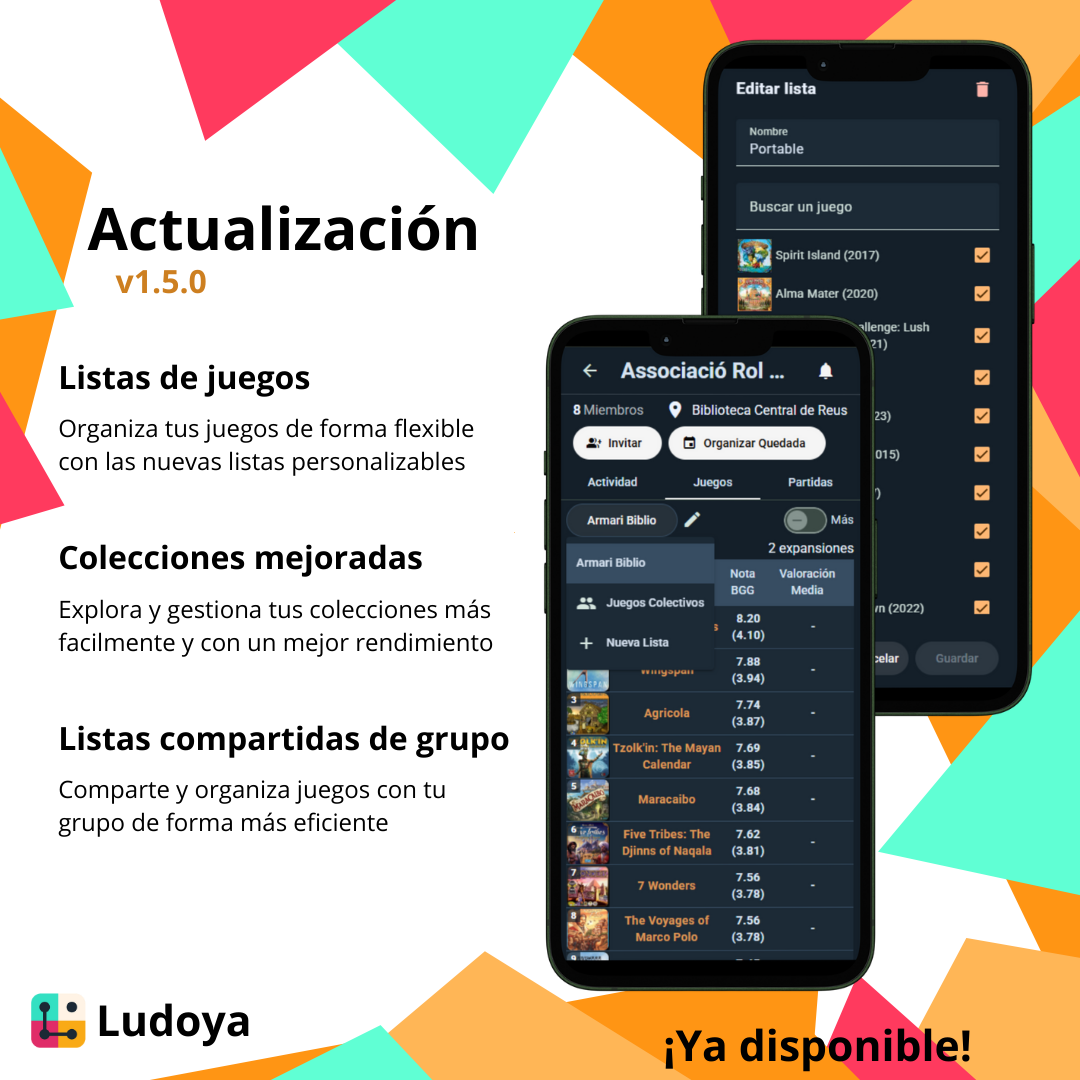
Game lists are here!

We have upgraded the tagging system to a more flexible and powerful game list feature. Now you can create and manage game lists to organize your games in any way you like. Here's what you can do with game lists:

  1. List Editing
  • Create, edit, and delete game lists.
  • Rename your lists at any time.
  • Add games to your lists in bulk using the built-in Speed Add interface.
  1. Game View
  • The Tag option has been replaced with a new List feature.
  • The screen is similar to the previous tagging system, but now you can enter edit mode.
  1. User Collection
  • You can now see all the game lists created by a user on their collection tab.
  • You can create a new list from your collection tab.
  • When a list is selected, you can quickly access its edit mode.
  • The performance of the collection tab has been improved.
  1. Group Game Lists
  • Groups can now create and manage their own game lists.
  • Group admins can edit the group's game lists.
  • The previous way of visualizing a group's collection is still accessible via the "Collective Games" list.
  • We now have infinite scrolling for group game lists, greatly improving performance.
  • We have added more columns and sorting options for group game lists.

From now on, you can use groups to create shared game lists, or you can create your own lists to organize your games in any way you like. We hope you enjoy this new feature and find it useful!

Update v1.4.2

Happy new year, we hope you got many games during the holidays!

This is a small update to address some minor issues and improve the overall experience. Here’s what’s new:

  1. Improved search experience
  • Now you can clear your search query with a single click.
  • We fixed a bug where sometimes your query would not be searched at all.
  • Now there is clarity between "loading" and "no results found" states.
  • If you are a new user, you will be hinted to use the Speed Add feature to populate the collection.
  1. Theme Improvements
  • From now on you can switch between light and dark themes directly from the header (in the Settings menu).
  • We have improved the contrast of the grid view's text in the light theme.
  1. Additional Improvements
  • Fixed a bug where if you changed your username, the avatar feature would not work until you logged out and back in.
  • The chat box now has a more consistent look and feel.

Thank you for your continued support and feedback, we wish you a fantastic year ahead!

Update v1.4.1

We’ve been hard at work to enhance your experience, and this update brings some exciting features and improvements!

  1. Group Meetups
  • Groups now have their own meetups! You can set the visibility to everyone or members only, depending on your group’s preferences.
  • Meetups will now be displayed directly in the group view, making it easier to stay in the loop.
  1. Improved Lists Previews
  • We’ve revamped the list previews! Instead of rounded frames, items are now separated by clean, simple lines, just like posts. A subtle but impactful tweak to improve clarity.
  • This update impacts plays, groups, and events for a more unified experience.
  1. Infinite Scroll for Plays and Posts
  • Play and post lists are no longer limited to the most recent elements. More data will now load seamlessly as you scroll down.
  1. Additional Improvements
  • Admins now have the ability to delete groups when they’re no longer needed. This feature is simple and straightforward, giving you more control.
  • The date and time input for events has been significantly improved, making scheduling smoother and more intuitive.

Let us know what you think about these updates, and as always, happy gaming!

Update v1.4.0

Update v1.4.0

Groups are finally here! This update introduces new ways to play, share, and connect with your gaming community.

  1. Create and Manage Groups
  • Create your own group with a custom name, image, and description.
  • Choose if your group is public (anyone can see its data) or private (only members can see it).
  • Decide who can join your group: open (anyone can join), request (members need to request to join) or invite (join only by invitation).
  • Invite friends and others to join your group using magic links.
  1. Group Admin Controls
  • Manage your group members with ease: change their roles or remove them if needed.
  • Review and accept join requests for private groups.
  1. Shared Group Features
  • Group Feed: Stay updated with group activities in a shared feed.
  • Game Collection: Build a shared collection of games owned by group members. You can also see who owns each game.
  • Play Tracking: Track your group's play sessions.
  • Member List: See all group members in a sortable table.
  1. Locations
  • Creating a location is now easier and more intuitive.
  • Location data now has a cleaner and more organized display.

Start creating your groups and make the most of these new tools. We can't wait to see how you use them!

Update v1.3.2

Some UX upgrades have been performed.

  1. Bottom bar
  • We have moved the central action button from the bottom bar to right above the bottom bar's right corner.
  • This will enable us to add more features to the bottom bar in the near future.
  • The action button has become context-sensitive, so it will change depending on the current screen.
  1. UI update
  • We have updated the UI to Material 3.
  • This will make the app look more modern and consistent with the latest Material design guidelines.
  1. Light theme
  • We have added a light theme to the app.
  • Ludoya will now automatically switch between light and dark themes based on your system settings.

This update was unplanned, but we believe it will make the app more user-friendly and visually appealing. We hope you enjoy it!

Update v1.3.1

Update v1.3.1

The main feature of this patch is something we wanted to have since we started, 2 years ago.

  1. Collection List View
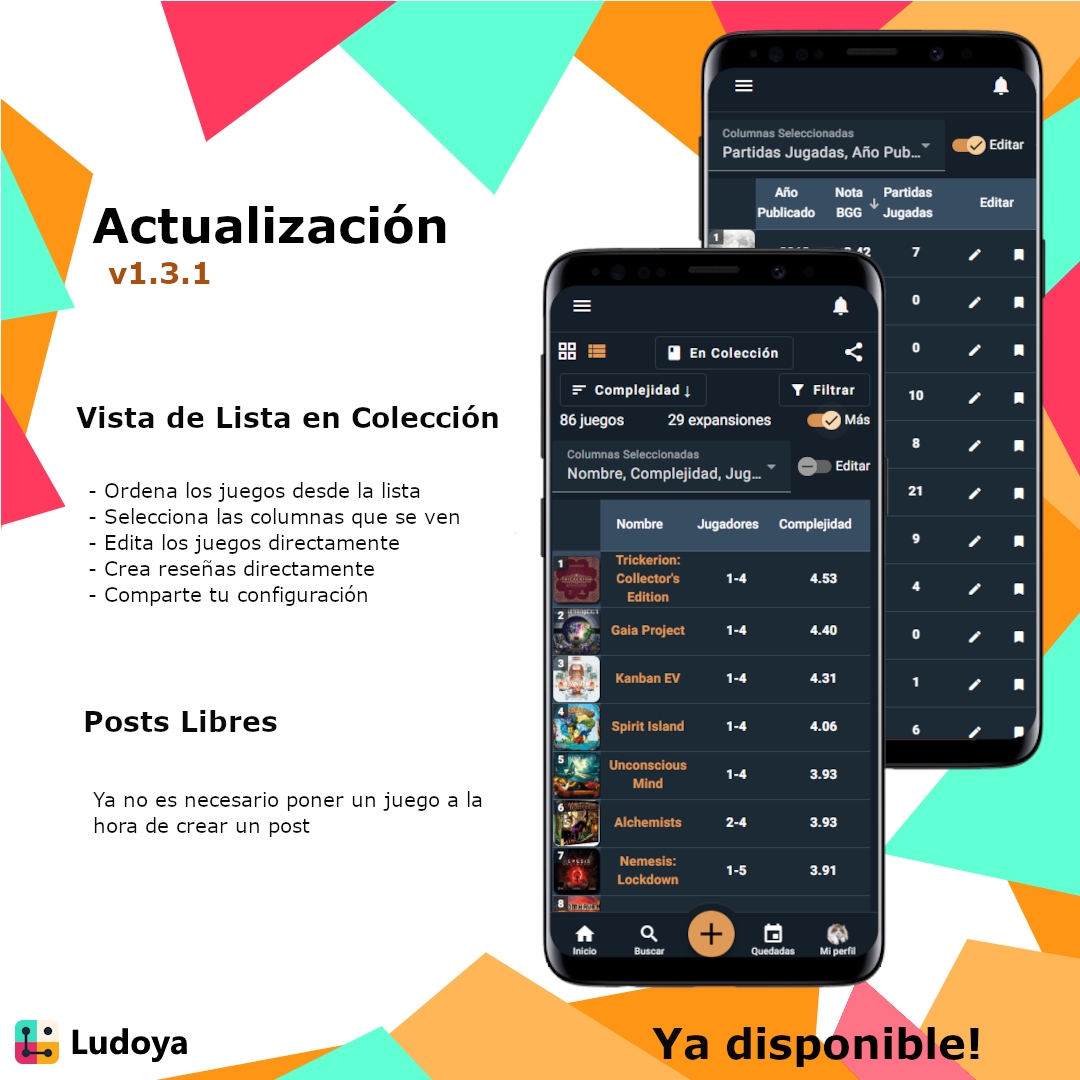
  • You can now view your collection in a list view. Simply click on the list icon on the top left of the collection page.
  • From the list view, you can quickly sort your collection by clicking on the column headers.
  • If you enable on the new "More" slider, you can select which columns you want to see in the list view.
  • Clicking on the "Own Rating" column will allow you to quickly rate the game.
  • You can also enable the "Edit" column, which will allow you to edit and tag your games directly from the list view.
  • When sharing your collection, the shared link will keep the view mode, the sort, the filter and the columns you selected.
  1. Other
  • Now you can make posts without having to select a game (I.E. "gameless" posts).
  • New languages: Japanese, Danish, Chinese, Swedish, Russian, Korean, Turkish, Finnish, Czech, Arabic and Bulgarian.

We are so excited to finally have the list view feature, and we hope you enjoy it as much as we do. We are already working on the next big feature, so stay tuned!

Update v1.3.0

Update v1.3.0

Another roadmap feature crossed off the roadmap!

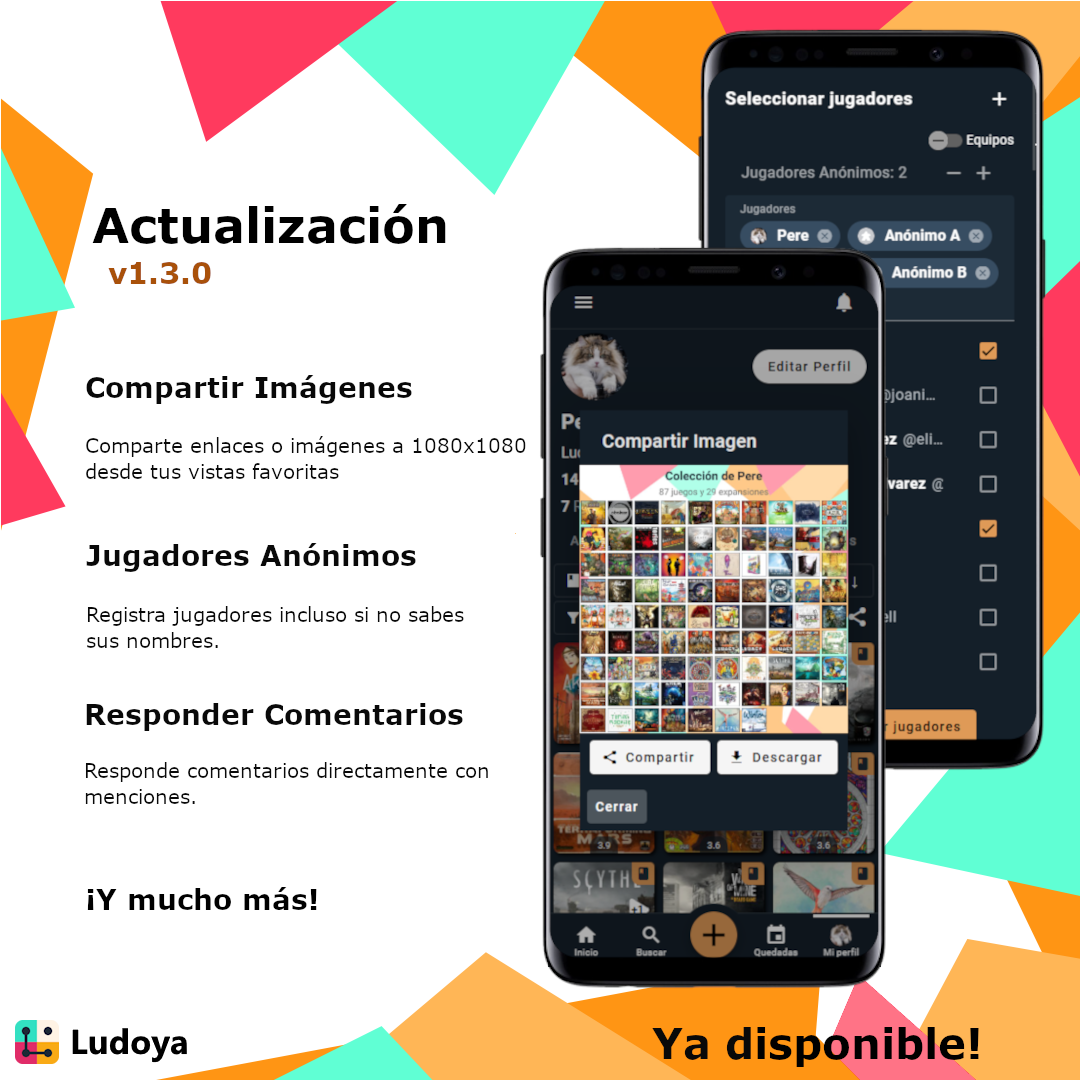
  1. Image sharing
  • When sharing, now you have the option of sharing a link or an image.
  • Our service will render a 1080x1080 view of what you want to share.
  • You can then share or download the image.
  • Affected views: collection, play period, play details, meetup and planned play.
  1. Anonymous Players
  • You can now add anonymous players to your plays.
  • This is useful for when you are in an event and don't know every player's names.
  • Anonymous players will be displayed as "Anonymous A", "Anonymous B", etc.
  1. Comment Reply
  • You can now reply to comments.
  • The replies are going to mention the original comment author as normal post comments.
  1. Other
  • Longer text areas now automatically expand.
  • The scoresheet cells now open the number pad on mobile.
  • For being able to use cells as a calculator, you can now enable that at the top of the scoresheet.

We hope you enjoy these new features! Let us know what you think! 🎲

Update v1.2.2

Update v1.2.2
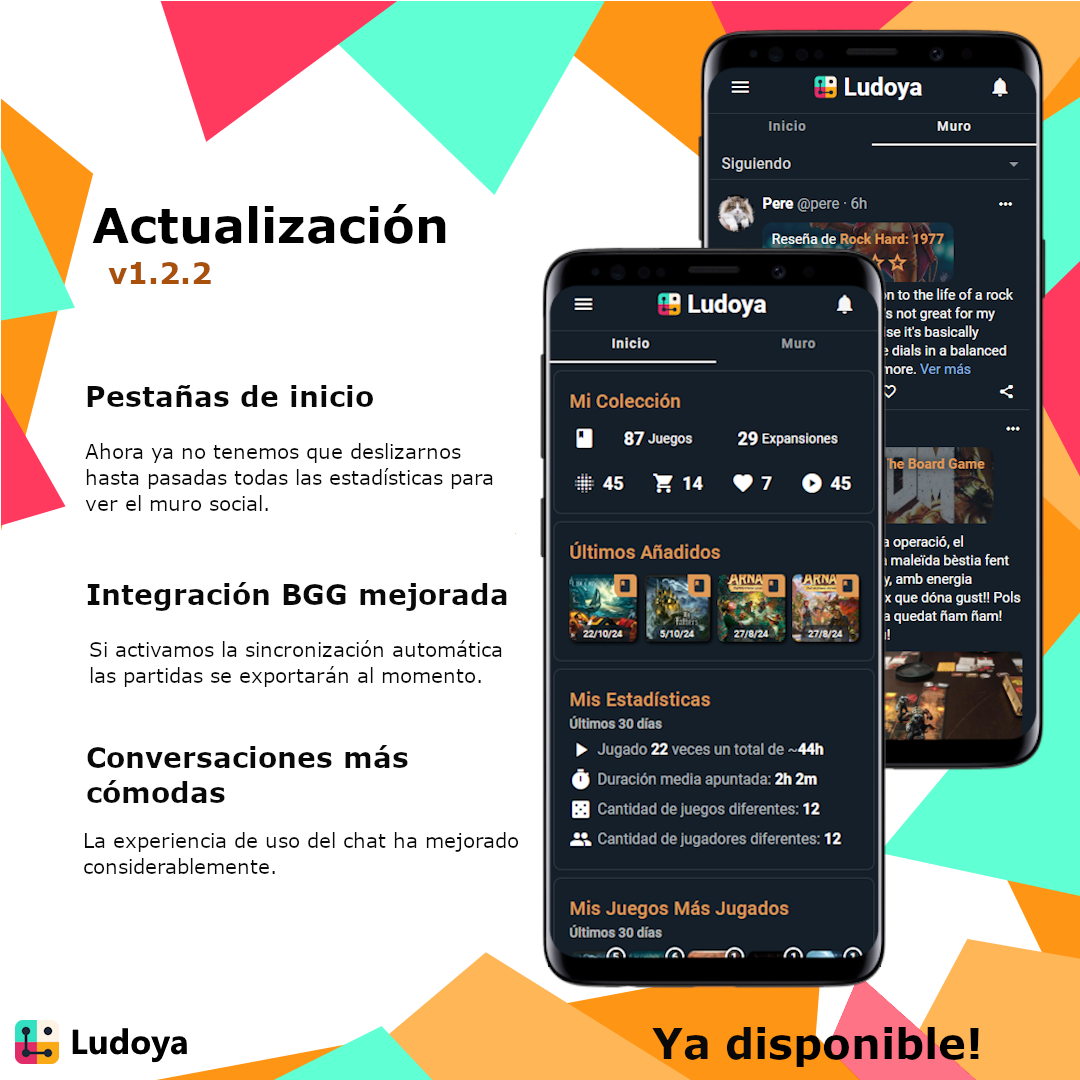
  1. Home tabs
    Now, instead of having to scroll down in order to see the social feed you will be able to select it directly via a new tab.

  2. Improved BGG export
    From now on, if you have automatic sync and export enabled in your BGG settings, all the new plays will immediately appear in BGG. That also includes edits and deletions!

  3. More comfortable conversations
    Before, using the messaging part of the app from our phones was a bit cumbersome. This has greatly improved now.

  4. Other

  • External links are now working properly on iPhone devices.

Enjoy!

Update v1.2.1

We are back after a short break, with small changes but a lot of excitement to get into meaty stuff.

  1. Player order The player order submenu has been reworked, and now it allows dragging and dropping players to manually set their order. Then, for more than 2 players, there are 2 ways to randomize their order:
  • Rotate: this will keep the order of the player list and act like a normal roulette.
  • Shuffle: this will choose an entirely random player order. We have also added an animation to the randomizer buttons.
  1. Uniqueness rating Now you can rate games' uniqueness when reviewing them. That will be added to the existing "fun", "interaction", "appeal", "replayability" and "accessibility" sub-ratings.

  2. Event cancellation From now on we can cancel our meetups or planned plays.

  3. Other

  • The notifications view was getting stuck because of comment like notifications. Now that's been fixed.
  • Player colors are not picked automatically anymore.

Have a nice one!

Update v1.2.0

Ludoya was already multilingual, but only with its creator's spoken languages (Catalan, English and Spanish). Now it is starting to know more languages!

  1. Multiple languages
  • Thanks to AI, we are now able to add any language to the app in nearly no time. Translations might be clumsy, but so far we've been noticing quite a decent job.
  • We have added German, Italian, French, Portuguese, Polish, Romanian, Hungarian and Norwegian. If you are a native speaker of any of these languages and find mistakes, please let us know!
  • The language is automatically detected from your device's settings.
  • You can change the language in the settings view. However, due to a caching issue, changes to the language may take a long while to be visible.
  1. iOS back gesture
  • From now on, when swiping your finger from left to right on iOS, the app will behave like with Android's back button.
  1. More Roadmap items
  • Take a look at the Roadmap to see what's coming next.
  • The features with fewer votes are the new ones, so if you want to see them added soon, vote for them!

If you miss your native language in the list above or find any issues with any translation, please let us know.

See you at the Essen Spiel 2024!

Update v1.1.0

Update v1.1.0

Individual player timers have been implemented! With this feature, you can now measure each player's total turn time in a game. In other words, an AP (Analysis Paralysis) meter!

  1. Start Play improvements
  • We have recovered the 3 stages of started plays: "Preparation", "Playing" and "Scoring".
  • When "Preparing" a game, you can now assign a color and a role to each player. This will be displayed in the play's page. You can also choose the player order with a randomizer.
  • The "Playing" stage consists of the usual play timer and the new player timers.
  • The "Scoring" stage contains the scoresheet, which you can customize and each of the players can input their score.
  • We can change the stage of a play at any time, until it's finished.
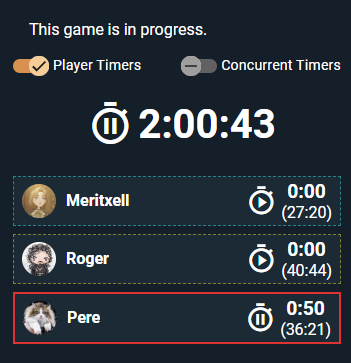
  1. Player timers
  • In the plays' "Playing" stage, we have added a slider to enable the player timers. This slider will be displayed in the play's page.
  • When enabled, each player will have a timer that visible on everyones' screen.
  • Each player can start/pause their timer, and pass the turn to the next player.
  • We also added a way to enable concurrent turns, so that multiple players can play at the same time.
  • The times will be saved and displayed in the play's page, together with a score per minute metric.
  1. New Collections
  • We have removed the last step of the onboarding process (add games to your collection).
  • When your collection is empty, you will be given the option to add games both manually and via BGG import.
  1. Other
  • Comments can now receive likes.
  • Player order is now displayed in the plays' page.
  • Fixed a preview display bug when sharing a collection.

And that's it for this update! We hope you enjoy the new features and see you in the next one!

Update v1.0.0 and iOS Release

We finally launched to the App Store!

This is the app's App Store page

While working on getting the approval from Apple we also performed all the changes that make Ludoya deserve to reach 1.0:

  1. Boring Stuff
  • From now on, all new users will be prompted to accept the Terms of Service. Yeah, boring, but it also makes us more serious about what we're doing!
  • You can now block/unblock other users. When another user is blocked, you will no longer see their content nor they will see yours.
  • Posts, reviews and other users can now be reported. When you do that, we will be immediately be notified and assess your report.
  • Now you can fully delete your account from the settings menu. But beware, when it's gone, it's gone for good!
  1. iOS
  • We have had to remove google login from the iOS apps. It should be implemented soon!
  1. Other
  • We have started working on an offline mode. Now the app will be visible even without internet, although the content will not be loading (yet).
  • When sharing a link, the unfurled content will be the same as the user's app language.
  • We moved the "Create planned play" button to the Meetups view, under the + button at the top.

And with that, a big milestone has been reached. Thanks everyone for your support during the early versions!

Update v0.24.1

Update v0.24.1

The reviews have been integrated into the rest of the systems!

  1. Overall improvements
  • When a review is long or has category ratings, those are hidden by default. They can be easily unhidden with a single click.
  • Reviews can now be commented on, liked and shared.
  • Each review has its own page. In that page the default shortening is disabled.
  • We can now delete reviews.
  • Fixed the flickers/discomfort when trying to edit our reviews' rating number by hand.
  • In the collection, the rating sort now displays the correct number.
  1. Activity feed
  • Recent reviews are now being displayed alongside with the recent posts.
  1. User profiles
  • Each user profile now displays how many games they have reviewed, together with their social connections. Clicking on that will display all the reviews by this user.
  • We can see all the games that have been reviewed by a user in a new view.
  • The new view has 8 sort criteria: date, relevance, rating, and each of the rating categories.
  • Reviews might take quite a lot of space, so we also implemented a compact toggle.
  1. Other
  • When deleting a post comment there's an "are you sure?" prompt now.
  • We can now delete locations that were used by meetups.

We have more ideas to keep improving the reviews, so see you in 0.24.2!

Update v0.24.0

Update v0.24.0

Game reviews are here!

We decided to implement a 1-5 stars system for better user friendliness. You can add a rating and write down a review for every game, and on top of that you will be able to rate each of them on 5 categories:

  • Fun: How enjoyable the game is, how much you like its mechanics.
  • Interaction: How much each player's actions affect others.
  • Appeal: The visuals of the game. Theme is also taken into account here.
  • Replayability: How much you can play this game before getting tired of it.
  • Accessibility: How possible it is for this game to be played with anyone.

These categories are optional, but if you fill them up the system will automatically suggest a more precise final rating for the game, based on all categories.

Now to the changelog:

  • Games now have a reviews tab! There you can see other people's reviews and set your own.
  • Added a 1-5 star rating to each game, based on all your ratings.
  • Updated BGG sync system so that it imports ratings as Ludoya reviews and vice versa. For conversion we are using a formula that disregards all bad scores (<4.5) as simply 1 star.
  • In the collection view, you can sort games by the user's rating (in a 1-10 scale for now).
  • In the play view, each player's role can be visualized with more clarity.

We are now working on further enhancing the collection view so that we can sort games by each rating category and its average throughout the system.

If you have any feedback, don't hesitate to ping us!

Update v0.23.2

Update v0.23.2

In v0.22.0 we announced that we started working on color updates. That also included the logo! The motive was to give more distinction between the bottom colors. We hope you like it!

With that, we have also applied a few minor style updates:

  • The margins of the community/stats widgets have been reduced.
  • The collection marker icons' color has been updated.
  • Posts' layout/margins has also been slightly improved.

And we're not done with colors. We are also looking into light/dark mode, but no promises!

See you in 0.24.

Update v0.23.1

One of the previous updates broke how the locations work, so we fixed that as soon as we found out.

When trying to select a location's address the app errored out. Not only it errored out, but it slowed the application down to a unusable state until it was reloaded or crashed.

  1. Location addresses fixed
  • When creating or editing a location you will no longer have an issue setting its address.
  • The address helps the meetups system show other users how war away your meetup is from them.
  • When creating a new location from an event planning screen, its visibility will default to the event's.
  • When creating a public location, the address panel will be expaneded by default.
  1. Tag improvements
  • You can now share a link to your collection with a tag selected.
  • When clicking a tag in the game view, you will be directed to your collection, with that tag selected.
  • Game grid tag previews have been moved to the top left of each game. Long tags are being clipped.
  1. Other improvements
  • Removed the "Most acquired games" community widget from the home view. Maybe it will come back when the community grows further.

Update v0.23.0

New feature: game tagging!

  1. Game tags
  • As an additional option for games' collection management, we have added the ability to add tags.
  • You can find the option in each game's page, under the big circular button menu.
  • The tag management menu allows you to select any existing tags or create new ones.
  • In the collection view, you can select any of your tags as a collection category.
  • Additionally, you can add any of your tags to the filter in the filter menu.
  • Tags will display in the collection grid as well.
  1. User profile updates
  • Selecting the list view in plays is now stored automatically as a preference.
  • The collection sort now displays an ascending/descending arrow for clarity.
  1. Other improvements
  • The search algorithm has been optimized. Finding games and users should be faster now.

Update v0.22.0

Up until now, all changelogs were announced only on discord. This is the first changelog that's in the app as well!

  1. In-app changelogs
  • When opening the app, you will be shown the changelog if there's any unread news.
  • All the entries have multilanguage support, so they will be displayed in the current app's language.
  1. Background colors work in progress
  • We have decided to keep the app's color scheme flat, using outlines.
  • There is more work related to colors on the way.
  1. Other improvements
  • Added support for game-wide "lower is winner" option. Added to UNO for now. Feel free to request this for any game!
  • A scrolling bug has been fixed in the messaging view.
  • When sharing a list of play, the pre-rendered grid will look slightly better.
  • We removed the " | Ludoya" suffix from all link shares.
  • Play-related personal notes are now being synchronized with BGG.