
Catalog every game you own, sync your BGG collection, and list games for sale or trade on the marketplace.
Get Started
Already on BoardGameGeek? Link your BGG account in Integrations and import your entire collection and play history in one go. Two-way sync is free on every plan — changes on either side stay in sync automatically. Your collection is live in minutes.
Starting fresh? Go to Settings → Speed Add. Type a game name in the search box — every result has a checkbox. Tick it and the game is instantly added to your collection. Work through your shelf as fast as you can search.
Once Your Collection Is Going
Enrich Each Entry
Each game in your collection can hold as much or as little as you want:
- Ownership status — In Collection, Preordered, Wishlisted, or Previously Owned
- Acquisition date, edition, and expansions — track printings and link expansions to base games
- Acquisition price and resale value — private to you, never shared
- Notes — house rules, storage tips, anything specific to your copy
- Your rating — 1 to 10, and your review when you write one
Organize with Custom Lists
Create lists to slice your collection any way you want — "2-Player Favorites", "Shelf of Shame", "Spiel des Jahres Winners". Each game can belong to as many lists as you like.
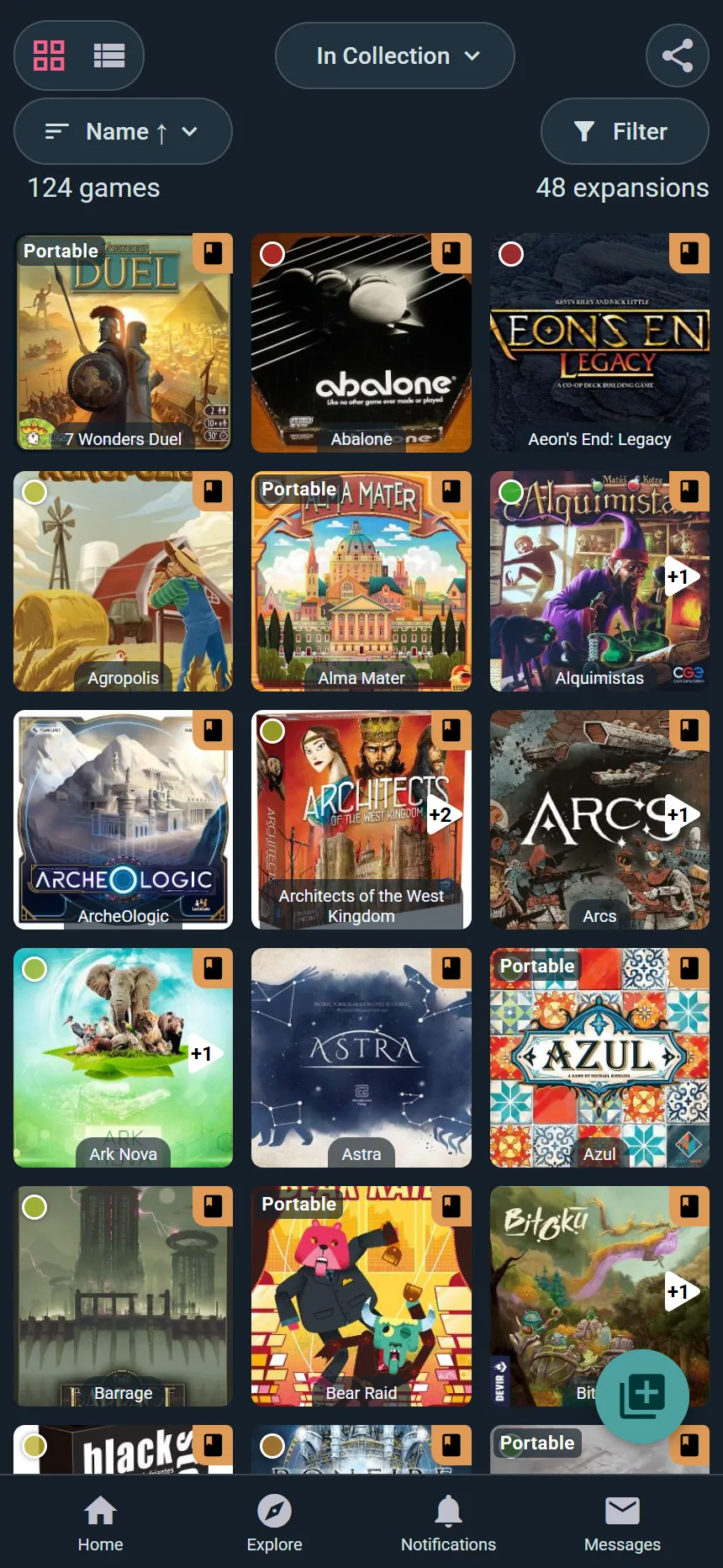
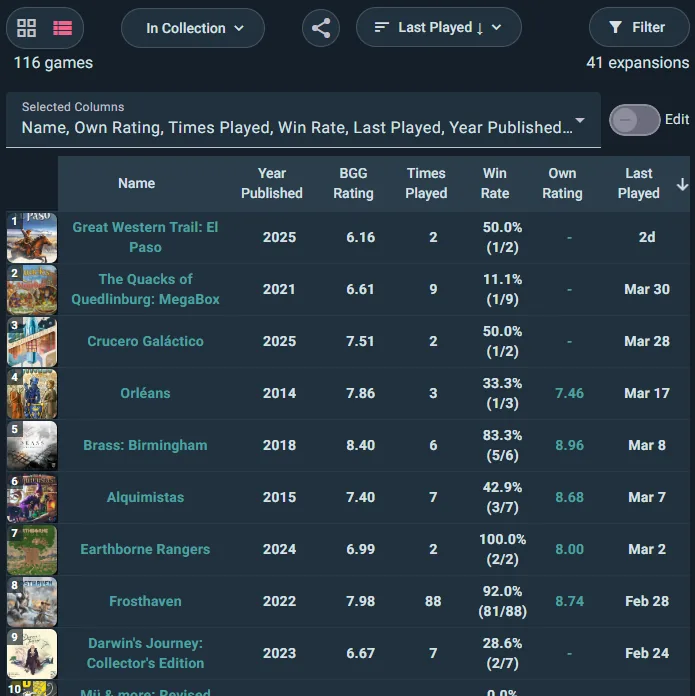
Switch between Grid View (visual) and List View (dense, sortable). Filter by player count, age, duration, complexity, categories and mechanics, custom list, what's currently lent out, and played vs. unplayed — then sort by your own rating, times played, cost per play, or a dozen other things.
Rate and Review
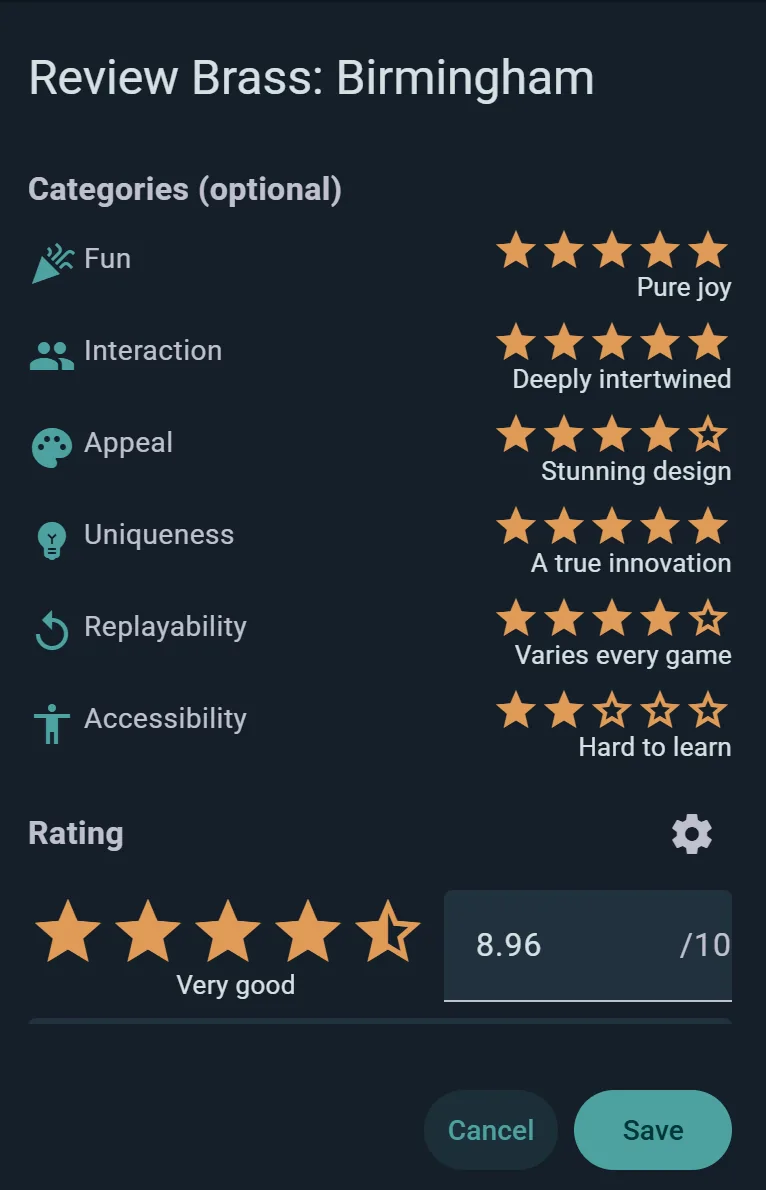
Ludoya's reviews rest on what you actually played: rate a game from 1 to 10, give your verdict in one line, and say whether it's best, good or one to skip at each player count, beside how often you played at it. Your logged plays show with your review, so readers know how well you know the game. Update it freely as your opinion evolves; updated reviews resurface in your followers' feeds.
Track Prices and Value
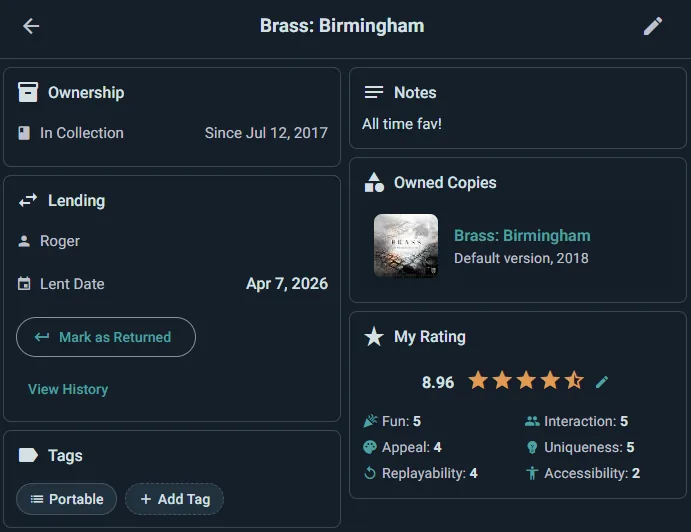
Record what you paid and what your copy is worth now in the game's My Info page — acquisition prices and personal notes are always private. The public game page shows community marketplace listings and store prices so you can gauge what your copy might fetch when you're ready to sell.
Sell and Trade
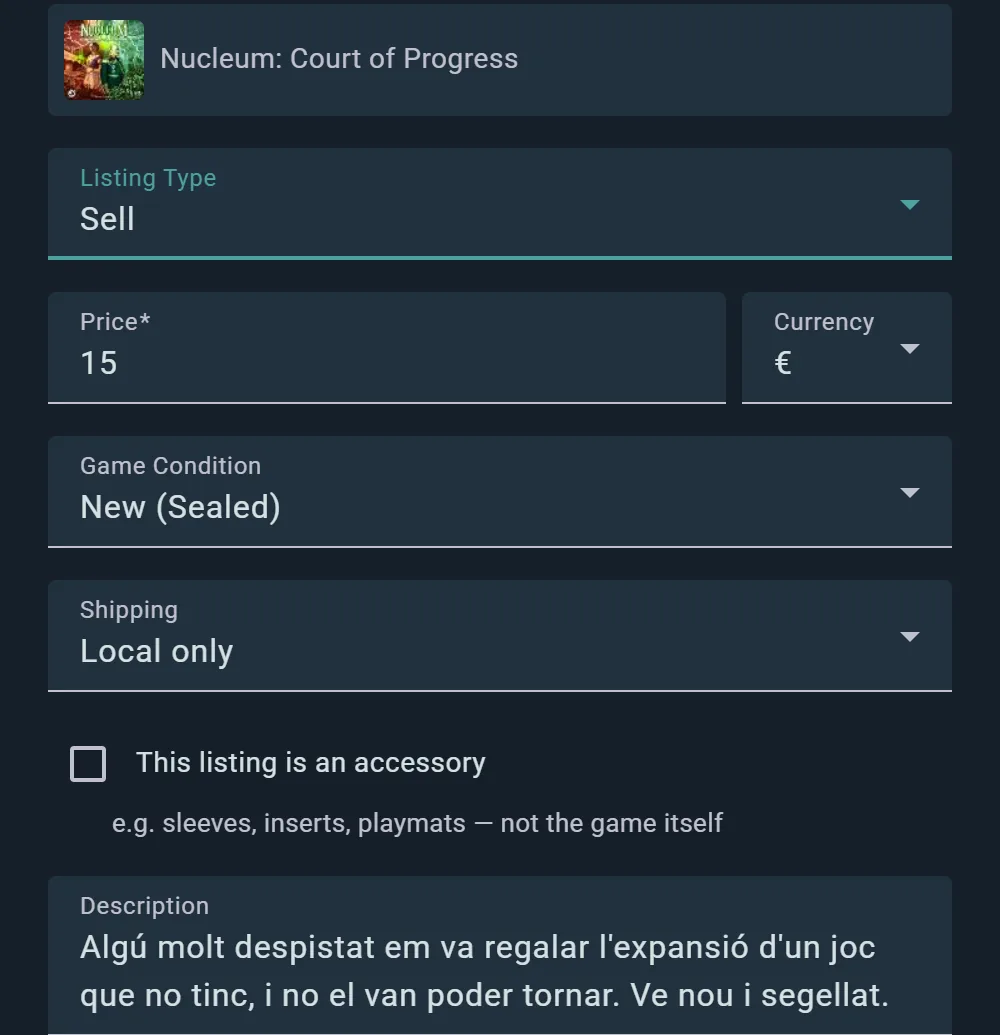
Create a Marketplace listing from scratch — photos, condition, edition, price, description. Listings are independent of your private collection data. Buyers contact you through in-app messaging; Ludoya tracks your seller reputation based on completed transactions. Browse listings from other collectors too: filter by game, condition, price, and distance.
Share Your Collection
Share your collection as a profile widget, an embeddable snippet for your website or forum, or a shareable image and QR code. Control who sees it with privacy settings — anyone, friends (people you follow who follow you back), people you share a group with, or hidden.
BGA Play History
If you play on Board Game Arena, you can pull your BGA play history into Ludoya so digital sessions show up alongside tabletop ones (import only — no collection sync, since BGA games aren't owned).
Your Shelves
The Shelf of Shame
Open your collection's ⋮ menu and choose Shelf of Shame: the games you own and have Never played, and the ones Gathering dust since you last did. Each says how long it has been waiting and, when it can tell, why it keeps losing — it needs more players than you usually have, or runs longer than your sessions do. Stuck on what to play? Pick one for me. Expansions and recent buys stay out unless you tick Include expansions or Include recent buys; games out on loan are listed apart, with when they come back.
On any game: I've played this before takes it off, Remind me in 3 months brings it back later, and Stop reminding me (or Don't remind me about any game) ends the nudges.
Plan Your Shelves (Player plan)
Plan your shelves, in the same menu, fits your collection onto the shelves you really have. Add shelf unit for each piece of furniture — or take the units it suggests with Add them to my shelves — and Ludoya places every game by its box size, grouped the way you choose: by Similarity, by Family (expansions with their base game), by Occasion (weight, length and player count), or not at all. It says which games don't fit on your current shelves and what would help, and lists the boxes with no size yet so you can type one in. Untick a game to leave it out, allow boxes to overhang the shelf front if yours do, then Apply the plan or Discard it.