
Ticketing
Sell the tickets. Keep the money. Scan the door.
Ticketing built into the event itself — buyers pay your Stripe account directly, Ludoya takes 3% per sale, and the same app then runs the night they bought into.
The whole price list
Ticket types
Early bird, member price, family pack — your tiers, your rules
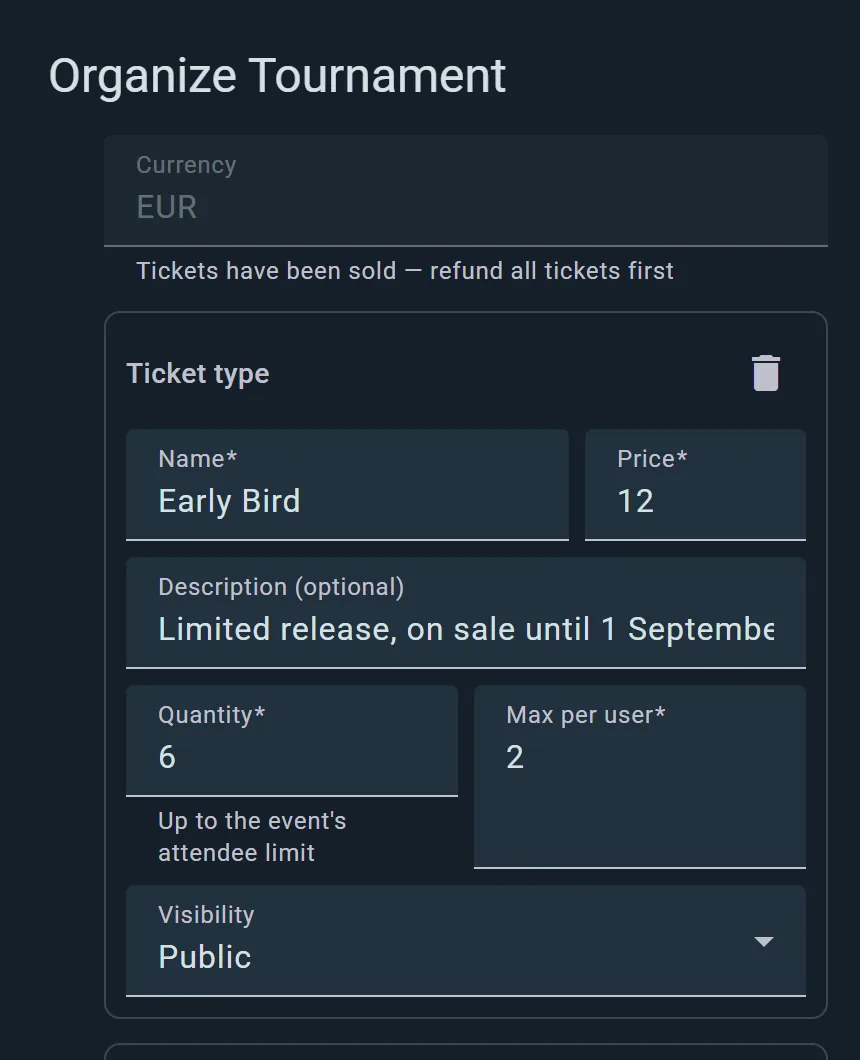
Each ticket type carries its own price, quantity, per-person limit and visibility — so the member discount can exist without being announced to the whole internet.
- Limited releases. Six early birds, two per person — scarcity that enforces itself.
- Hidden tiers. A ticket type can be visible only to the people it is for.
- Capacity-aware. Quantities respect the event’s attendee limit; you cannot oversell the room by accident.
The sales panel
Watch it sell. Refund without email chains.
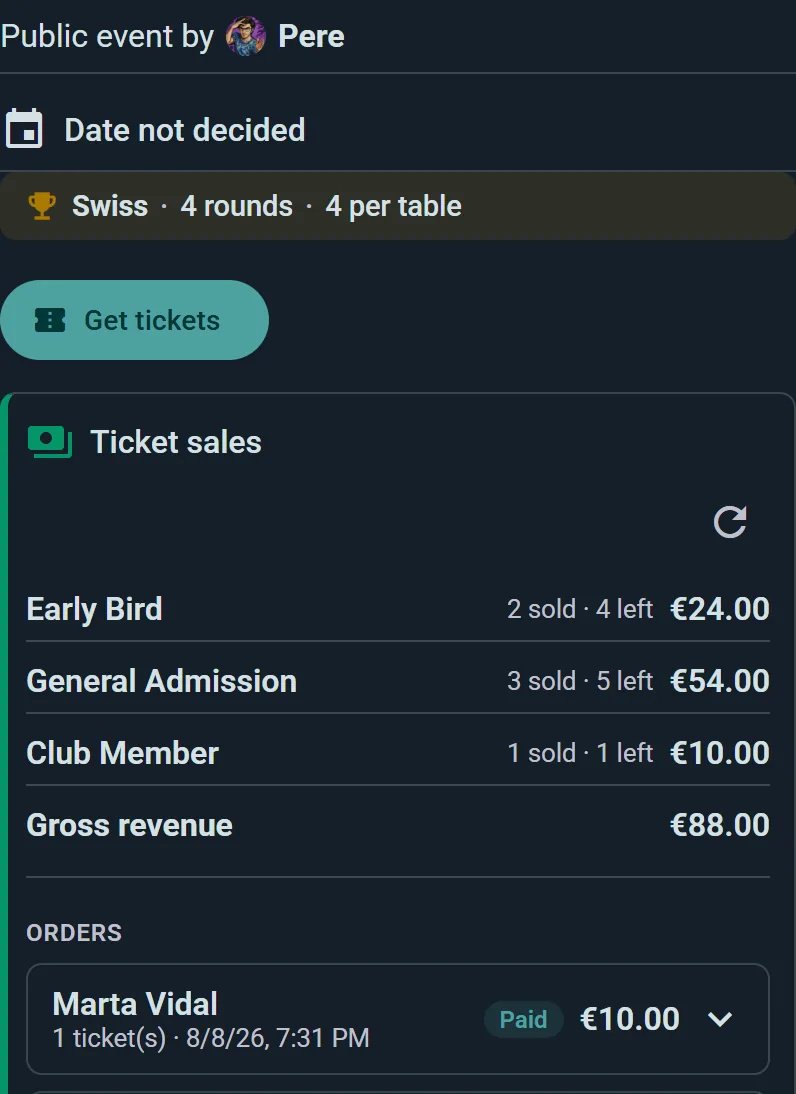
Per-type counts and gross revenue, live from the first sale. A refund is one action in the panel — the money goes back, the seat goes back on sale.
- Orders with faces. Every sale is a person on your attendee list, not a row in a separate tool.
- Cash coexists. Door sales recorded by hand land in the same list as online orders.
- Refunds that finish the job. Money returned, ticket voided, seat released — one action.
The money
Your Stripe account, your payouts, one visible fee
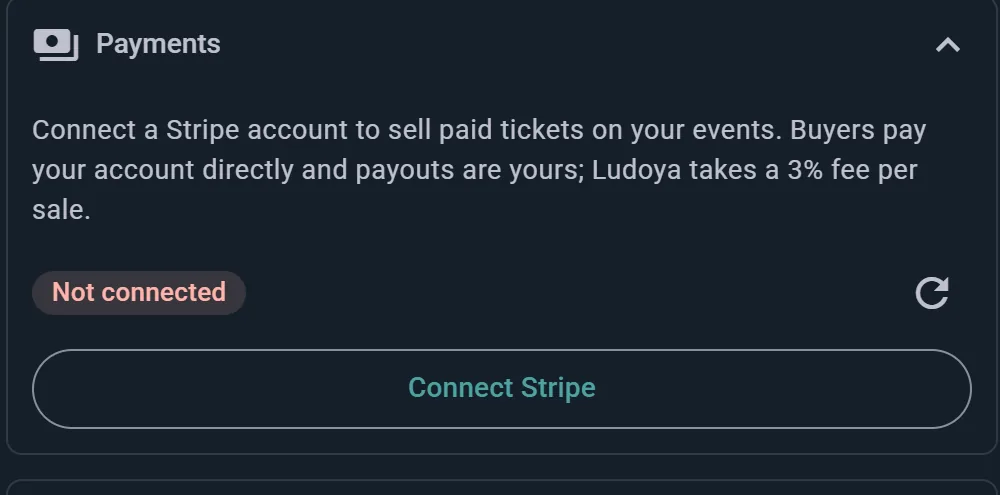
Connect Stripe once. Buyers pay your account directly and payouts follow Stripe’s normal schedule — Ludoya’s 3% is stated in the product, next to the button, before you connect anything.
- No money in the middle. Ludoya never holds your revenue; Stripe settles to you.
- The Business plan, plus 3%. The fee exists only when a ticket actually sells.
- No per-attendee licence. A bigger event does not mean a bigger invoice — just more sold tickets.
After the sale
The door scans, and the list is yours
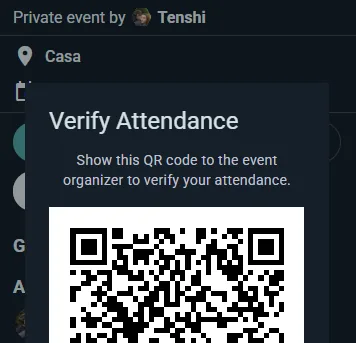
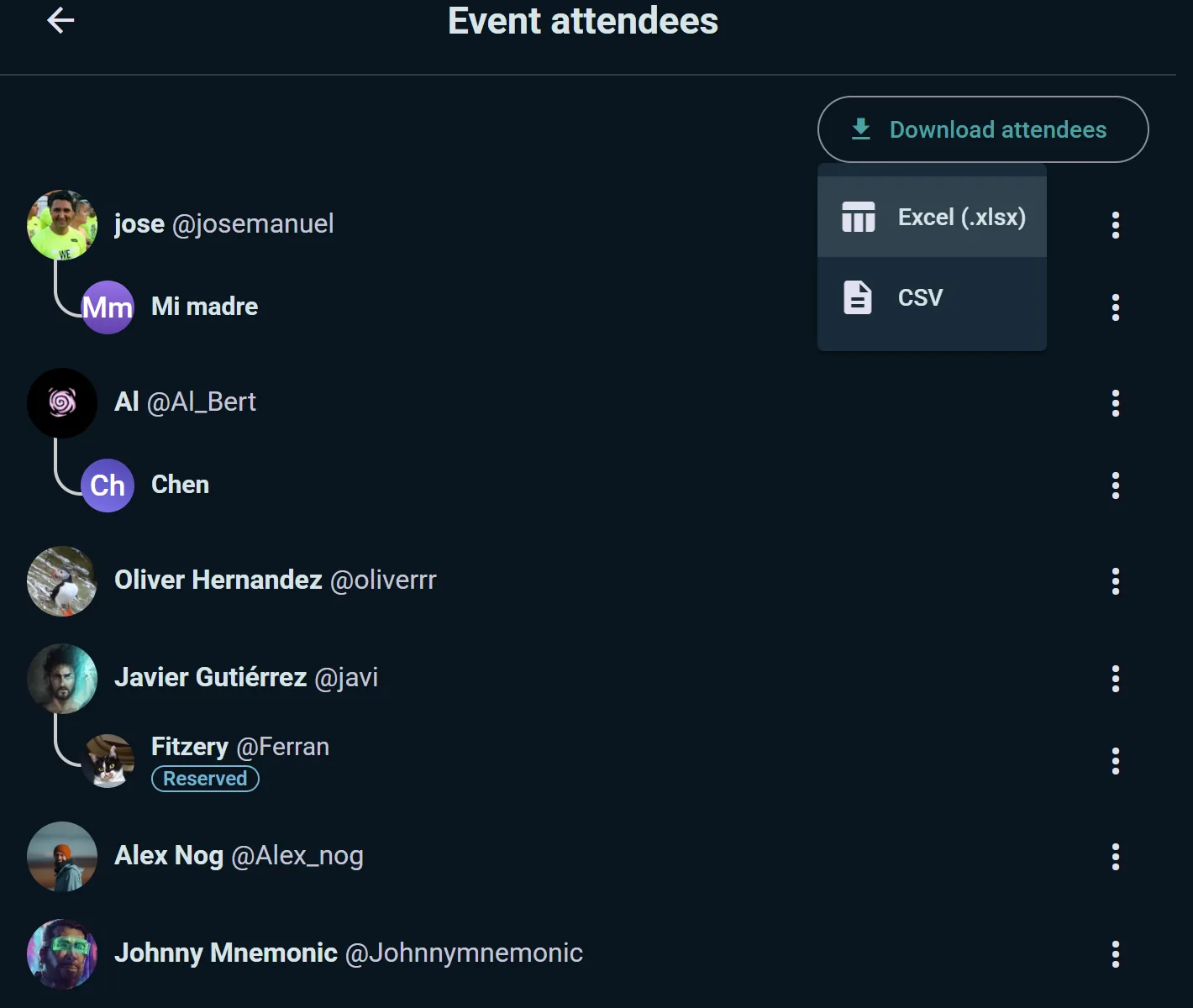
Every ticket is a QR verified at the door, and the resulting attendee list — guests included — exports to Excel or CSV whenever you need it.
- QR check-in. Duplicates and already-used tickets flagged as they scan.
- One list, whole truth. Online buyers, cash walk-ins and guests, together.
- Export for the real world. The insurer, the caterer and your own records get a file, not a screenshot.
Getting started
Selling before the kettle boils
Connect Stripe
On the Business plan, connect Stripe once from Plan and payouts in your club’s console. The 3% fee is on the card you click — no surprises later.
Define the ticket types
Prices, quantities, per-person limits, visibility. Publish, and the event page sells.
Scan at the door
Any staff phone verifies QR tickets; cash arrivals are added on the spot. The list stays whole.
Honestly
Against a generic ticketing platform
Generic platforms sell entry to anything. That is exactly the limitation.
| Generic ticketing | Ludoya | |
|---|---|---|
| Fee | Per ticket + % | Business plan + 3% |
| Runs the event after the door | — | |
| Payouts | Via the platform | Your Stripe, directly |
| Free community events | Sometimes | |
| QR entry verification | ||
| Attendee export | Excel / CSV | |
| Your attendees, marketed to | Often | — |
| Where your buyers already are | — |
What it costs
The Business plan, plus 3% per sold ticket. The 3% is the number the product shows you next to the Connect Stripe button, and it is the only ticketing fee: no setup fee, no per-attendee licence. A free event pays no ticket fee.
Ticketing ships as part of the Business plan alongside the rest of the professional event kit — QR entry, floor plans, the lending desk, the event on a big screen. Plans and prices are public on the pricing page.
Running something bigger? The conventions page covers the whole toolkit; the venues page covers paid nights at your own place.
Your next paid event, selling tonight
Connect Stripe, define a ticket type, publish. The buyers are already in the app.
Frequently Asked Questions
What does it actually cost?
The Business plan, and three percent of each sold ticket — the same number the product shows beside the Connect Stripe button. No setup fee, no further ticketing charge, no per-attendee licence. Free events pay no ticket fee.
Where does the money go?
To your own Stripe account, directly. Buyers pay you; payouts follow Stripe’s normal settlement schedule. Ludoya never holds your revenue.
How do refunds work?
From the sales panel, in one action: the buyer gets the money back, the ticket is voided and the seat returns to sale. No support tickets, no email chains.
Can we take cash at the door too?
Yes — register door arrivals by hand and they join the same attendee list as online buyers, so your headcount and records stay whole.
Do buyers need the app?
No. Ticket purchase works in any browser and the QR arrives by email. The app is where the event schedule and their plays live, not a requirement to get in.
Can different people pay different prices?
Yes — ticket types each carry their own price, quantity, per-person limit and visibility, so member prices and hidden tiers work without a workaround.
What do we need to accept payments?
A Stripe account, connected once from Plan and payouts in your club’s console. If Stripe operates in your country, Ludoya Tickets works there.
Who sees our attendee data?
You. The list is yours to export (Excel or CSV, guests included), and it is not sold, shared with sponsors, or marketed to by the platform.
Can club members pay less?
Yes. A ticket type can carry a member price, paid by members of the club whose dues are in order. It can’t be higher than the ticket’s own price.