
Collection
Your shelf, catalogued and useful
Not a list — a working shelf: filtered by tonight’s player count, synced with BGG in both directions, and honest about which box has been at Marc’s since April.
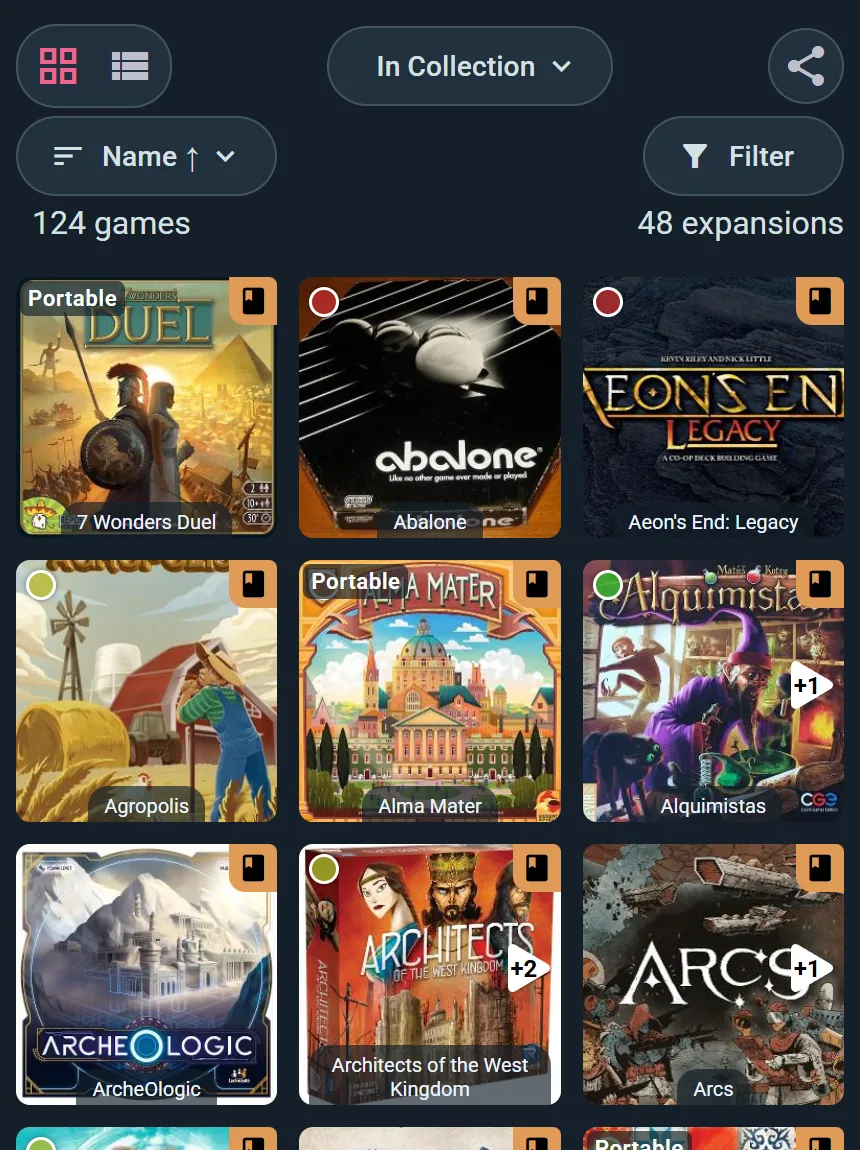
The shelf, in numbers
Migration
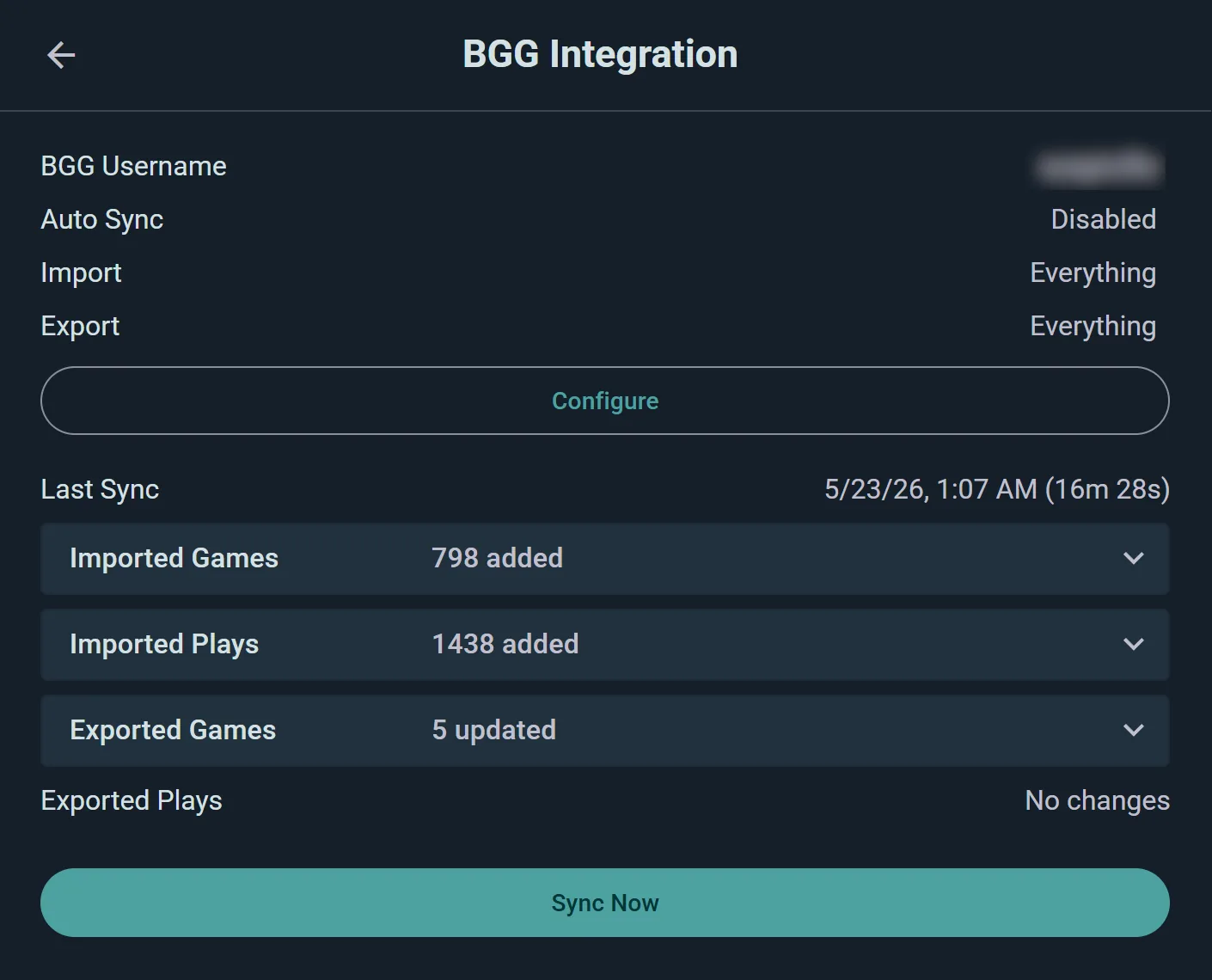
Your BGG collection, moved in one sync
Connect BoardGameGeek and the shelf arrives — games, expansions, and your play history with it. From then on the sync runs both ways: log here, and it can flow back there.
- Everything, both directions. Import and export scopes are yours to configure — “everything” is one setting.
- No abandoned shelf. BGG stays current while you live in Ludoya; nobody has to choose.
- Plays come too. Years of logged BGG plays land in your history, not just the boxes.
Finding the right box
Filter the shelf like you mean it
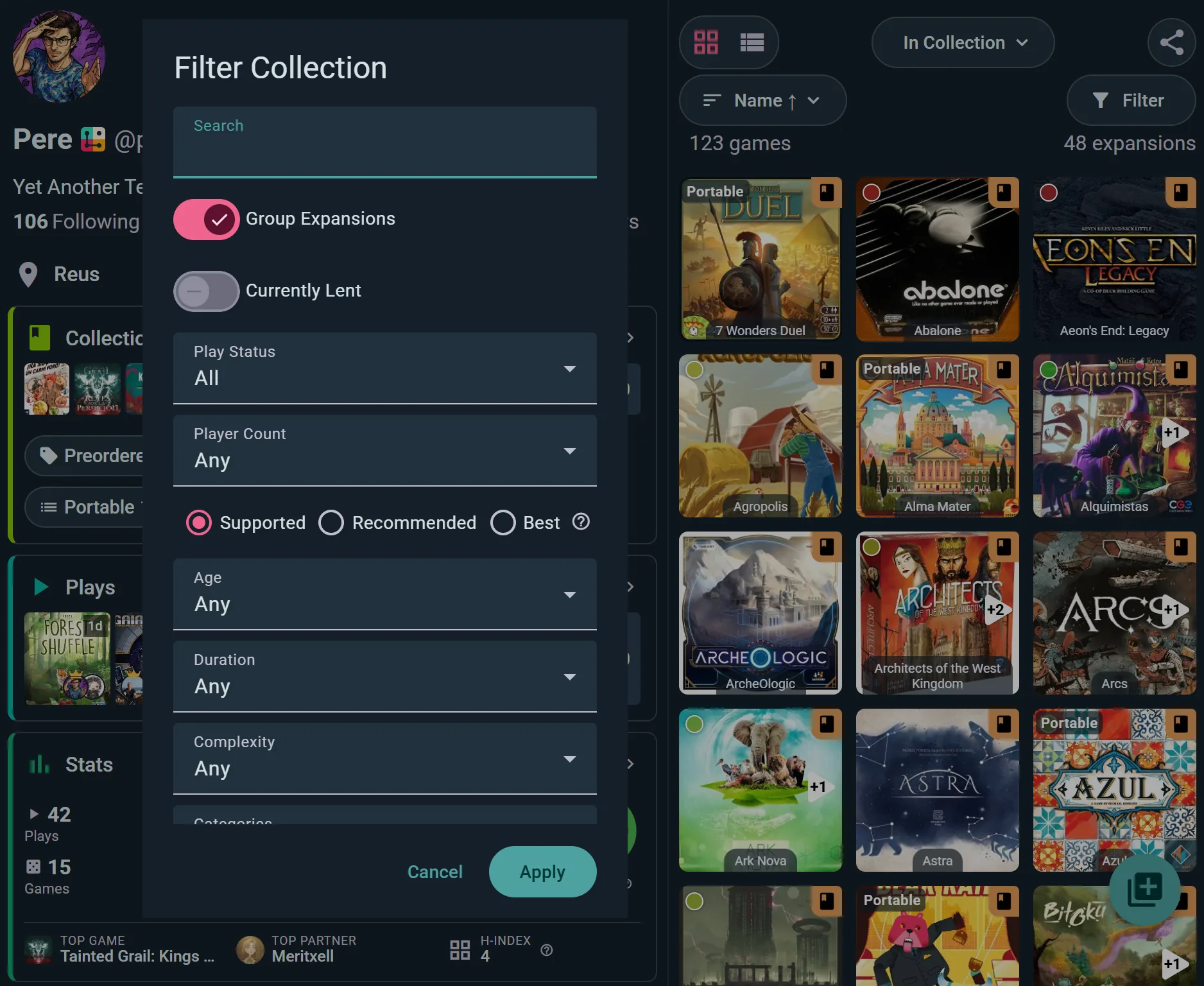
“We are five, we have ninety minutes, nothing too heavy” is a filter, not a debate. Player count — supported, recommended or best — age, duration, weight and categories.
- Best-at count, not just fits. Five players can mean “supported” or “actually shines” — the filter knows the difference.
- Played and unplayed. Confront the shelf of shame, or hide it. Your call.
- Grid or list. Cover art for browsing, a dense sortable table for deciding.
Loans
The box at Marc’s house is a fact, not a rumour
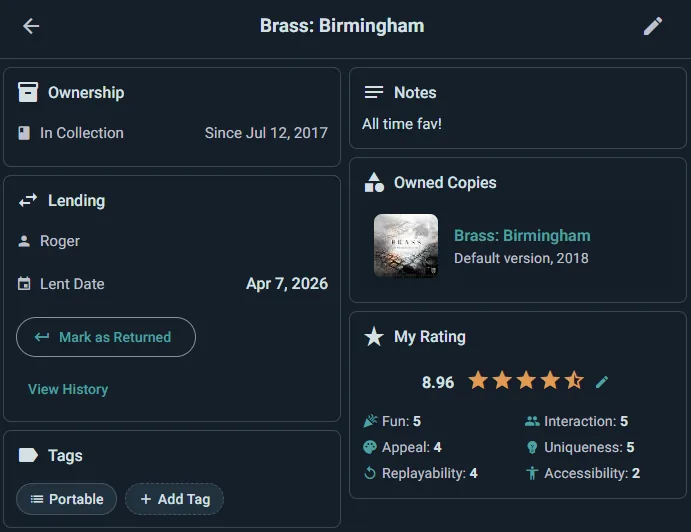
Lend a copy and the shelf remembers who has it and since when. Clubs and venues take the same machinery further, with per-copy QR labels.
- Per copy, not per game. Two copies of Catan can be in two different houses, and the shelf knows both.
- Lending history. Returned loans are remembered, not erased.
- Scales to a club library. The same lending, with QR self-service, runs a club’s lending library.
And around the shelf
What a catalogued collection unlocks
Sell what you never play
A marketplace listing is two taps from the collection page.
Price watch
Shop prices on every game page, with alerts when your wishlist drops.
Reviews backed by your plays
Rate 1 to 10, give your verdict in a line, and say who it suits at each player count.
Shelf planner
Real box dimensions and 3D packing — will the Kallax survive?
Share with your group
A club’s collective shelf shows what will be in the room on Thursday.
Offline edits
Update the shelf in the cellar where the games live; it syncs upstairs.
An inventory, when it grows
One row per copy with its shelf, condition and loan, and changes to many copies at once.
Every loan on one screen
Who has what, what is late, what came back and how. The borrower gets one reminder when it is overdue.
Lists in your order
Drag the games of a list into place, so a Top 10 really is a ranking.
Getting started
From spreadsheet to shelf in an evening
Import or add
Connect BGG for the one-sync migration, or search and add games directly — the catalog knows them all.
Mark what matters
Owned, wishlisted, previously owned; portable; in a custom list. The chips do the remembering.
Use it on game night
Filter for tonight’s table, check what is lent out, and let the group browse what you are bringing.
Honestly
Against the spreadsheet and the static BGG list
Both hold data. Neither helps you pick a game at 8pm with five people at the door.
| Spreadsheet / plain BGG | Ludoya | |
|---|---|---|
| Catalog your games | ||
| Filter by tonight’s table | Sort columns | |
| Loans per copy | A comments column | |
| Stays synced with BGG | Manual | Two-way |
| On your phone at the shelf | Pinch and zoom | |
| Turns into listings | — | |
| Group visibility | Screenshots | Shared shelf page |
| Price | Free | Free |
What it costs
Nothing. The collection, BGG sync, filters and lists live in the free core.
The Player plan adds the shelf planner and a lending tracker with reminders among its extras; clubs and venues get collective shelves and QR-labelled copies on their own plans. The catalog itself never costs.
Catalog the shelf you already own
One BGG sync or one evening of adding — then it works for you every game night after.
Frequently Asked Questions
How does the BGG import actually work?
Connect your BGG account, choose scopes (games, plays, or everything) and run a sync — a 798-game collection with 1,438 plays lands in one run. After that, sync keeps both sides current in the directions you chose.
If I edit in Ludoya, does BGG update?
Yes, when export is enabled — ownership changes and plays flow back, so the BGG profile you spent years on does not go stale.
Can I track expansions?
Yes — expansions attach to their base games, can be grouped or listed separately, and count in the collection totals.
What are the ownership states?
Owned, wishlisted, preordered and previously owned — plus custom lists on top for anything else (“portable”, “to teach”, “sell pile”).
How do loans work?
Per copy: mark it lent with a borrower and date, and the shelf shows it out until it comes back. Returned loans stay in the copy’s history.
Can other people see my collection?
Only as far as you allow — collection visibility has its own setting: anyone, friends, group-mates or nobody. Groups can share a collective shelf.
Does it work offline?
Yes — browse and edit the collection without signal; changes sync when you are back online.
I do not use BGG. Can I start from zero?
Of course — search the catalog and add; the games, art and data are already there. The sync is a migration path, not a requirement.