
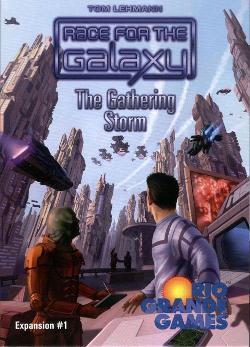
2008 · Card Game
Race for the Galaxy: The Gathering Storm
Adds new cards, a fifth player, competitive goals, and solo and drafting variants to the base game. New start worlds, developments, military and non-military worlds expand deck variety. Goals include “first” objectives that award bonus victory points to the first player to meet them, and “most” objectives that score players who hold the largest share of certain card types. Components include extra player cards and VP chips for a fifth player, a robot template with dice and chits for solitaire play, and blank cards for custom designs. Drafting rules offer an alternative setup for two- and three-player games.
- Players
- 1–5 best 2
- Playing time
- 60 min
- Age
- 12+
- Complexity
- 3 / 5
About the game
- Design
- Publisher


Expansion for
See them in Ludoya
Expansions
See them in Ludoya

Where to buy it
Shop prices and second-hand copies, checked every day.
On Ludoya's tables
Full stats in Ludoya- 117
- Plays logged
- 24
- Players
- 22m 55s
- Average play
- 67
- In collections
- 2
- On wishlists
- 1
- Pre-ordered
7.4/10
from 19 Ludoya reviews


Rules questions
Answered from the rulebook by Ludoya's rules assistant.
How many goal tiles do we use and which ones do we place on the table at setup?
Shuffle the goal tiles face down and select two "Most" (large) goals and four "First" (small) goals, remove the rest, and place the selected goals face-up in the center next to the 3‑VP goal chips (page 2).
How do the "Most" goals get claimed, and can someone take a "Most" goal from another player?
A "Most" goal (5 VP) is held by whoever satisfies its condition by the greatest amount at the end of a phase; the first player to reach that greatest amount claims it, and a later player who exceeds that amount takes it away (they can be lost and returned to the center); ties leave the tile unclaimed or give tied non‑holders 3‑VP chips at game end (pages 3–4).
When the robot rolls a match face, where do I place that die and what does the match do?
Place a match face die in the play‑mat space under your player action markers (both if two matches), using rules to shift left into the first matching phase space if needed; a match face means the robot will perform a matching action (use the top row on the mat) rather than just a response (use the bottom row) when resolving that phase (page 6).
How does the robot place 6‑cost developments and what does "flip to find" mean for its Develop action/response?
If the robot has an unplaced 6‑cost counter and enough credit (2 on action, 3 on response) it places a 6‑cost counter and spends that credit instead of doing the normal Develop; otherwise the robot "flip to find" by revealing cards from its draw stack one at a time, discarding non‑matching cards, until it finds a development to place or the stack is exhausted (page 7).
When the robot Settles, does it look for military or non‑military worlds and does it need credit to do so?
By default the robot Settles by drawing and flipping to find a non‑military world (placing it if found); on response it needs positive credit to place, but some start‑world special mat counters (Epsilon Eridani, New Sparta, Alpha Centauri, etc.) change this to flip for military worlds, give extra draws, or remove the positive‑credit requirement (page 8).
How do the robot's Consume and Produce results interact with its credit, economy size, and the $ vs ×2 robot = counter?
Consume actions give VP chips and/or credit depending on which Consume faces occur (Trade increases credit + gives VP equal to economy size; 2x gives twice the economy VPs and increases economy by 1), Produce increases economy size, and special mats (Old Earth, Damaged Alien Factory) flip the robot’s "robot =" counter between $ and ×2 which changes the effect of Trade/2x on subsequent actions (page 9).
Free, on web, Android and iOS
Play Race for the Galaxy: The Gathering Storm with Ludoya
- Keep it in your collectionTrack your copy and its expansions, lend it to friends, or put it on your wishlist and get told when the price drops.Add it to your collection
- Log every playScores, winners, timers and photos, then your stats: win rate, favourite player count, best score.Log a play
- Settle rules questionsAsk anything about the rules and get an answer from the rulebook, with the page to check it on.Ask the rules assistant
- Find people to play it withClubs, game nights and events near you that bring this game to the table.See events
Game facts (players, playing time, age, credits) from BoardGameGeek.