
Your collection is your personal board game library in Ludoya. It's where you track what you own, play, and want to own—and it's the foundation for discovering events, finding players, and managing trades.
Viewing Your Collection
Your collection appears in a flexible layout that suits your browsing style.
Grid View
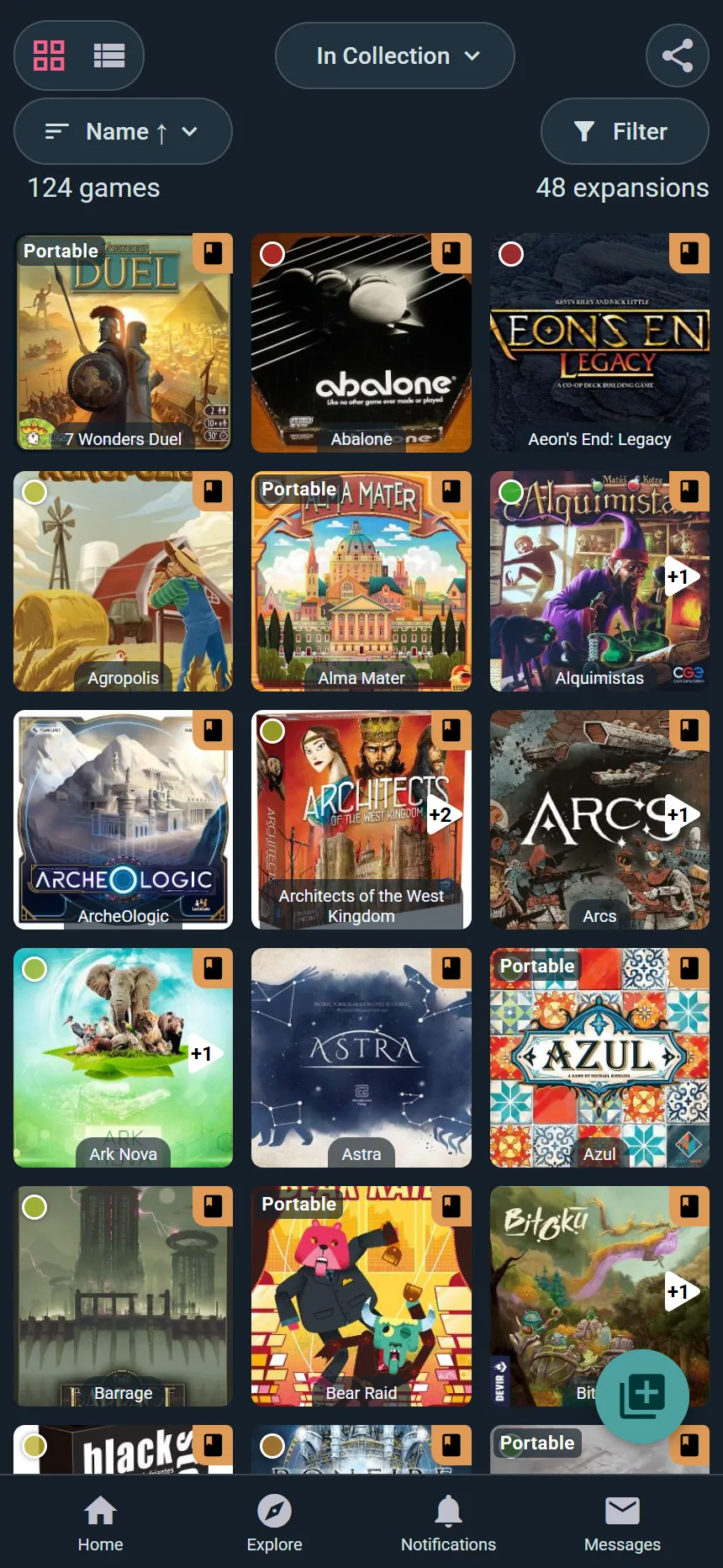
- See game box art in a tile layout
- Great for visual browsing
- Scroll infinitely to explore your full library
- Click any game to see full details
List View
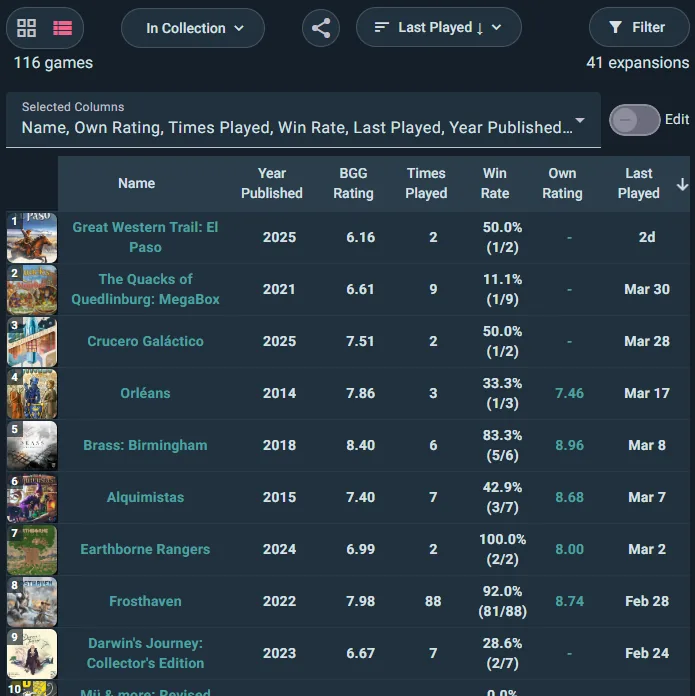
- Shows games with additional info in a table format
- Includes columns like times played, last played, or acquisition price
- Ideal for quickly finding a specific game
- More details visible at a glance
Switching Views
Toggle between grid and list at the top of your collection. Your preference is remembered.
Sorting Your Collection
Over twenty ways to order your shelves — including some you won't find elsewhere, like Cost per Play, Lent / Return, Acquired From, Inventory Location and Want to Play:
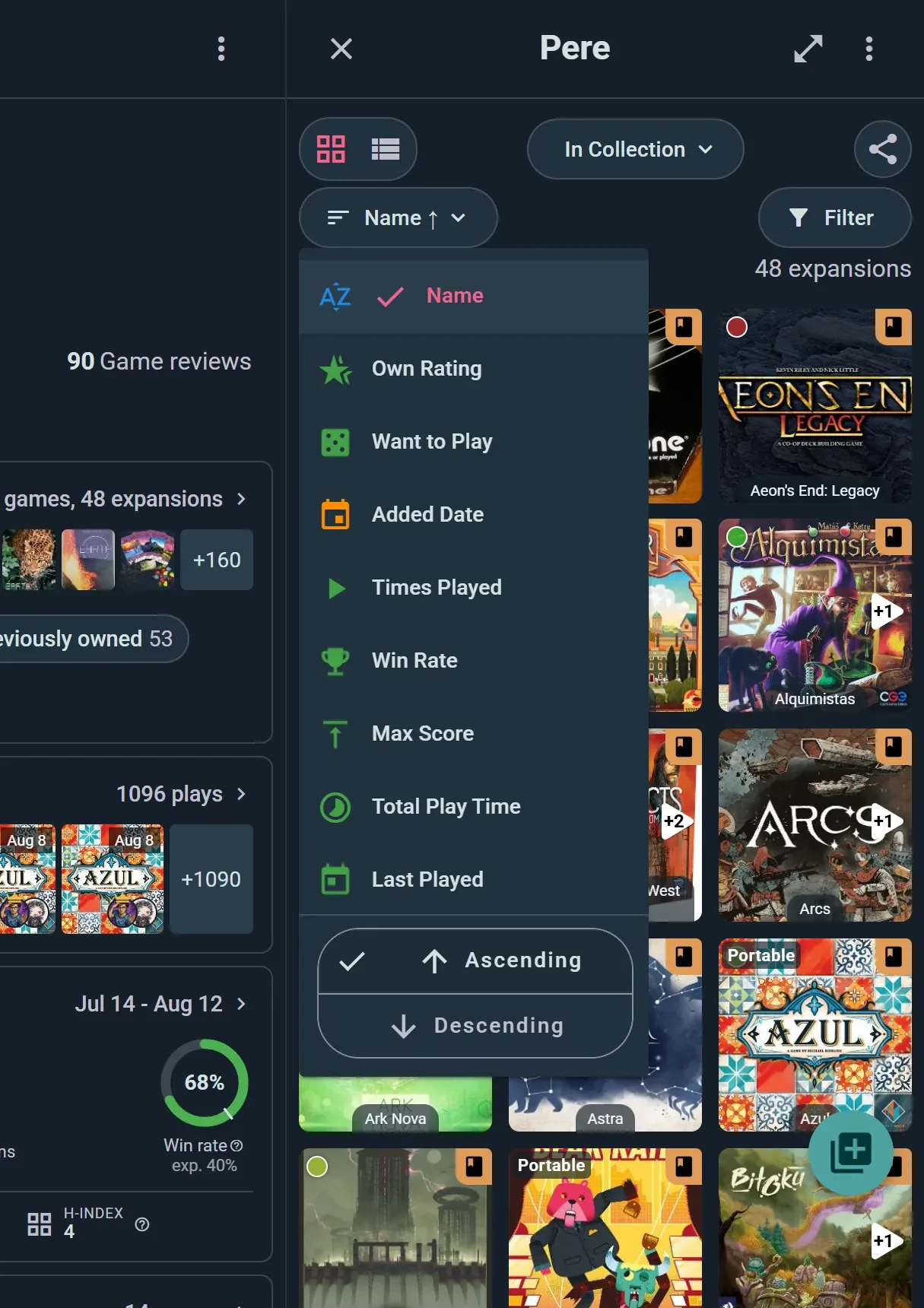
Tap the sort button to pick one, then Ascending or Descending at the bottom of the same menu.
Play Statistics
- Times Played — Most to least played games
- Win Rate — Highest to lowest win percentage
- Max Score — Your highest personal scores
- Total Play Time — Most cumulative hours to least
Every sort runs in either direction, so "haven't played in ages" is just the reverse of Last Played.
Recency & Dates
- Last Played — Most recent plays first
- Added Date — Newest additions to your collection
Cost Metrics
- Acquisition Price — What you paid for each game
- Cost Per Play — Average cost per play (great metric for value)
- Sell Price — What you'd ask for it, if you noted a price on the copy
Your Opinions
- Own Rating — Your own scores, best first
- Want to Play — How badly you want it on the table
- BGG Rating — The BoardGameGeek community score
Shelf Logistics
- Inventory Location — Group by where the box actually lives
- Acquired From — Who you got it from
- Lent / Return — What's out on loan, and when it's due back
Game Attributes
- Alphabetical — A to Z or Z to A
- Year Published — Newest or oldest first
- Playing Time — Quick games to long epics
- Complexity — Light to heavy
- Player Count — Solo to large group games
Custom Sorting
Your selected sort persists as you navigate away and return to your collection.
Collection Tabs
Ludoya organizes your games into tabs for different ownership states:
In Collection
Games you currently own and actively have.
Preordered
Games you've ordered but haven't received yet. These won't count toward your stats until you mark them as received.
Wishlisted
Games you want to own. Your wishlist is visible to friends on the game page (see privacy settings to control this).
Previously Owned
Games you've sold, traded, or given away. Keep this list to remember your gaming history or to track what you've played before.
Everything
All games across all tabs in one view.
Custom Lists
Create your own thematic lists to organize games:
- "Best Party Games" — Games for large groups
- "Solo Games" — Games for solo play
- "Gateway Games" — Games for teaching newcomers
- Create as many as you want and assign games to multiple lists
- Drag games into the order you want, so a "Top 10" really is a ranking. Manage lists in the collection menu, or the chip on your profile, creates and orders them
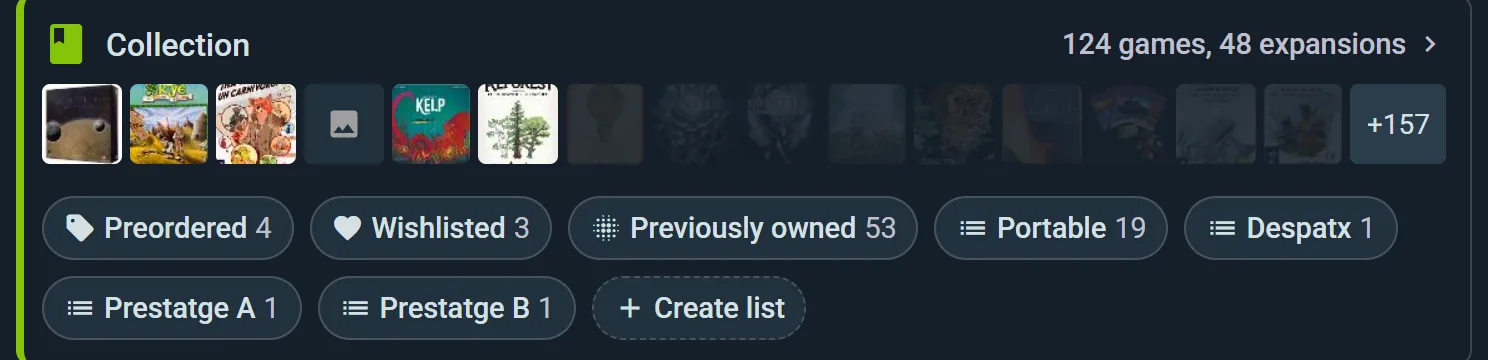
Click on any tab to filter your collection instantly.
Filtering Your Collection
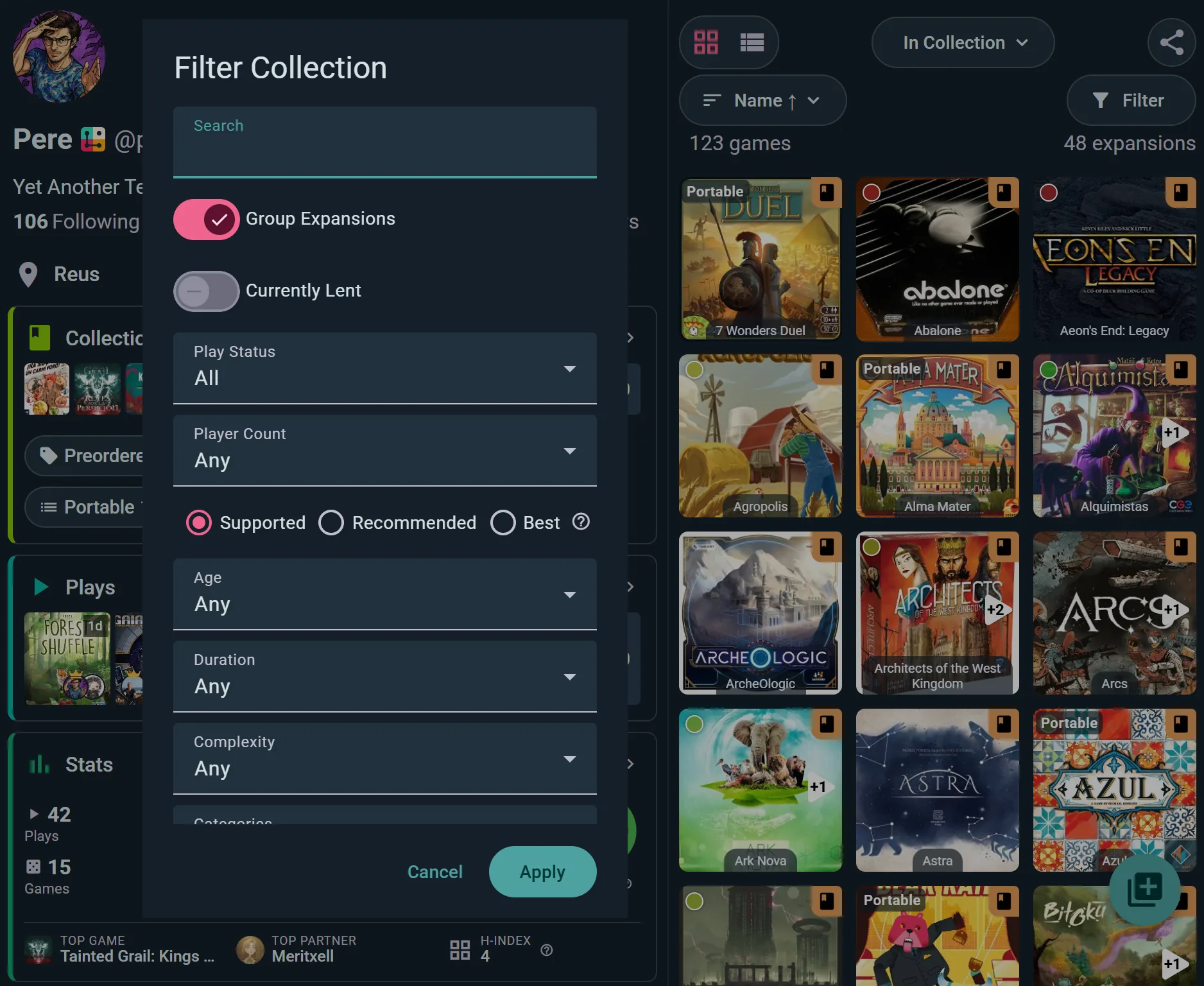
Beyond sorting, you can filter to find exactly what you're looking for. Tap Filter to open the sheet — every control below lives there, and Apply puts them all to work at once:
Player Count
- Filter games that support specific player counts
- Shows games that officially play at your selected count
Game Attributes
- Age, Duration, and Complexity — narrow to what fits tonight's table. Complexity comes in four overlapping bands, so a game on the border shows up under both
- Categories and Mechanics — pick as many tags as you like
Expansions
Grouped under base game tucks each expansion under its game, Listed separately shows every box on its own, and Hidden leaves expansions out. Linked games does the same for games that pair with a partner.
Custom Lists
- Filter to show games in a specific custom list
- Useful for quick access to themed collections
Currently Lent (Player plan)
Show only the games that are out on loan right now, so you know what to chase up. Part of the game lending tracker.
Currently Available
The other half of the shelf: only games with a copy free to take right now. A copy that is lent out, kept off the shelf, or set aside for a member who reserved the game doesn't count. On a club's collection, members find it in the collection's ⋮ menu as well as in Filter, and it leaves out copies kept for a membership tier above theirs. On the cover grid, a copy that is out carries a swap mark in its corner, one set aside for another member a bookmark, and one waiting for you a ticked bookmark.
Play Status
- I Played — Games you've logged at least one play for
- I Never Played — Games you own but haven't tried yet
- All — Show both
Supported Player Count Tiers
- Supported — Game officially supports this count
- Recommended — Community agrees this count works well
- Best — This is the ideal player count
Multiple filters work together to narrow your results.
Your Collection as an Inventory
Past a few dozen boxes, a collection is something you manage: where each copy lives, who has it, what state it's in. Choose Manage collection in your collection's menu, or open Collection in a club's console, and it becomes an inventory with more tabs beside it: Loans, Speed add and Lists, plus Import and export for your own collection (a club moves its data from the console's Data section).
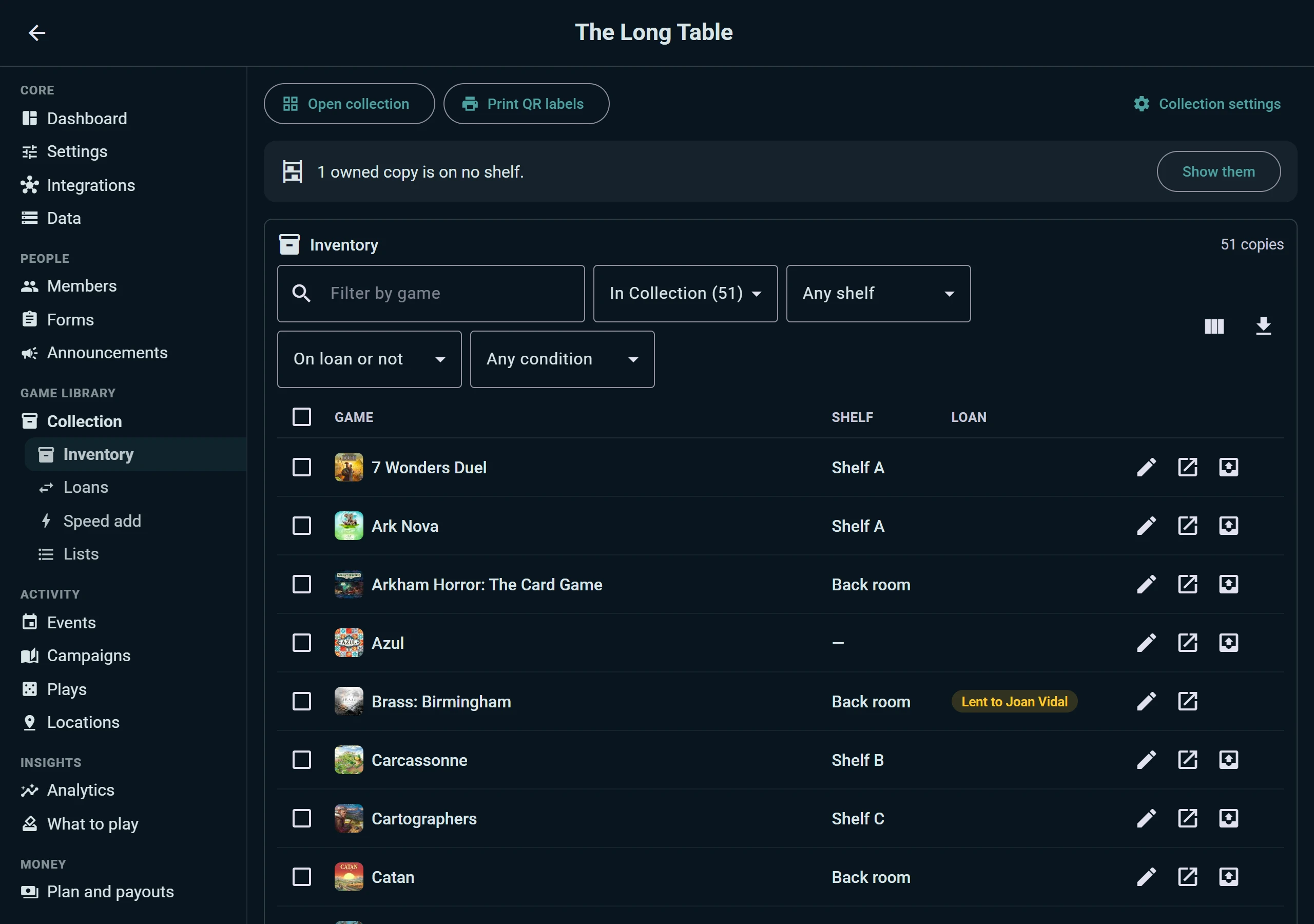
- One row per copy, with its shelf and whether it's out on loan. Filter by game, ownership, shelf, loan and condition, choose the columns, or download the lot as a spreadsheet.
- Change many at once. Select copies and move them to a shelf, change their ownership, set their condition, or keep them off the shelf. A banner points out owned copies that are on no shelf yet.
- Condition for each copy, so the box with the torn insert isn't the one you lend to a newcomer.
- Keep a copy off the shelf: the club's own copy for staff, or a box waiting for missing pieces, stays in the inventory without showing on the public shelf.
- Print QR labels for the copies you selected, not only the whole library (see below).
- Import and export: a club's admins can bring the club's collection in from a file, from Ludoya or from BoardGameGeek, and take it out again, the same way you do for your own.
Loans
The Loans tab answers "who has our Ark Nova?". It's part of the Player plan's loan tracking:
- Reserved games: copies set aside for members who reserved a game that was out, to hand over, scan from the member's pass, or cancel, and who waits for which game
- Waiting at the desk: lending desk reservations still holding a box, to hand over or decline in one tap
- Everything out: games lent by hand and games handed over at an event desk, in one table, with who has each, when it's due, how many days late it is and which shelf it goes back to. Mark it returned from the row
- Returned: the latest returns, how late they came back and any notes on their condition
- History of every copy and every borrower, so the last person who had a game is never a mystery
A borrower gets one reminder when a game is overdue, at a sensible hour. No QR scanner in your browser? Any page that scans a code (check-in, the desk, a scan session) can use your computer's webcam.
Adding Games to Your Collection
Add One Game
- Tap the + button and choose Add Game
- Search for the game by name
- Pick the edition that matches your copy, if the game has several
- Add it — it appears in your library instantly
Speed Add
Got a whole shelf to enter? Choose Add multiple games at once from the same dialog (or Kickstart your collection when your library is still empty). You get a filterable list of games with a checkbox beside each one — tick a game and it's added on the spot. It's by far the fastest way to enter a real collection.
Sync with BoardGameGeek (BGG)
If you already track your games on BoardGameGeek:
- From your collection menu choose Sync with BGG, or go to Settings → BoardGameGeek integration
- Enter your BGG username and choose what to sync — your collection, your plays, or both
- Hit Sync now
The sync runs both ways: bring your BGG library and play history into Ludoya, and push what you log here back to BGG. You can leave it on so the two stay in step, and there's a tool to clean up duplicate entries on the BGG side.
Import from Board Game Arena (BGA)
Go to Settings → Board Game Arena integration and connect your BGA account to import the games you've played online. Note this brings in plays, not games you own — your BGA history lands in your play log, not your collection.
Add from Play Log
When you log a play session with a game that's not in your collection:
- You'll be prompted to add it
- Quickly confirm the game and version
- It's added to your collection for future reference
Adding Missing Games to the Catalog (Player plan)
Can't find a game in the Ludoya catalog? Player subscribers can submit new games directly, along with all the metadata needed for the rest of the community to find and log them:
- Name, player counts, age rating, play time, and complexity
- Cover image and additional artwork
- Designer, artist, and publisher credits
- Description, theme, and any other catalog fields
- A short explanation of the submission (sources, links, personal copy photos, anything that helps reviewers verify)
Submissions go through a moderation review before the game appears in the public catalog. Once approved, the game is searchable, can be added to collections, and starts accumulating plays, reviews, and community stats like any other title. The same workflow handles corrections to existing games — see Request Changes below.
The Game Page
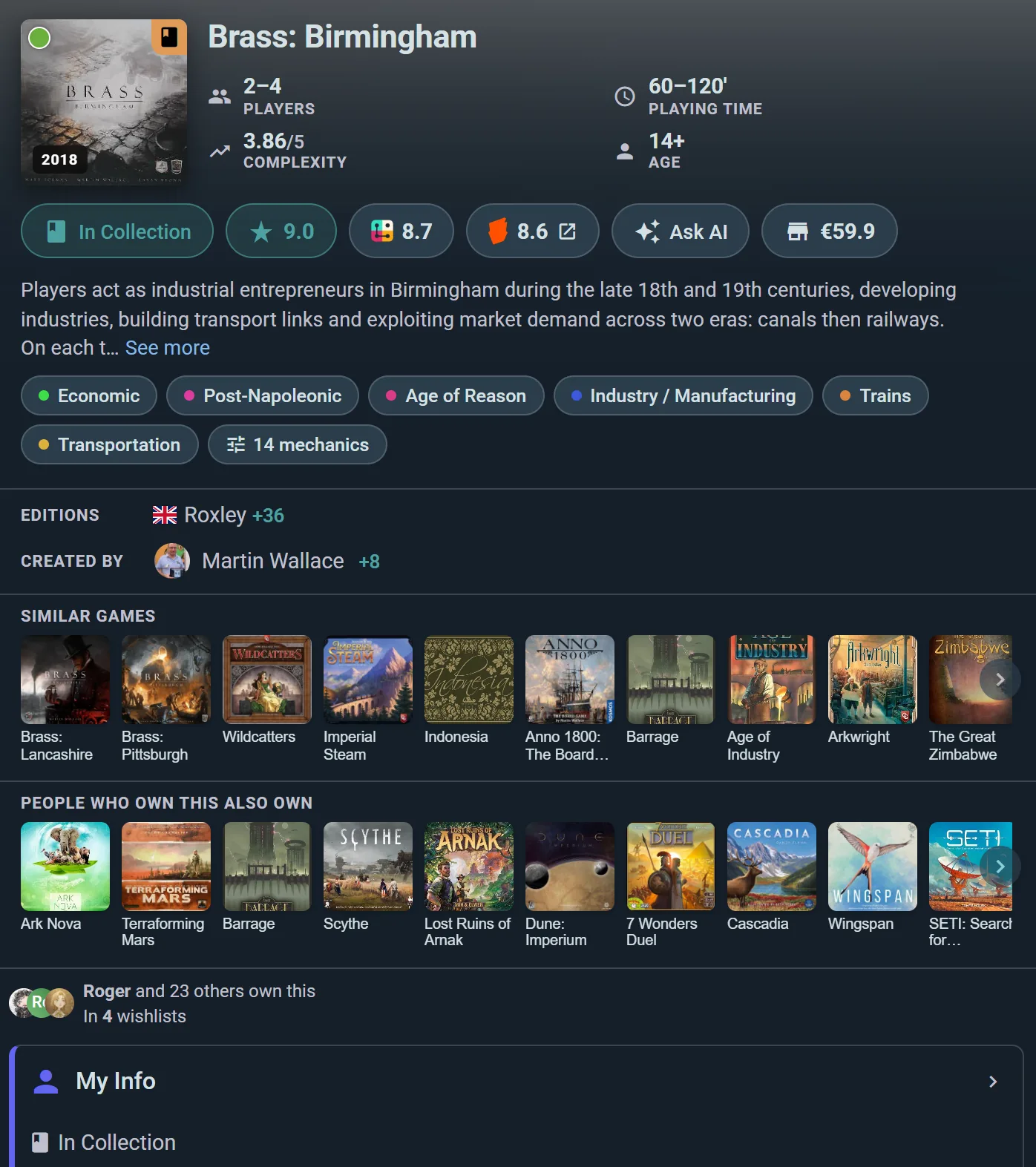
Every game in Ludoya has a dedicated page with rich information. Access it by clicking any game in search results, your collection, or events. If you've interacted with the game, you'll also see a My Info widget summarizing your personal data — click it to open the full My Info page.
Overview Section
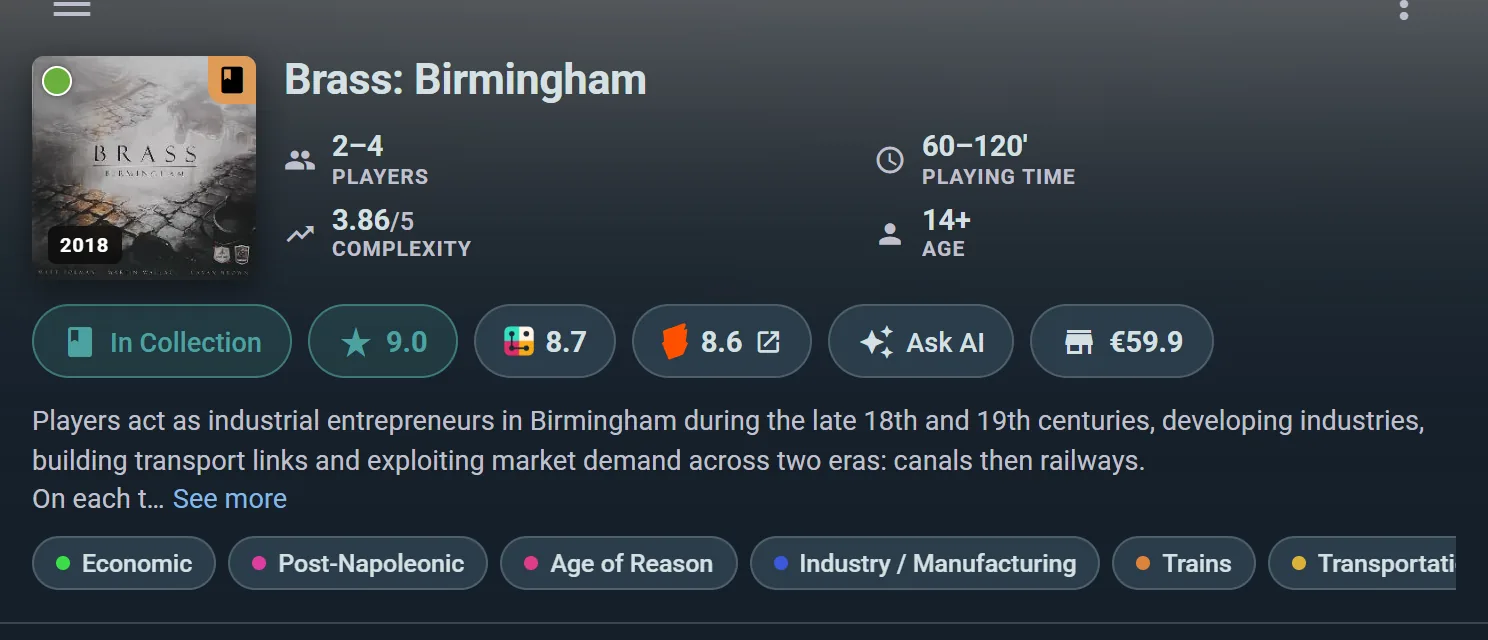
- Box Art — Cover image
- Basic Info — Players, play time, minimum age
- Credits — Designer, publisher, publication year
- Description — Rules summary and theme
Expansions
- View all available expansions for the base game
- Add expansions to your collection
- Track which expansions you own
Social Posts & Reviews
- Recent posts from the community about this game
- User reviews with ratings and commentary
- Highlighted reviews from friends you follow
Reviews Backed by Plays
- Browse all community reviews, each with how much its author actually played the game, from their logged plays
- See the average (each reviewer counted once), how the 1–10 ratings spread, and what reviewers who played at each player count said: best, good or skip
- The most useful reviews come first: newer ones, ones with a verdict line or text, and ones from people who played it more
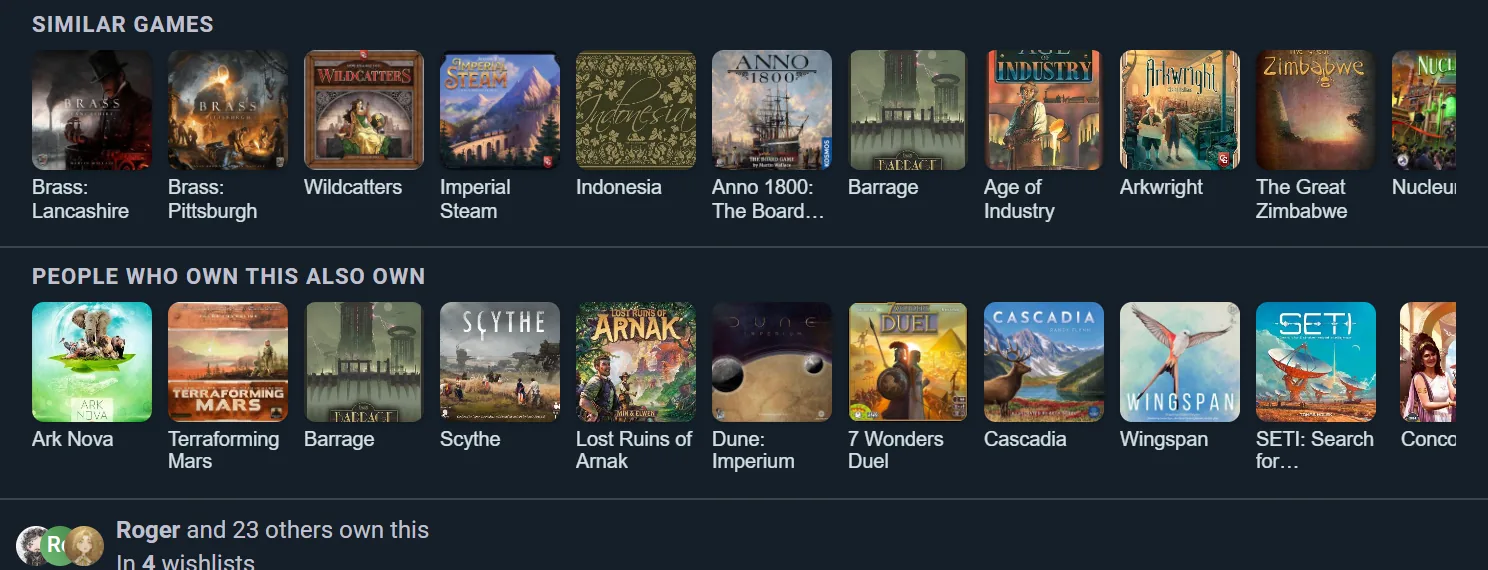
Social Graph Layer
On the game page, you can see:
- Friends who own this game — Who in your network has it
- Friends who wishlisted this game — Who wants it
- Games in common — A way to find new gaming friends
Community Stats
- Play Counts by Player Count — Filtered by All Time or Last 30 Days
- Shows how many plays happened at each player count
- Helps you decide if the game is good for your table size
- Community Rating
- The average of Ludoya reviews, each reviewer counted once, and how the 1–10 ratings spread
- What reviewers who played at each player count called it: best, good or skip
Personal Stats
Your own history with this one game, not the community's:
- The headline row — your plays, total time, average length, and wins
- Players — who you play it with, ranked
- Player counts — the table sizes you actually play it at
- Locations — where you play it
- Game Scores — every score anyone recorded, so you can see your best and how the table usually finishes
- Role Stats — for games with asymmetric roles or factions, how you do as each one
Switch the whole grid between Only Me and My Friends to compare your record with the people you play with. See Statistics for the same tools across your whole history.
Upcoming Events
- Scheduled Games — See if this game is being played at upcoming events
- Register for Events — Quick access to join an event where this game is featured
Marketplace Listings
- Active Sales — See who's selling this game near you
- Condition & Price — Filter by condition tier and price range
- Buy Here — Links to purchase from other players
Store Prices
- Retail Prices — Links to current prices at major online retailers
- Price Tracking — See price history (if available)
- Buy Now — Quick links to purchase new copies
AI Game Assistant Entry
- Ask AI — Start a conversation with our AI assistant, on games that have one
- Ask it about the rules, mid-game
Request Changes (Player plan)
- Submit a change — if something on the game page is wrong or missing (name, player counts, age rating, play time, cover or other images, designer/artist/publisher credits), choose Request Changes from the game's menu and submit your correction
- Every submission includes your explanation of what needs to change and why, so the moderation team has context
- Submissions go through a review queue before being applied to the catalog, keeping data reliable for the whole community
- Available to Player subscribers and above
Rearranging a Game Page
Everything above is a widget, and the page is yours to arrange. Choose Customize Layout from the game's menu, then drag sections into the order you want or hide the ones you never read — My Info, Plays, Personal Stats, Events, Community Stats, Game Kits and Campaigns.
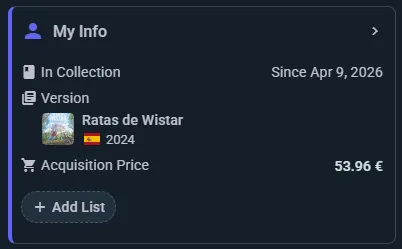
The layout is per-account and applies to every game page, so set it once. Your home dashboard and your profile work the same way, each with its own arrangement.
My Info Page
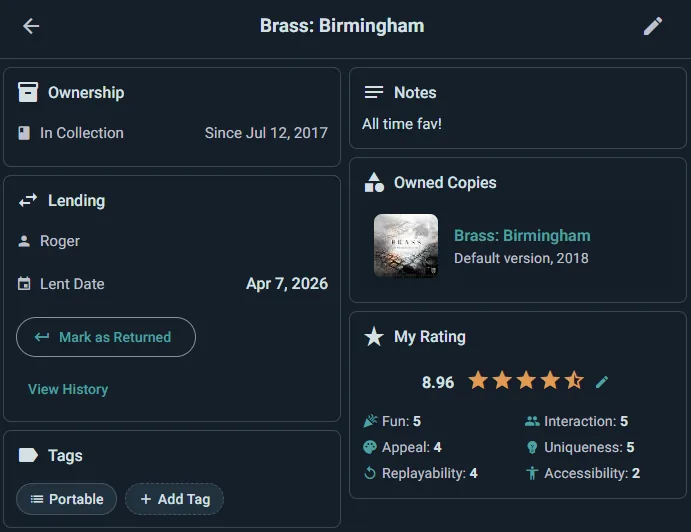
If you've added or interacted with a game, click the My Info widget on the game page to access your personal details:
- Ownership — Type (In Collection, Preordered, Wishlisted, Previously Owned), acquisition date, and personal notes
- Versions & Copies — View and switch between editions you own
- Custom Lists — Manage which lists this game belongs to
- Acquisition & Value — Purchase price, resale value, and cost per play (Purchase Price ÷ Times Played)
- Your Rating — 1 to 10, with your review when you write one
- Lending (Player plan) — Choose Lend game on the game's page, pick the Borrower (their Ludoya profile, so it's linked rather than a note to yourself), set Lent on and Due back, and Lend. When it comes back, record the return with condition notes if anything changed. Your full lending history stays on the game, and the Currently Lent collection filter shows everything that's still out.
- Selling — Sell this copy puts that box on the Marketplace, with its edition, condition and Sell Price filled in. While it's listed, the copy says For sale on the marketplace. When it sells to someone on Ludoya, the box moves to their collection and stays in yours as Previously Owned, with your notes and prices, and a line after your notes saying who bought it, for how much and when.
Game Library Lending: QR Labels (Club plan)
A club or venue on the Club plan can turn its whole library self-service. Open the club's collection, choose Print QR labels from the ⋮ menu, and Ludoya lays out a QR sticker for every copy on a standard A4 sheet — print it, cut it, and put one on each box.
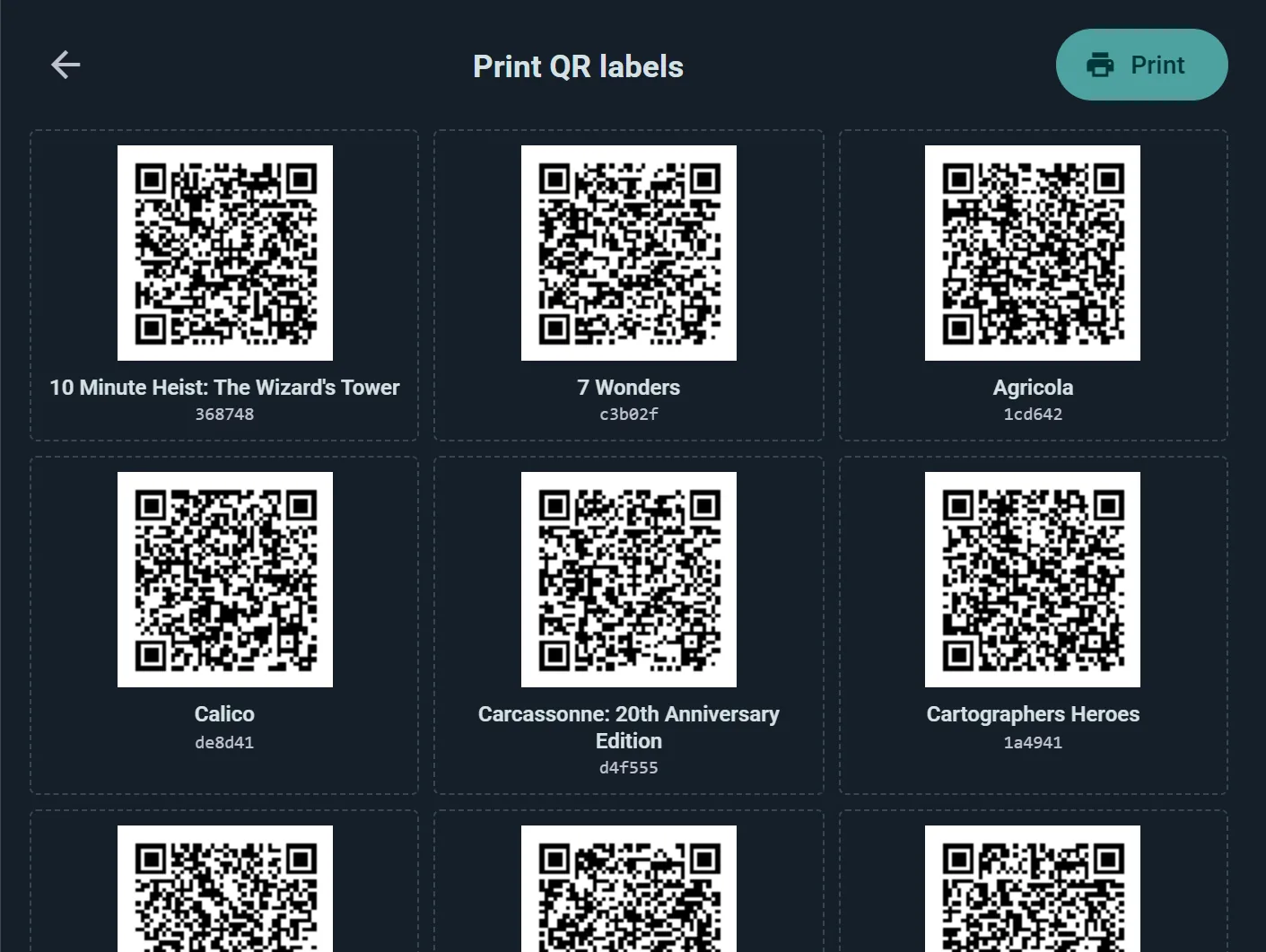
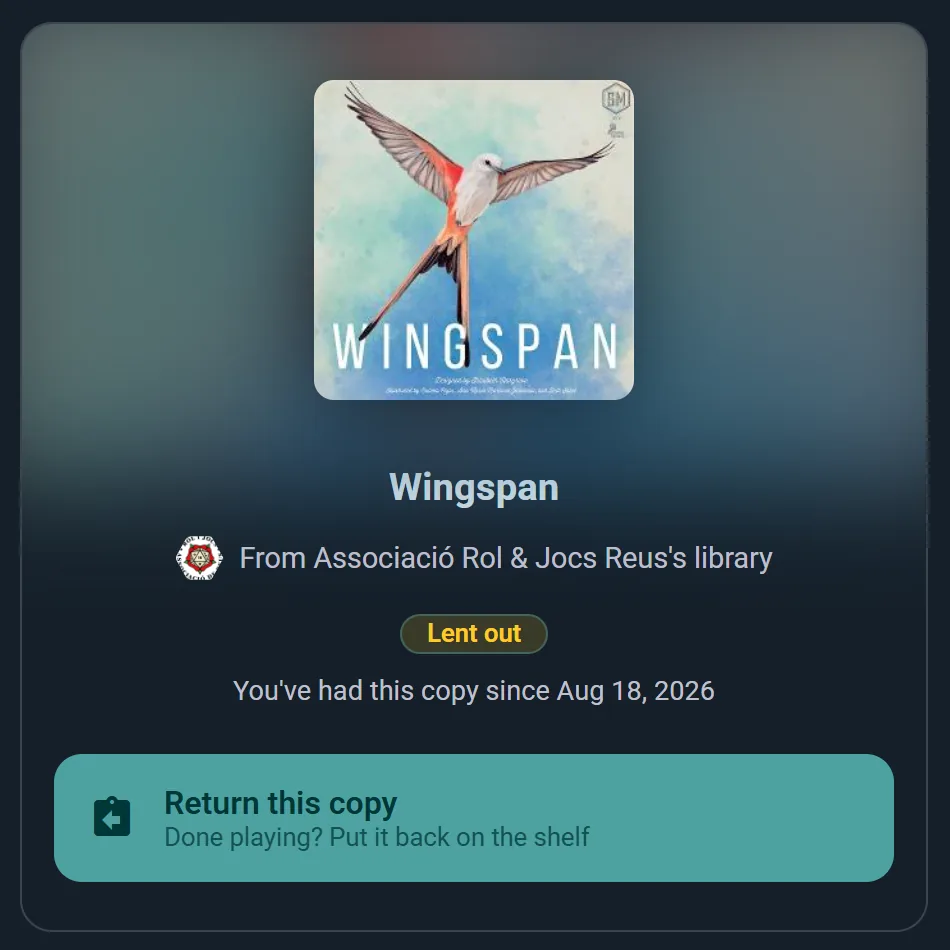
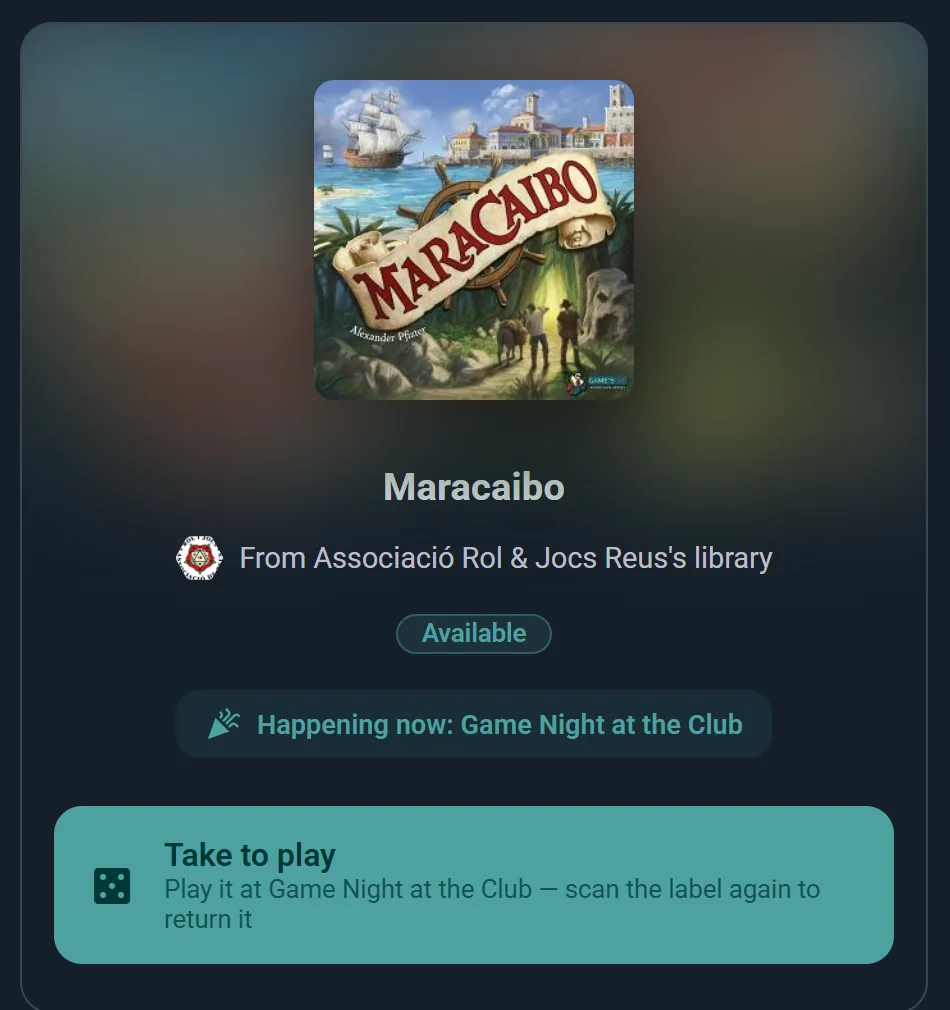
From then on the label does the work. Anyone who scans it with their phone camera sees the game, whose library it belongs to, and whether it's available right now — and gets exactly one button for their situation:
- Members scan to borrow — they confirm, optionally set an expected return date, and the loan is tracked on the copy automatically.
- During your events, a scanned copy that's on the event's game list offers Take to play instead — attendees grab a game for their table and scan the same label again to return it when they're done. Every take is tagged to the event.
- Whoever holds a copy scans it again to return it — no staff involved at any step.
Staff get bulk tools too: a Scan session (from the collection's menu or an event's game list, with a phone or a computer's webcam) applies one action to every label you scan in a row — set an Inventory Location shelf by shelf, register a pile of games to tonight's event, or mass-return everything left on the tables at closing time.
Reserving a Game That's Out (Club plan)
When every copy of a game is out on loan, a club member can Reserve it from the club's collection, the way a library takes holds. They join that game's queue and see their place ("Next in line", "No. 2 in line"); when the first copy out is due back, it says so, or that it is overdue. A member can be in as many queues as their membership tier lets them have games at once. A game with a copy on the shelf can't be reserved: it's there to borrow.
When a copy comes back, it isn't shelved: it's set aside for the first in line, whichever copy it is, and the member is told it's waiting for them. Whoever takes it back hears it too, so it goes to the desk rather than the shelf: the librarian marking it returned and a lending desk are told whose it is; a borrower scanning it back is told only that a member reserved it.
- It waits until the end of the day after the club's next event (any event the club runs, wherever it is held; a week when none is coming within two weeks), and the morning of that last day the member is reminded. Then it goes to the next in line, or back on the shelf, and the member can reserve it again.
- A copy set aside counts toward the member's loan limit, and only they can borrow it. A place in a queue doesn't count, so a member with every game their tier allows already out is still offered it: the notification and the pass tell them to bring one back when they collect it. If they don't, staff can cancel it from Loans and it goes to the next in line straight away.
- The club's rules still apply: a copy kept for a membership tier only goes to members of that tier and above.
- The member finds it under Games to pick up on their home and in My bookings, where its Pass holds a QR code; the notification opens that pass. Their queues are listed there too, with Leave queue. Cancel reservation on the pass lets a set-aside copy go to the next in line, after asking first.
- The borrower holding a game someone reserved is told so in their overdue reminder.
The member collects it two ways: by scanning the QR sticker on the box and borrowing it, or by showing their pass at the club's desk. Staff see everything under Reserved games in the club's Loans: the copies Set aside, to hand over with Hand over or by reading the member's pass with Scan a pickup, or to cancel (the member is told); and every game's queue, numbered. Borrowing a copy to play at an event doesn't cost a member their place. The reminders can be turned off in Settings → Notifications, with the library's other ones.
Staff run the queues too. Edit queue, on a game's row in Loans or in the game's menu in the club's collection once every copy is out, opens its queue, with the day each member joined and whether staff moved them up:
- Move up, Move down and Move to the front put a new order together; Save order keeps it, Discard drops it. Every member whose place changed is told once where they stand now, and someone pushed down is told another member was put ahead of them.
- Remove from the queue takes a member off at their request; they are told.
- Add a member puts in someone who asked at the desk, by phone or in the chat. The same rules apply as when they reserve it themselves, and they are told their place and that they can leave the queue from My bookings. Only members with a Ludoya account can join a queue, since it has to tell them when the game is back. A member without one can borrow the game once nobody is waiting for it: the queue goes first.
- Members who missed pickups in the last year show it, as in "Missed 2 of 5 pickups": copies that waited for them and nobody came, out of all that waited for them. The set-aside rows in Loans say it too, and members see their own count in My bookings.
A Lending Desk at Your Event (Business plan)
QR labels turn a shelf self-service. A lending desk does the opposite job: nothing goes on the boxes, and your staff hand every game over in person. It suits a festival ludoteca, or any counter that is actually staffed, and it needs no preparation beyond choosing which games it lends.
Set it up from the event's Games list, under Set up a lending desk. You choose how long a loan lasts, how many games one visitor may hold at once, how long a reservation waits at the counter (from one minute to an hour; five unless you change it), and whether borrowers must answer the event's form first. Then What's on the shelf lists every game at the event so you can mark the lendable ones, with how many copies of each and where they sit. A copy that already carries an Inventory Location brings its own shelf reference along, so nothing is retyped.
How long is a loan? Either one length for the whole shelf, or one taken from each game's own playing time — twice its length plus half an hour, say — so a filler comes back long before a four-hour game has to.
What a visitor does
- Opens the event's games list and searches, or filters to what is free right now
- Picks a game and taps Borrow — the sheet shows the loan length and which shelf the box is on
- Gets a QR that holds the copy so nobody else can claim it meanwhile: five minutes, unless the organizer set anything from one minute to an hour
- Shows it at the desk, and takes the box
- Returns it by showing the code again, from the same game
What your staff do
- Scan the visitor's code and confirm — the loan opens with a return time, or closes if the game is coming back
- Work from the desk screen, which lists reservations waiting to collect and everything that is out, overdue first
- Hand a game over, or take it back, without any scan at all when a phone is dead or lost
- Read the library report afterwards: what was borrowed most, how long the average loan ran, and when the desk was busy
If no copies are free, a visitor can ask to be told when one comes back.
Your Wishlist
Your wishlist is one of your collection's ownership views — the same shelf, filtered to the games you want rather than the ones you have. It gets its own address, so you can link straight to it, and it sorts and filters exactly like the rest of your collection.
Add a game from search or from its page, and remove it by tapping the wishlist icon again. Friends can see it on a game's page if your privacy settings allow, which is what makes it useful in December.
Games you want are also watched for you: turn on Wishlist matches and Price drops under Settings → Notifications and Ludoya tells you when one turns up second-hand or gets cheaper at a shop.
Moving a Game Between States
Ludoya only offers the moves that make sense, so you'll see a shorter menu than you might expect:
- In Collection → Previously Owned (you sold or gave it away)
- Preordered → In Collection (it arrived)
- Wishlisted → In Collection, or Preordered (you bought it, or ordered it)
- Previously Owned → anything (you bought it again, or put it back on the list)
If a move you want isn't offered, the game is usually in a state that has to pass through In Collection first.
Your Group's Shelves
A group has a collective collection: every member's games, in one searchable view. It answers "does anyone own this?" without a round of messages, and it's how a club works out whether it needs to buy a copy of something before the next game night.
Open it from the group's profile: Collective Games under its game library. Each game shows who owns it: a member's face and how many members have it. Select it for the full list by name, with a link to each owner's profile. To ask to borrow it, press Message beside an owner: it shows for everyone who takes messages from you, and the chat opens with a short request already written that you can change before sending. Looking for one game in particular? Type its name in Filter → Search. The list view has the same owners in its Members column, and sorting by Members puts the most widely owned games first.
Ownership Changes & Social Feed Posts
When you add or remove games from your collection, you have the option to post about it in your social feed.
Feed Visibility
Your ownership posts appear in:
- Your profile's activity feed
- Your followers' social feeds
- The game's social posts (aggregating all players' collection changes)
Privacy Control
You can:
- Control who sees the post in Privacy & Visibility settings
- Delete posts later if you change your mind
Syncing Your Collection
Your collection syncs automatically across all devices when you're logged in. Changes made on your phone appear on your desktop instantly.