Stay connected with real-time updates from your gaming community. Ludoya notifies you about plays, events, groups, marketplace activity, shop deals, and more — and you decide how each one reaches you.
Your Inbox
Tap the bell — in the bottom bar on mobile, or the side menu on desktop — to open your notifications, with an unread badge showing how many are waiting. Everything syncs across your devices, so reading a notification on your phone clears it on your laptop too.
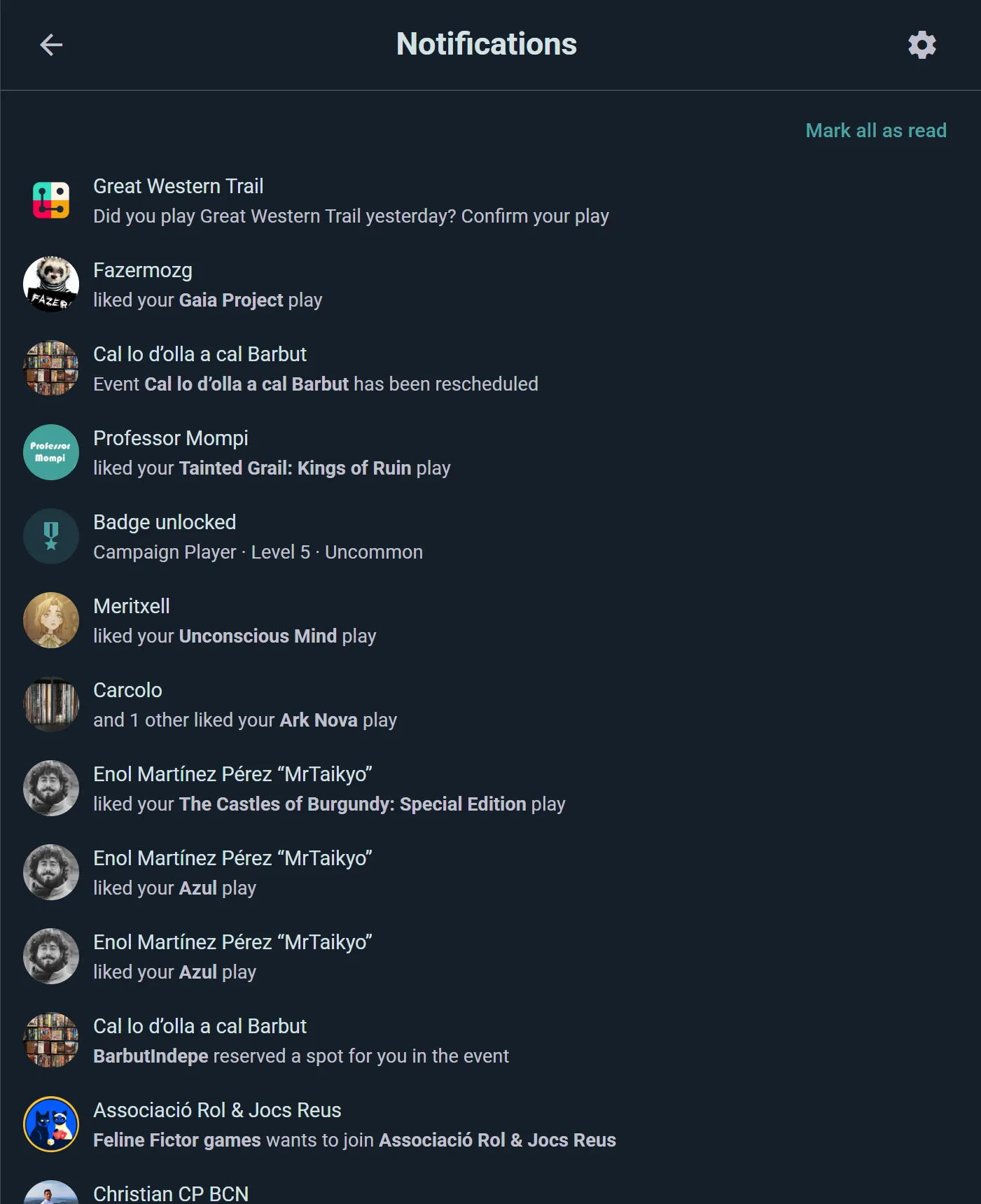
- Sorted by day: today, yesterday, and earlier, newest first.
- Grouped when it piles up. Eight people joining your event is one line, "Vera Lindqvist and 7 others joined your event", not eight.
- Each row says where it comes from: the event, the group, or the town a new event is in, with the game's cover beside it.
- Filters at the top narrow the list to Mentions, Events or Marketplace.
Answer Without Leaving the List
The common replies are buttons on the notification itself:
- Approve or Decline a request to join your event or group
- Follow back someone who just followed you
- Reply to a comment, right there in the list
Every notification also has Mark as read and Delete notification, and the double tick at the top marks everything read at once.
Delivery Channels
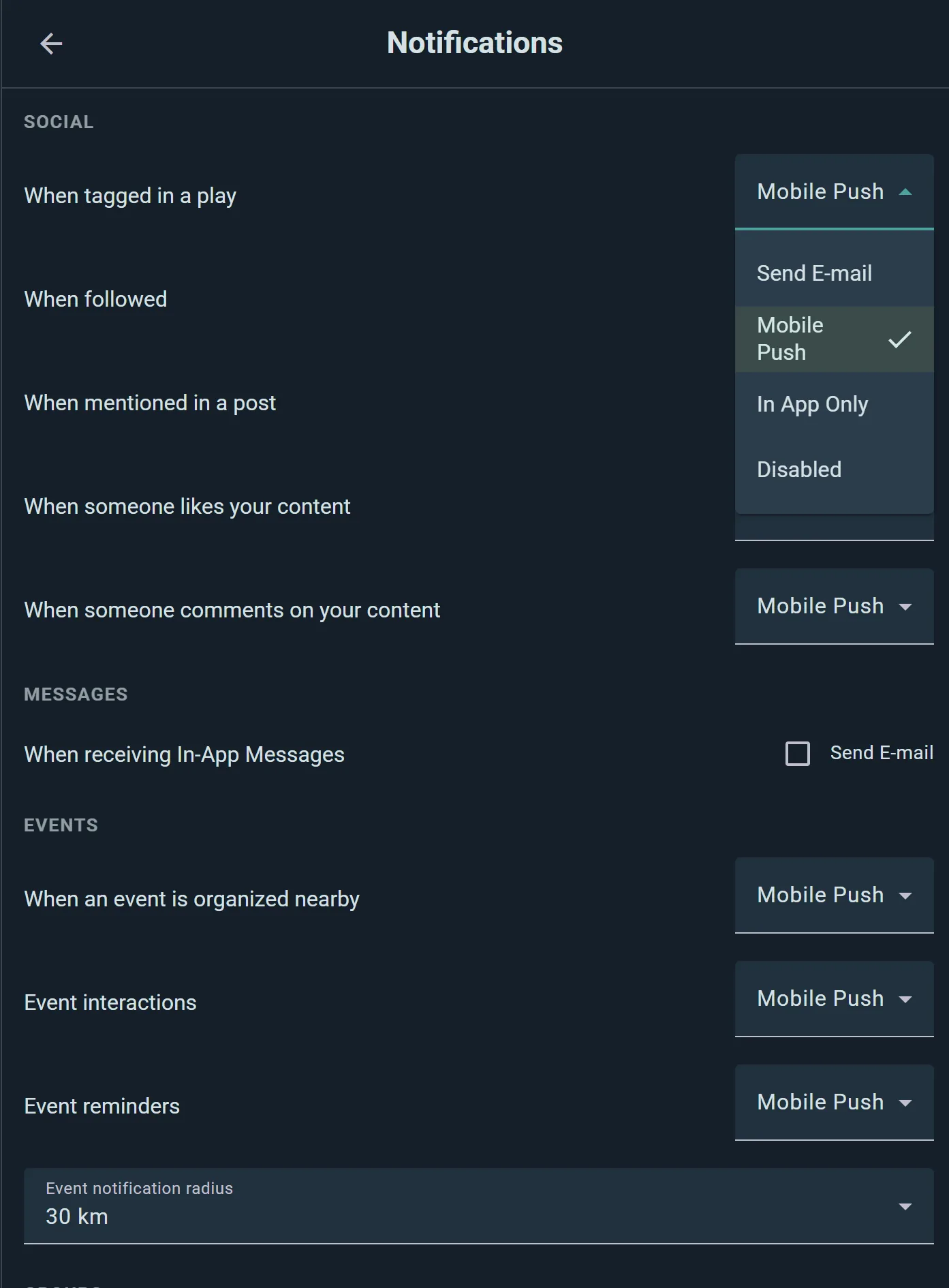
In Settings → Notifications, every kind of notification has three columns: In app, Push and E-mail. They build on each other: a notification that reaches your e-mail also pushes to your phone and shows in the app, and one that's only in the app stays quiet everywhere else. Untick In app to turn a topic off entirely.
Each row says what triggers it, each section can be collapsed, and Turn all off or Turn all on handles a whole section at once. Press Save when you're done.
Nothing is all-or-nothing: you can have event reminders pushed to your phone, marketplace inquiries e-mailed, and likes stay quietly in-app.
Send me e-mails at the top is the master switch. With it off, nothing reaches your e-mail inbox; anything set to e-mail still arrives as a push notification.
Only use Ludoya in the browser, or never installed the app? Then there's no phone to push to, so what's set to Push comes by e-mail instead (unless you're on Ludoya at that moment, or Send me e-mails is off). It goes back to push as soon as you sign in on the app and allow its notifications. Likes, badges and shop deals stay in the app either way.
What You Can Be Notified About
Settings are grouped the same way the app groups them.
Social
When you're tagged in a play, when someone follows you, when you're mentioned in a post or comment, when someone likes or comments on your posts, reviews or plays, and when someone asks to share a collection with you.
Messages
Someone writes to you in a conversation. Your device is pinged whenever you're away; the e-mail only follows if you stay away. Each group chat also has its own level (every message, mentions and replies, or muted) in its info panel.
Events
When an event is organized nearby, event interactions (someone joins or leaves an event of yours, or a game is scheduled in it), announcements from the organizers of an event you're part of, reminders 24 hours and 30 minutes before it starts, raffles you can enter or win, the club's game library (a game you waited for comes free, or one you borrowed is due back), and your table bookings at a venue.
Groups
When a group is created near you, group interactions (join requests, approvals) in the communities you belong to, and announcements a club you belong to sends its members.
Marketplace
When someone asks about your listing, listing status changes (reserved, delivered, completed), listing expiration (about to expire, or expired), your boxes at an event's market (one sells, or the organizers ask you to collect), wishlist matches when a listing appears for a game you want, and transaction ratings. See Marketplace.
Campaigns
Invites and join requests for your campaigns.
Shops
Price drops and new arrivals from retail shops — see Shops & Prices.
Other
Your monthly plays summary, a weekly shelf reminder (the game on your shelf that has waited longest for a play), badge unlocks, completed quest cards, the outcome of game catalog edits you submitted, BoardGameGeek link results, and BoardGameGeek sync problems.
Some closely-related notifications share one setting — "listing expiration" covers expiring and expired together, for example — so the settings screen stays short instead of listing thirty separate switches.
BoardGameGeek sync problems and Announcements from the Ludoya team can't be switched off, only moved between push and e-mail. Billing notices are always delivered.
Radius for Nearby Alerts
"Nearby event" and "nearby group" alerts use your profile location, and you choose how far out to listen. The two distances sit right under the nearby-events row in Settings → Notifications:
- Any event: how far away an event can be and still reach you. This distance also covers nearby groups and local-only marketplace matches. The default is 5 km.
- Games you want to play: a separate, usually wider distance for events with a game on your want-to-play list or wishlist. Worth a longer trip, so it defaults to 30 km.
Each offers 2 km (your neighborhood), 5 km, 30 km (regional) and 100 km (wide area).
Managing Your Notifications
Tap to open: a notification takes you to whatever it's about, and it's marked read on the way.
Change your mind anytime: the gear at the top of the inbox opens your settings, so it's easy to dial things down during a busy week and turn them back up later.